
Most people use a link shortener for one thing: making a long URL short. Capsulink can do a lot more with the same link, and 6 of the 14 tricks below work on the free Starter plan. Every trick comes from the Capsulink help center, checked in November 2026.
| Trick | Plan | Good for |
|---|---|---|
| 1. See any link’s stats with + | Free | Quick checks |
| 2. Parameter forwarding | Free | One link, many channels |
| 3. Capsulate an email address | Free | Counting contact clicks |
| 4. Broken link alerts | Free | Old links |
| 5. QR code for every link | Free | |
| 6. Folders | Free | Many campaigns |
| 7. Edit the destination | Pro | Printed and sent links |
| 8. Custom and emoji endings | Paid | Memorable links |
| 9. Smart links | Paid | Apps, countries |
| 10. Password protection | Paid | Private files |
| 11. Private statistics | Paid | Client work |
| 12. Retargeting pixels | Paid | Ads |
| 13. Custom domain with 404 page | Pro | Branding |
| 14. CSV export of stats | Paid | Reports |
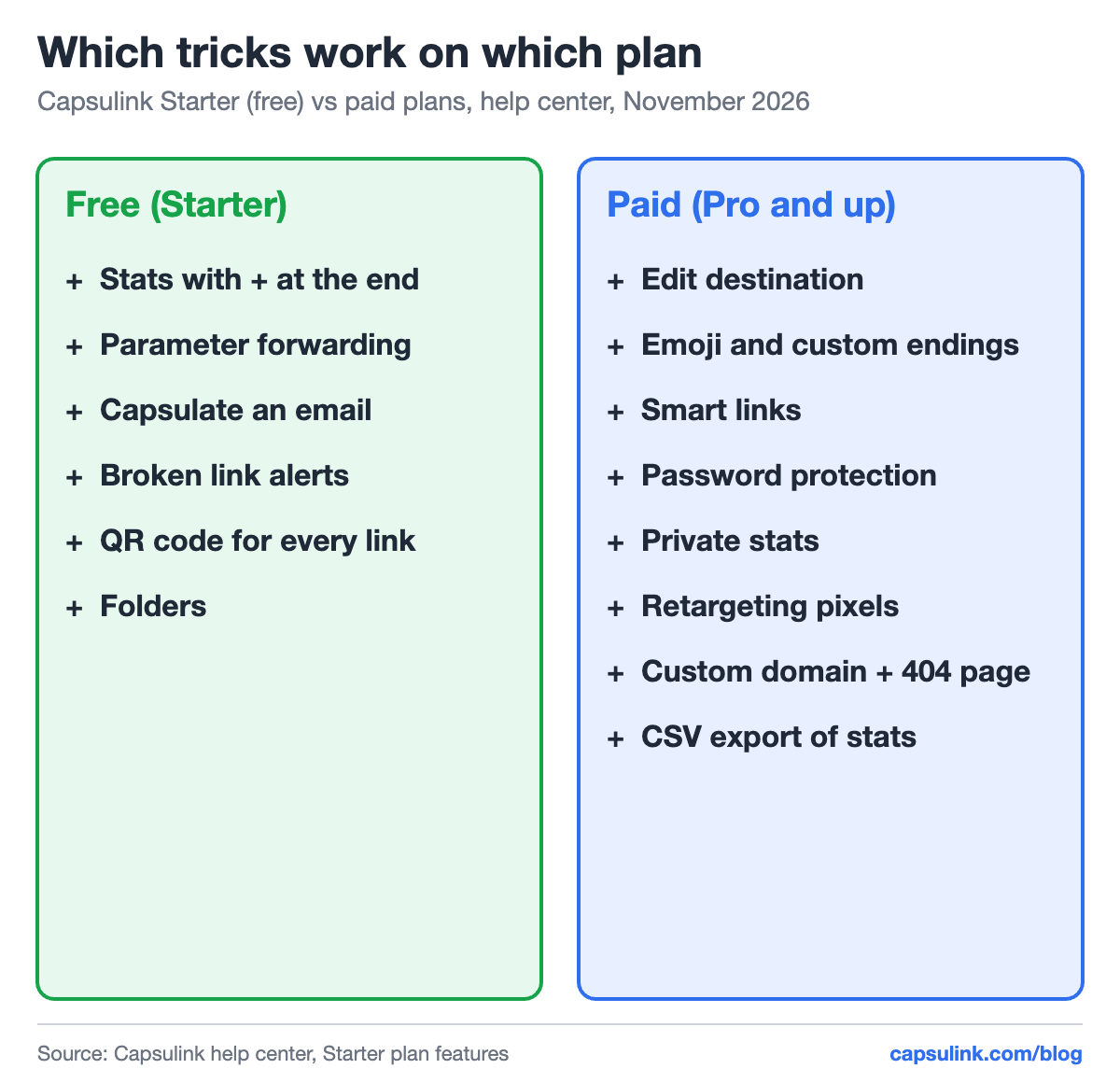
Which tricks are free and which need a paid plan.
1. See any link’s stats with a + at the end
Add + to the end of a public short link, for example cli.re/example+, and you get its basic statistics (How to view and export your link statistics). Handy for checking a link a colleague shared without logging in. On paid plans the stats of a link can be made private.
2. Parameter forwarding
Parameters added to a short link are passed on to the destination. Share cli.re/sale?utm_source=newsletter in the newsletter and cli.re/sale?utm_source=facebook on Facebook, and Google Analytics sees two sources from one short link. Parameter forwarding is part of the free Starter plan (Starter (free) plan features and limitations).
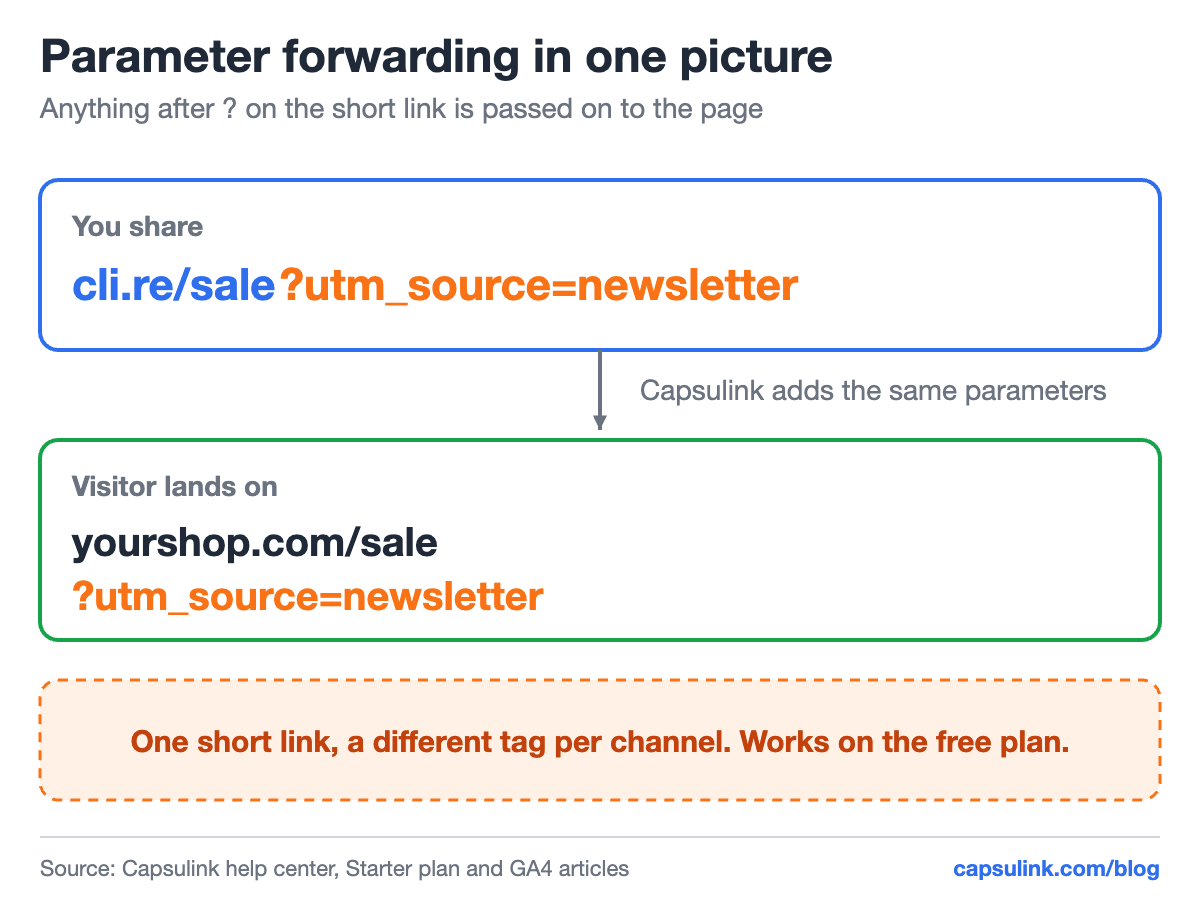
The parameters after ? travel with the click to the destination page.
3. Capsulate an email address
Instead of posting your email address on a website or a forum, share a short link that opens it. You see how many people clicked, and the raw address isn’t sitting in the page text. Available on the free plan.
4. Broken link alerts
Capsulink sends a notification when a link’s destination stops working. Old links in printed flyers or old posts break quietly when a page is deleted, and the alert tells you before readers do. Free on every plan.
5. A QR code for every short link
Each short link has its own QR code, ready to download as SVG for print or PNG for screens (How to generate QR codes for short links?). The code points to the short link, so on a paid plan its destination can change after printing. More in dynamic vs static QR codes.
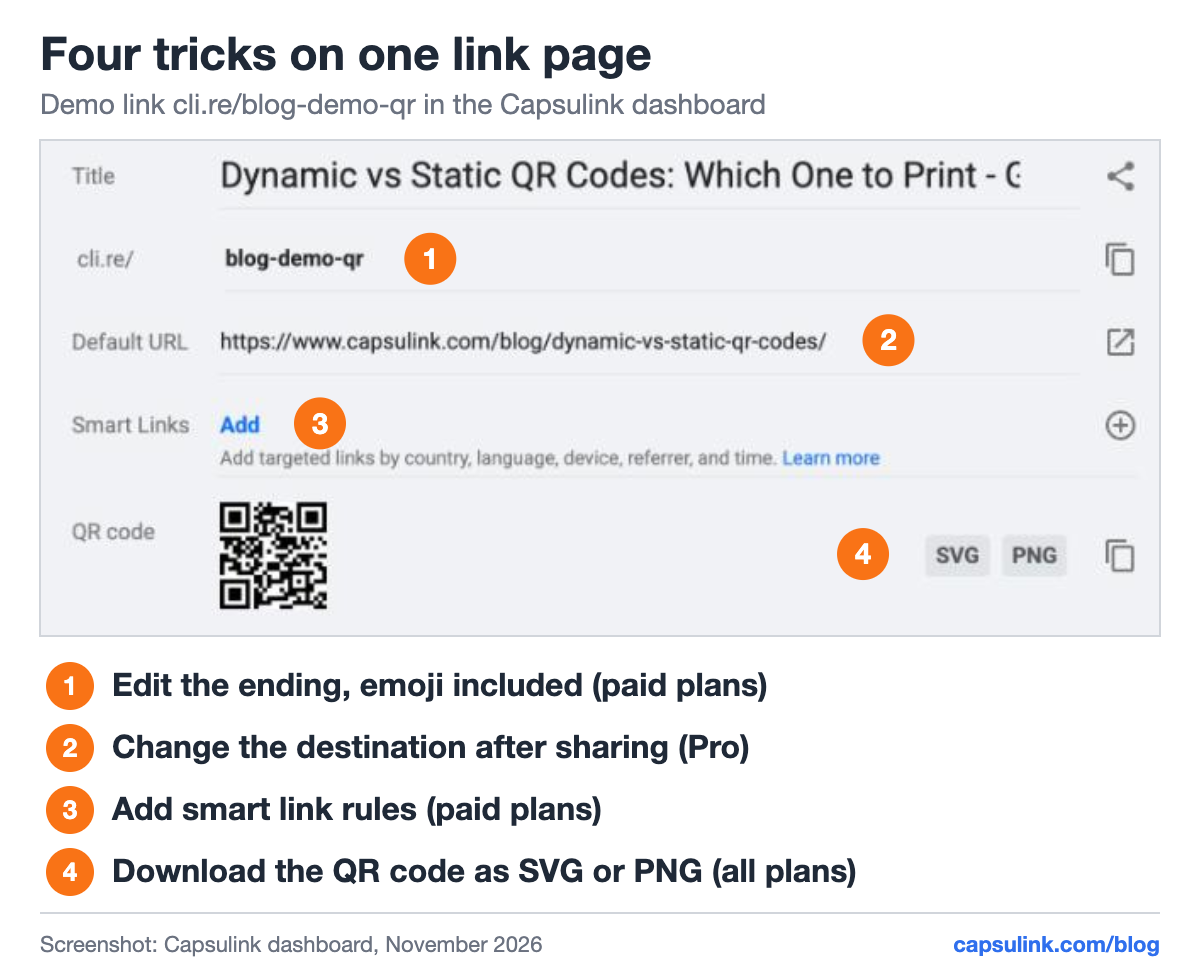
Four of the tricks on one link page in Capsulink.
6. Folders
Folders group links by campaign, client or channel. With dozens of links a month, the dashboard stays usable. Folders are part of the free plan. Agencies with many clients use Teams on top, see link management for agencies.
7. Edit the destination after sharing
A short link already printed, emailed or posted can point to a new page (How do I change the destination URL (Target URL) for a short link?). Typo in the URL, page moved, campaign over: one edit fixes every copy of the link. Available from Pro. See how to edit a QR code after printing and email signature links for two common cases.
8. Custom and emoji endings
On paid plans the ending after the slash can be changed: cli.re/spring-sale instead of random characters, or an emoji (How to create custom Emoji short links?). Readable endings are easier to say in a video or on a podcast, see links in YouTube videos and Shorts.
9. Smart links
One link, different destinations by country, language, device or time (What are Smart links and how do they work?). The classic use is one link for the App Store and Google Play, see one link for the App Store and Google Play. Smart links come with paid plans. A restaurant can even switch menus by time of day, see QR codes for restaurant menus.
10. Password protection
A password-protected link asks for a password before it opens the destination. Useful for a shared file or a draft that shouldn’t spread past the people who got the password. Paid plans.
11. Private statistics
By default, anyone who adds + to a link sees its basic stats. On paid plans the stats can be made private (Private short link analytics), which matters for client campaigns and launches you don’t want competitors to watch.
12. Retargeting pixels
A retargeting link carries an ad platform pixel, for example from Facebook, so people who click it can be shown ads later (Setting up retargeting links). It works even when the link goes to a page you don’t own, like a news article about your product. Paid plans.
13. Custom domain with a main and a 404 redirect
Links on go.yourbrand.com look like yours and don’t share a reputation with strangers. Capsulink also lets you set where the bare domain goes and where a mistyped link goes (Not Found redirect), so people who type a printed link wrong still land on your site. From Pro, setup in the custom short domain setup guide.
14. Export stats to CSV
On paid plans the statistics export to a CSV file, for one link or for the whole account (How to view and export your link statistics). The file opens in Excel or Google Sheets for monthly reports.
FAQ
Which short link features are free in Capsulink?
Unlimited links, QR codes, basic stats for the last 30 days, the + stats page, parameter forwarding, capsulated email addresses, broken link alerts and folders. The free Starter plan includes 5,000 clicks a month.
Can I change a short link after I shared it?
Yes, on Capsulink Pro and higher. The short link stays the same and only the destination changes.
How do I see statistics for a short link?
Add + to the end of the link, or open the link in your Capsulink dashboard for the full stats.