
A WhatsApp click-to-chat link opens a chat with your number without the customer saving it first. The format comes from the WhatsApp Help Center: https://wa.me/ followed by your full phone number in international format (How to use click to chat). Add a pre-filled message and the customer only has to tap Send. Put the link behind a short link, and the QR code gets simpler and the number can change without a reprint.
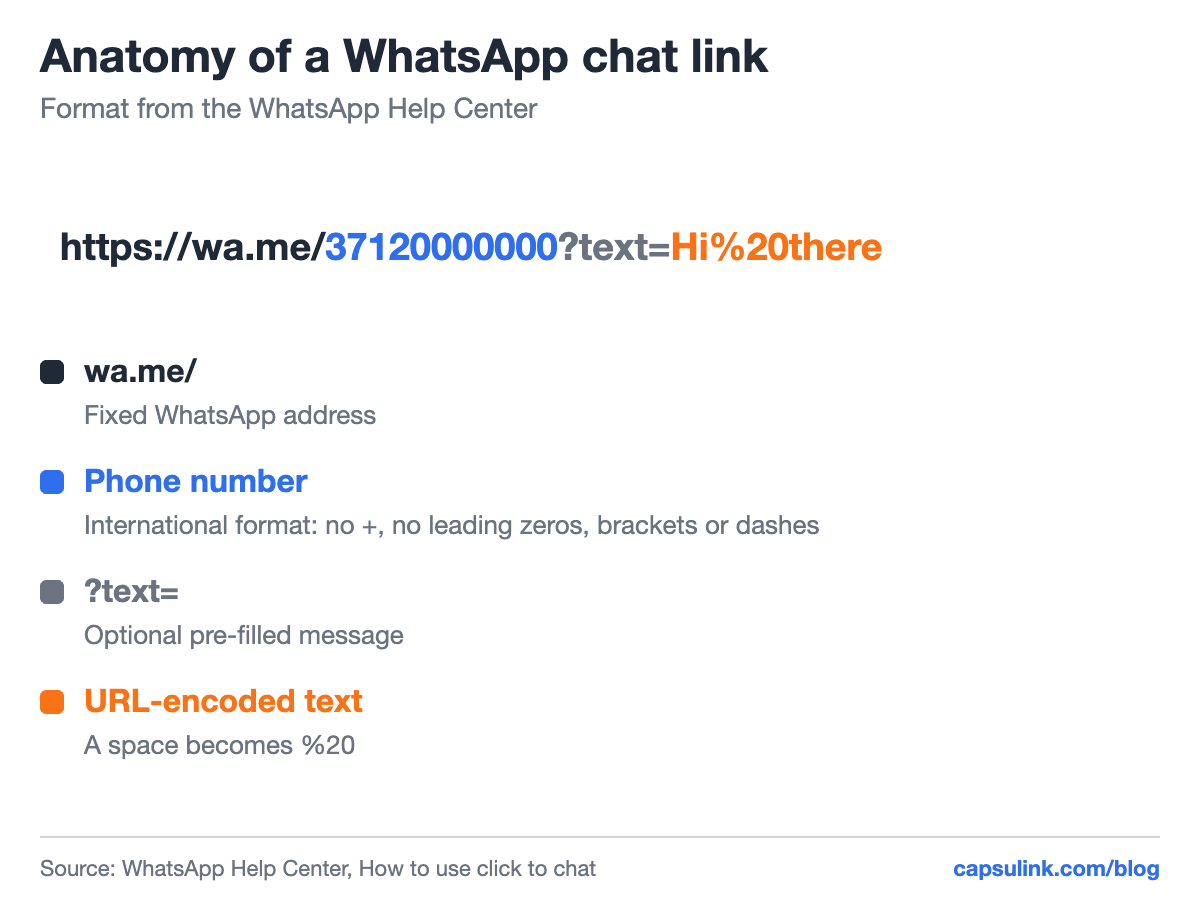
The parts of a wa.me link.
The wa.me link format
WhatsApp Help gives two rules for the number: use the full number in international format, and leave out any zeroes, brackets or dashes. The plus sign goes too.
| Number as written | In the link | Works |
|---|---|---|
| +371 20 000 000 | wa.me/37120000000 | Yes |
| +1 (555) 010-0000 | wa.me/15550100000 | Yes |
| +001-(555)0100000 | wa.me/+001-(555)0100000 | No |
The link works on phones and in WhatsApp Web, and the person behind the number needs an active WhatsApp account.
Add a pre-filled message
Add ?text= and the message, URL-encoded, so that a space becomes %20. WhatsApp’s own example is wa.me/1XXXXXXXXXX?text=I’m%20interested%20in%20your%20car%20for%20sale. The message shows up in the text field, ready to send.
A link with only a message and no number, like wa.me/?text=…, opens a list of contacts to send it to. That suits a “share with a friend” button, not a contact link.
Pre-filled text helps the business too. “Hi, I’d like to book a table” or “Question about order” tells you where the chat came from before you read the rest.
Why put the wa.me link behind a short link
A wa.me link with a message gets long fast. The example below, with one booking sentence, is 111 characters. Measured with the segno library at error correction level M, its QR code needs version 7 with 45 x 45 modules. A 29-character short link to the same wa.me link fits version 3 with 29 x 29.
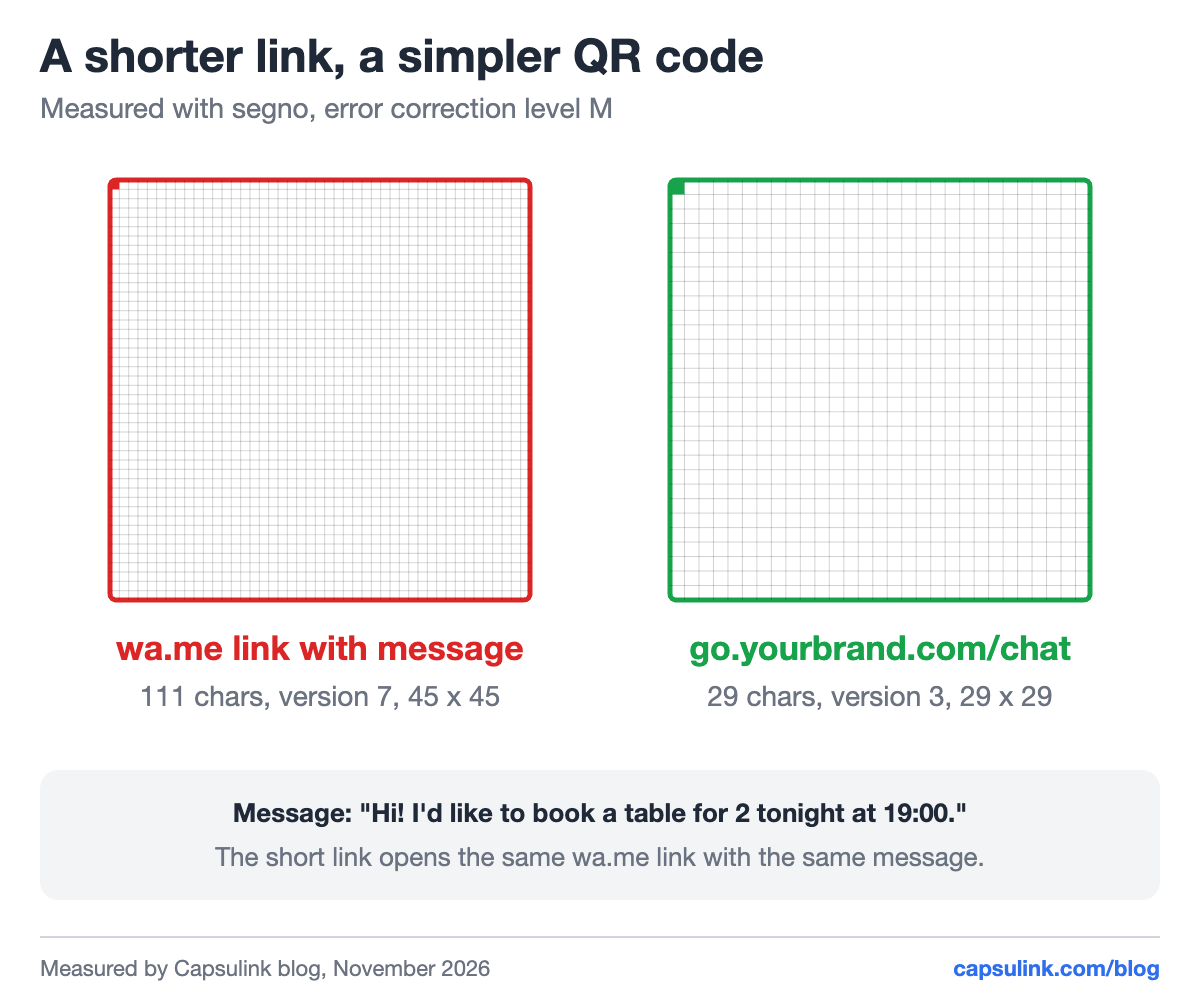
Same chat, same message, a much simpler QR code.
The short link also solves the problems that come later:
- New number. Change the short link’s destination, and every printed code and old post opens a chat with the new number (How do I change the destination URL (Target URL) for a short link?, Capsulink Pro and higher).
- New message. Change the pre-filled text for a season or a campaign without a reprint.
- Clicks you can count. A plain wa.me link has no click count. Capsulink counts each click with country and device (How to view and export your link statistics).
- Readable link. go.yourbrand.com/chat is easy to type from a flyer or say in a video.
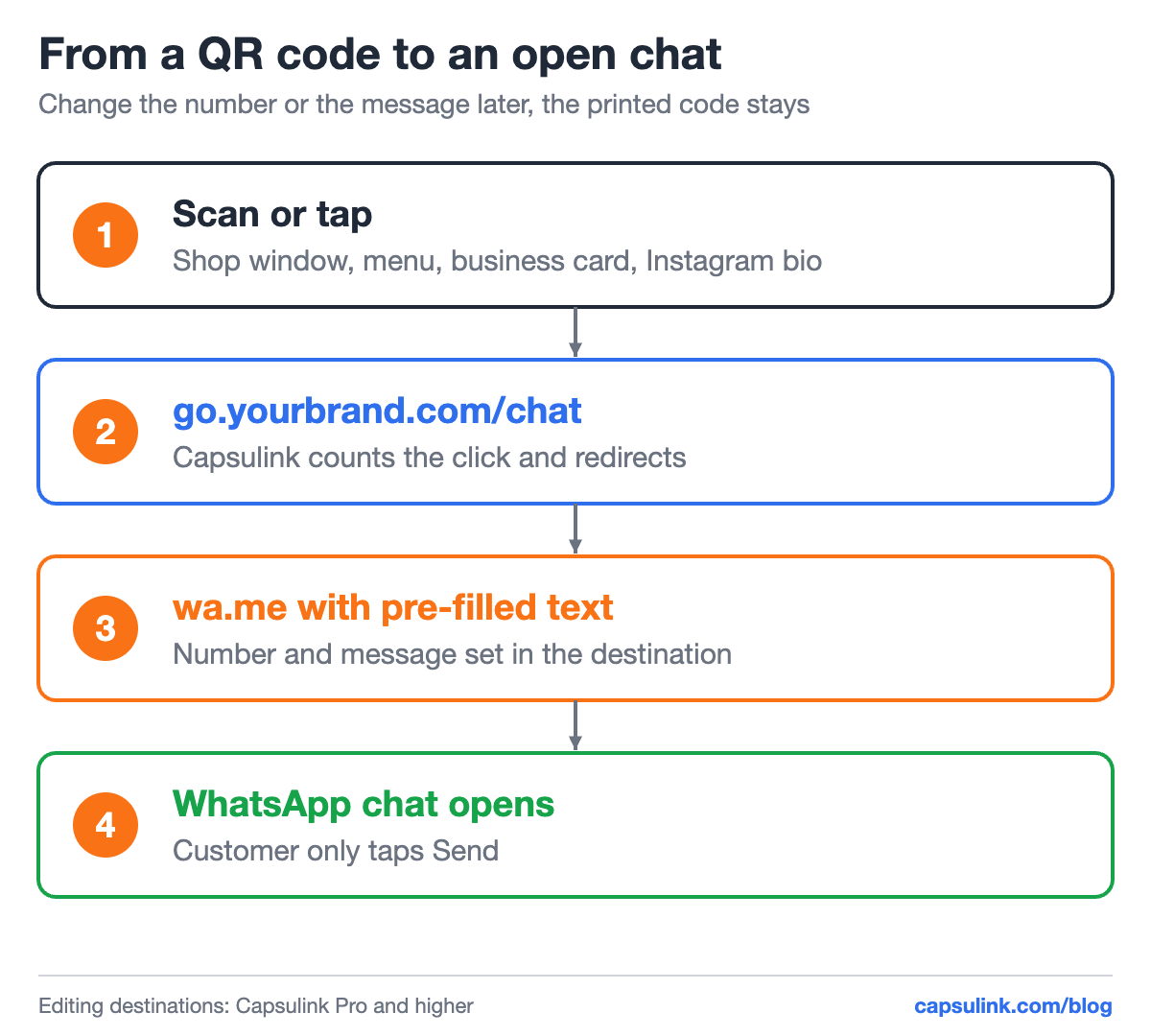
The short link sits between the printed code and WhatsApp.
Set it up step by step
- Write your number in international format without +, zeroes in front, spaces or dashes.
- Write the message and URL-encode it. In a browser console, encodeURIComponent(“your text”) does it.
- Build the link: https://wa.me/NUMBER?text=ENCODED_TEXT and test it on a phone.
- Shorten it in Capsulink, with a readable ending like /chat.
- Download the QR code of the short link as SVG for print (How to generate QR codes for short links?).
Using several channels? Make one short link per place (shop window, Instagram bio, business card), each with its own pre-filled message, and the statistics show which one brings chats. For the bio side, see how to add a link to your TikTok bio.
FAQ
How do I create a WhatsApp link?
Use https://wa.me/ followed by your full phone number in international format, without +, leading zeroes, brackets or dashes.
How do I add a message to a WhatsApp link?
Add ?text= followed by the URL-encoded message, for example wa.me/15550100000?text=Hi%20there.
How do I make a QR code for WhatsApp?
Create the wa.me link, shorten it, and make a QR code from the short link. The code stays small, and the number or message can change later.
Can I see how many people clicked my WhatsApp link?
Not with a plain wa.me link. Put it behind a Capsulink short link and every click is counted.