
A dangerous link rarely looks dangerous. It looks like your bank, your delivery company or a colleague’s file. CISA lists “untrusted shortened URLs” and misspelled links like amazan.com among the signs of phishing (Recognize and Report Phishing). The checks below take a minute and need no special tools.
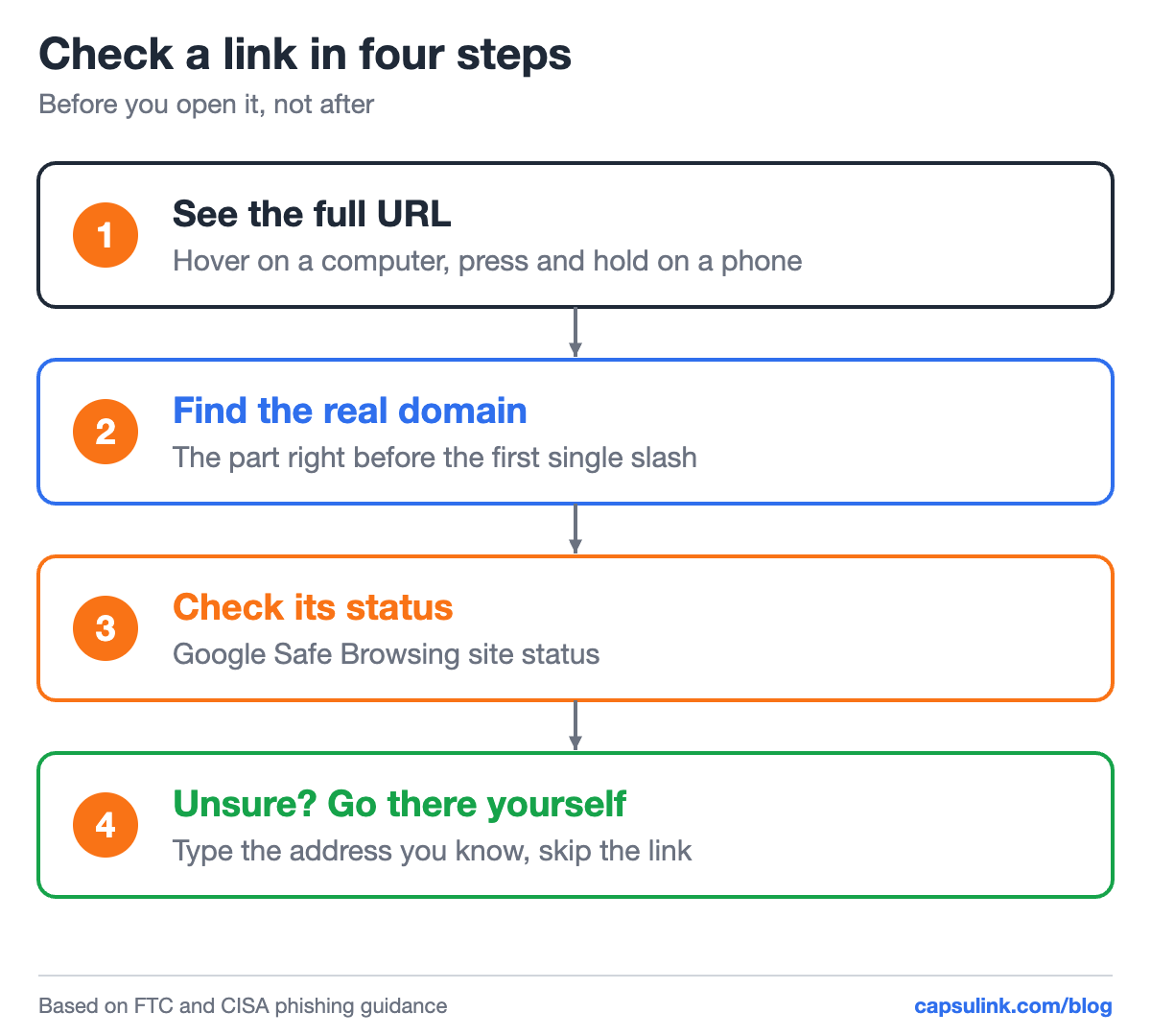
Four checks before the click.
See the full URL before you open it
On a computer, hover over a link and the browser shows the full address at the bottom of the window. On a phone, press and hold the link to see the address without opening it. Phone cameras usually show the URL of a QR code before opening it, so read it before tapping.
Email apps and messengers often show link text that differs from the address behind it. “Track your parcel” can point anywhere. Only the address counts.
Find the real domain
The real domain is the part right before the first single slash after https://. Everything to its left is a subdomain, and the owner of the real domain can write anything there, including another company’s name.
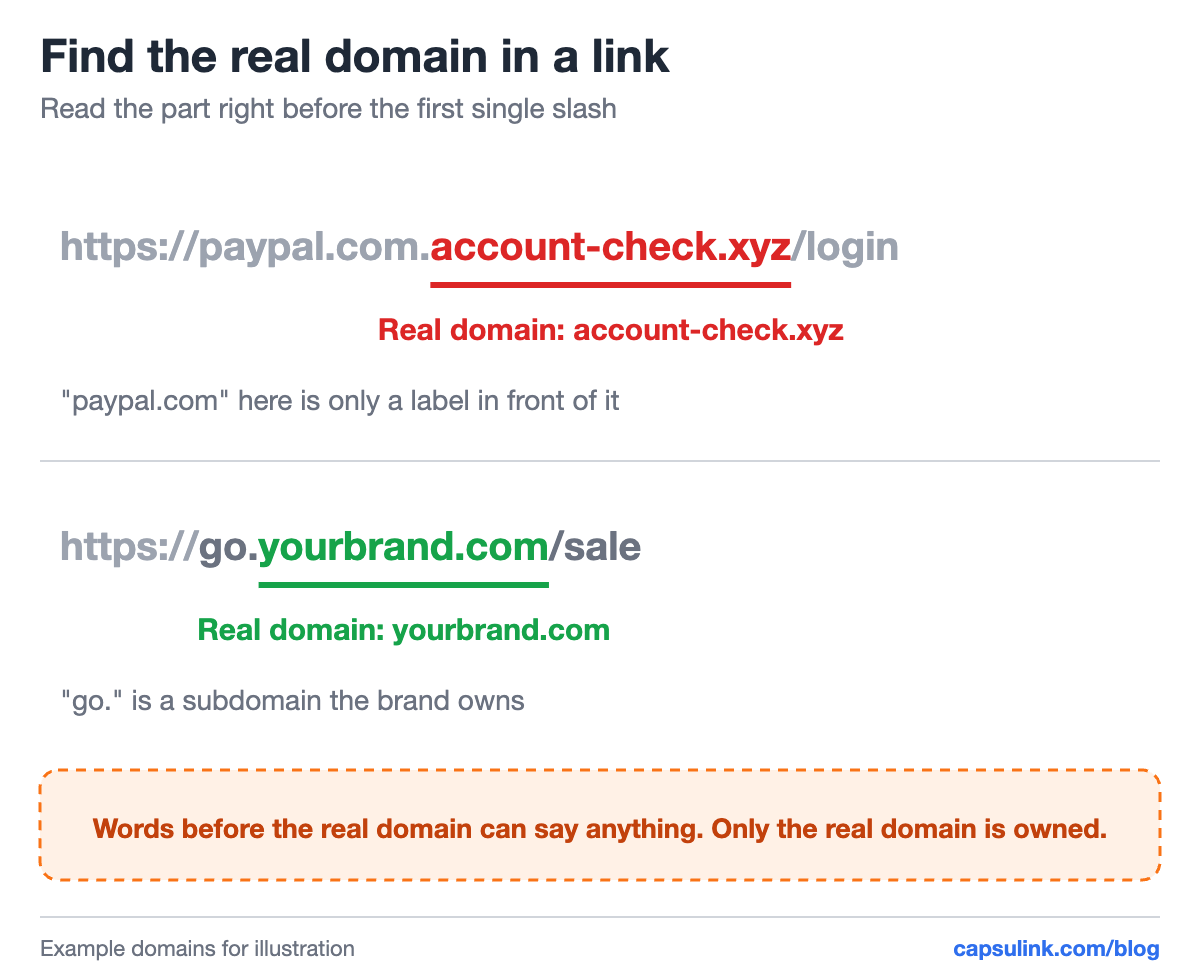
The brand name in the first link is only a label. The real domain is at the end.
Lookalike domains use the same trick from the other side: they change one detail of a domain you know and hope you read too fast.
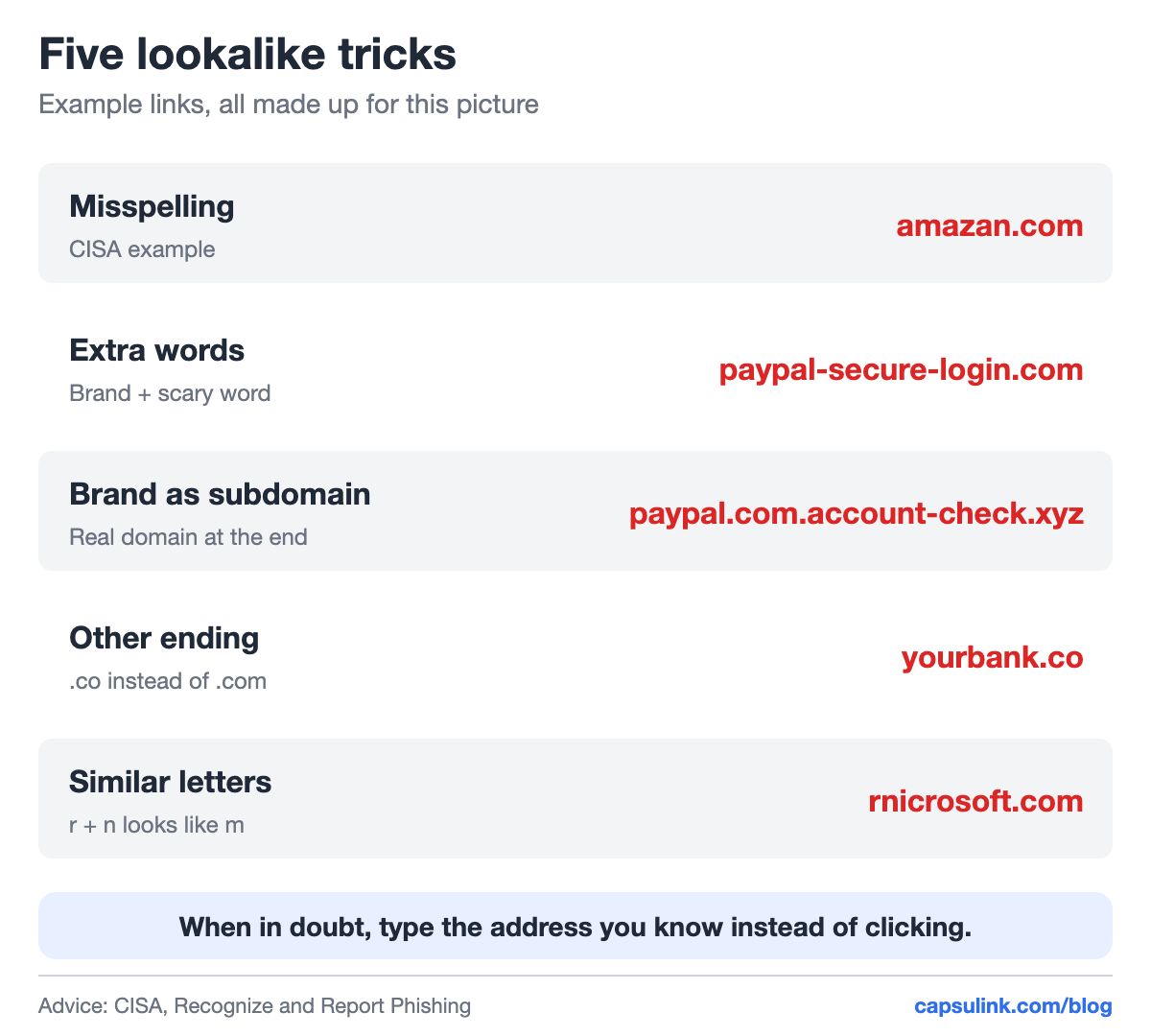
Five common lookalike patterns, with made-up examples.
| Trick | Example | What to look at |
|---|---|---|
| Misspelling | amazan.com | Each letter of the brand |
| Extra words | paypal-secure-login.com | Hyphens and added words |
| Brand as subdomain | paypal.com.account-check.xyz | The last part before the slash |
| Other ending | yourbank.co | .co, .net or a country ending |
| Similar letters | rnicrosoft.com | rn, vv, l and 1, O and 0 |
Short links: check who sent them
A short link hides its destination by design, which is why CISA lists untrusted shortened URLs as a warning sign. The question to ask is who sent it. A short link on a public short domain from an unknown number deserves the same suspicion as any unknown link. A short link on a brand’s own domain, like go.yourbank.com, tells you who owns it before you click, as long as the real domain checks out.
Senders can make their links easier to trust. A branded short domain shows the company name in every link, see the custom short domain setup guide. Capsulink doesn’t allow short links to be used for phishing, scams, malware or spam, and anyone can report a link that breaks those rules (Report a phishing or abusive Capsulink link).
Check the destination’s status
Google’s Safe Browsing site status page shows whether Google currently flags a site as unsafe. Paste the domain, not the full link with personal tokens in it. A clean result means Google has no warning on file, which is useful but not proof that a site is safe. New scam sites appear every day.
When the message claims to come from a company you deal with, the FTC’s advice is simpler: contact the company “using a phone number or website you know is real”, not the details in the message (How To Recognize and Avoid Phishing Scams). Type the address yourself or use the company’s app.
Looking clean isn’t the same as being safe
The same trap works outside of links. Developer Papan Sarkar wrote up how a clean Next.js repo ran malware on every npm run dev. The project’s package.json had only normal scripts, and a search for dangerous calls found nothing. The payload sat in a private npm package two dependencies deep, pulled in through the Tailwind config and fetched with a token committed in the project’s .npmrc file.
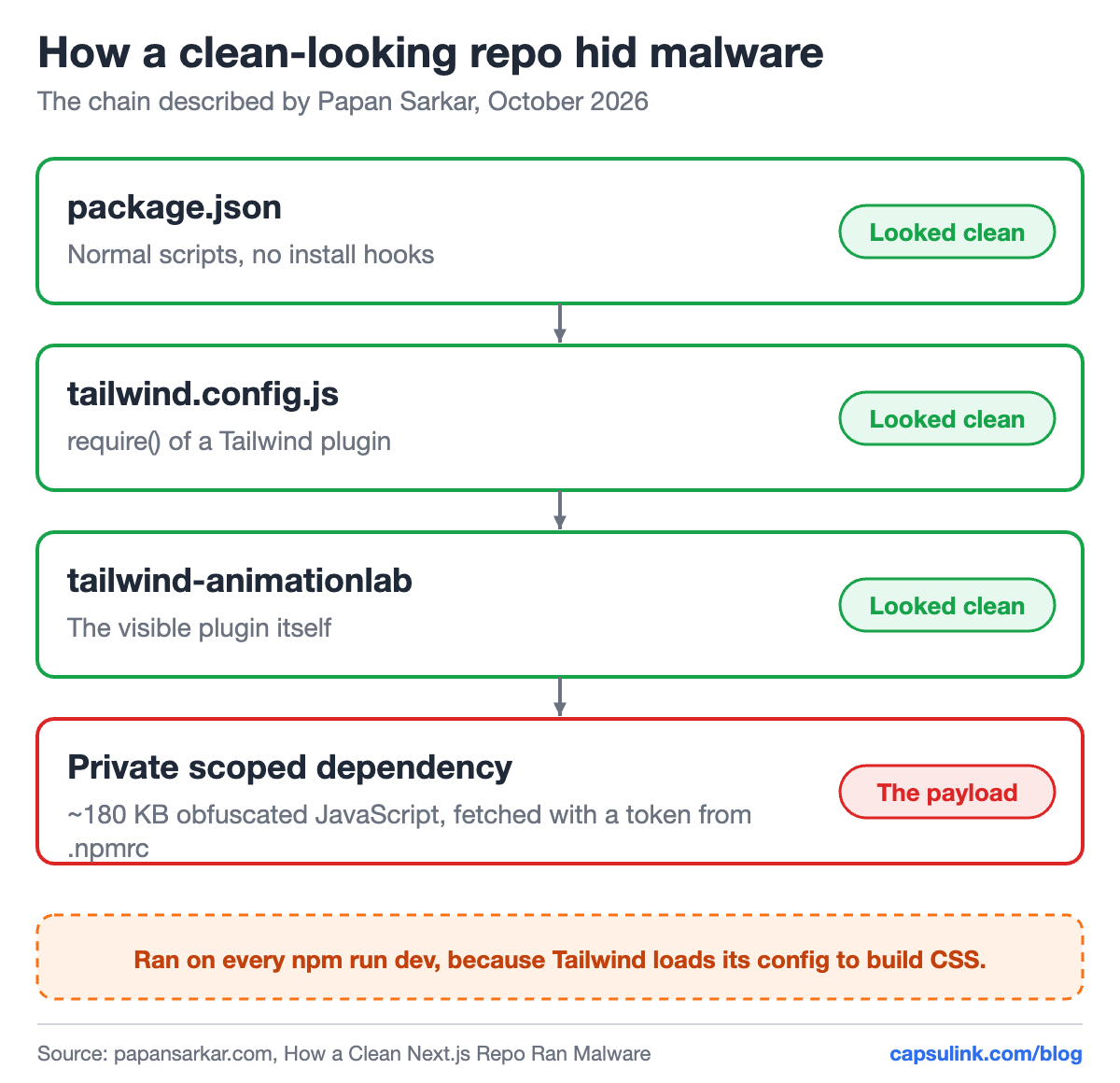
Every layer a reviewer would normally check looked clean.
The parallel with links is direct: the parts people usually check were clean, and the dangerous part was one step further than anyone looked. His write-up includes the audit he now runs before opening any repo he didn’t write, starting with reading untrusted code in a disposable environment with no real credentials. Developers who clone projects from clients, freelancers or job tests should read it.
If you already clicked
- Typed a password? Change it right away, on the real site, and turn on two-factor login.
- Entered card details? Call your bank using the number on the card.
- Downloaded a file? Don’t open it. Delete it and run a scan.
- Found it in a Capsulink short link? Report it to Capsulink support with the full short link and where you saw it.
The Capsulink help center gives the same first two steps for anyone who entered a password or card details on a suspicious page.
FAQ
How can I check if a link is safe before clicking?
See the full URL by hovering or pressing and holding, find the real domain right before the first single slash, and check the domain in Google’s Safe Browsing site status. If the message claims to be from a company, go to its website directly instead.
Are short links dangerous?
Short links hide the destination, so judge them by who sent them. A short link on a company’s own domain is easier to trust than one on a public short domain from an unknown sender.
How do I spot a fake domain?
Read the real domain letter by letter. Watch for misspellings, extra words, a different ending like .co, and lookalike letters such as rn for m.
Can a project from GitHub contain malware even if it looks clean?
Yes. In the case Papan Sarkar described, the malicious code sat in a private dependency and ran when the dev server started. Read untrusted code in a disposable environment before running it.