
A custom short domain puts your brand in every short link: go.yourbrand.com/sale instead of a random code on a shared domain. In Capsulink, custom domains come with Pro and higher plans, and the setup is one DNS record plus a status check. The steps below follow the Capsulink help center as of November 15, 2026.
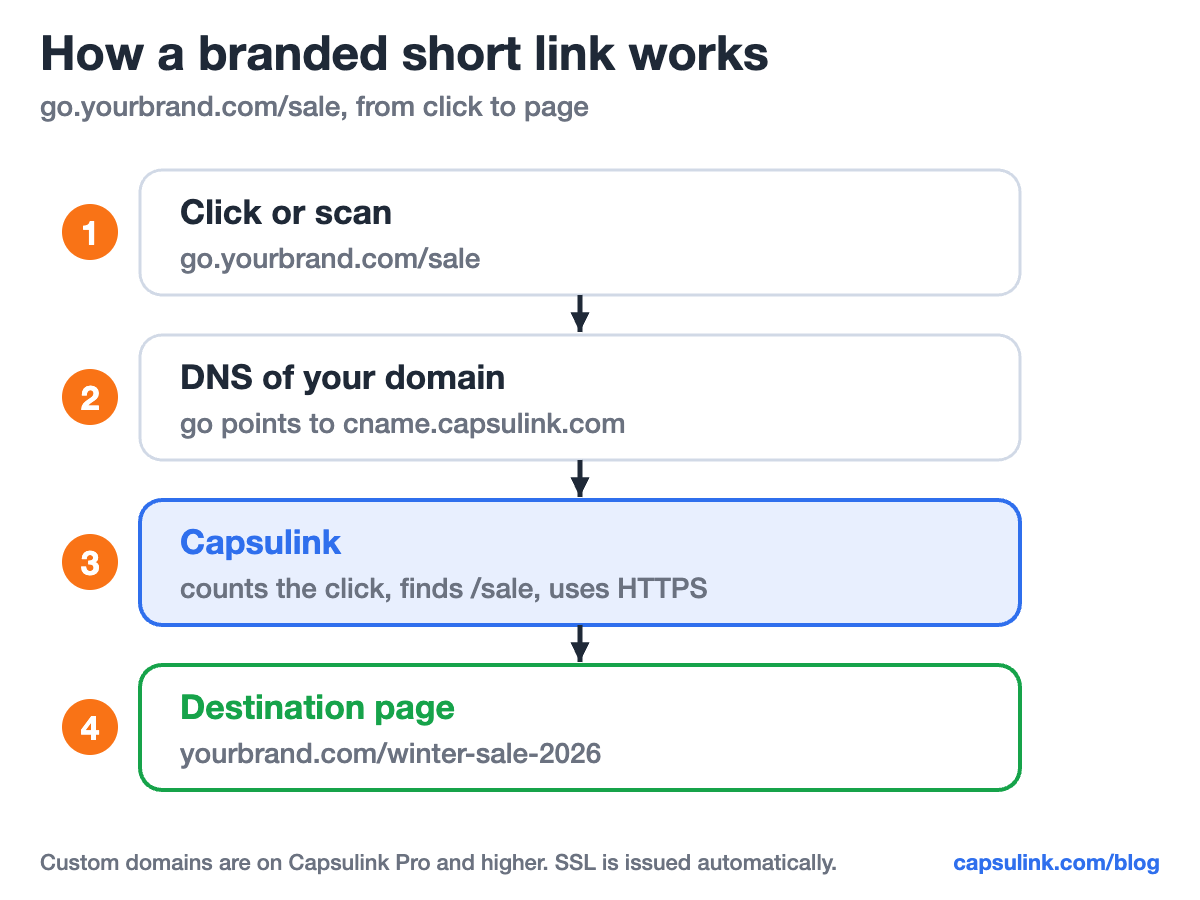
What happens behind a click on go.yourbrand.com/sale: DNS sends the request to Capsulink, Capsulink redirects to the destination.
Pick a subdomain or a separate domain
If your main domain already runs a website, use a subdomain. The help center warns that pointing the main record of a domain with a live website to Capsulink makes the website stop opening (How do I set up a custom domain?).
| Option | Example | DNS record | Use it when |
|---|---|---|---|
| Subdomain | go.yourbrand.com | CNAME to cname.capsulink.com | Your main domain has a website |
| Separate short domain | yourbrand.link | A record to 91.241.66.74 | You bought a domain only for links |
| Main website domain | yourbrand.com | None | Never, the website stops opening |
Short subdomain names work best because people see and sometimes type them: go, get, link or l. A separate short domain gives shorter links but costs a yearly registration fee at your registrar. The subdomain route is covered in Connect a subdomain as your branded URL shortener.
Step 1: add the domain in Capsulink
Log in to Capsulink and open Settings, then Custom domains. Enter the domain or subdomain, and Capsulink shows the DNS record to add. Two optional fields decide what happens outside your links:
| Field | What it does | Good value |
|---|---|---|
| Main redirect URL | Where people go when they open the domain itself | Your homepage |
| Not Found (404) redirect URL | Where people go when a link on the domain doesn’t exist | Homepage or a help page |
Without these, someone who types go.yourbrand.com with no path, or mistypes a slug, gets no useful page. Both fields take a minute and catch typed links from print.
Step 2: add the DNS record
Open the DNS settings where your domain is managed: the registrar, the hosting panel or Cloudflare. Add one record, using the values Capsulink shows:
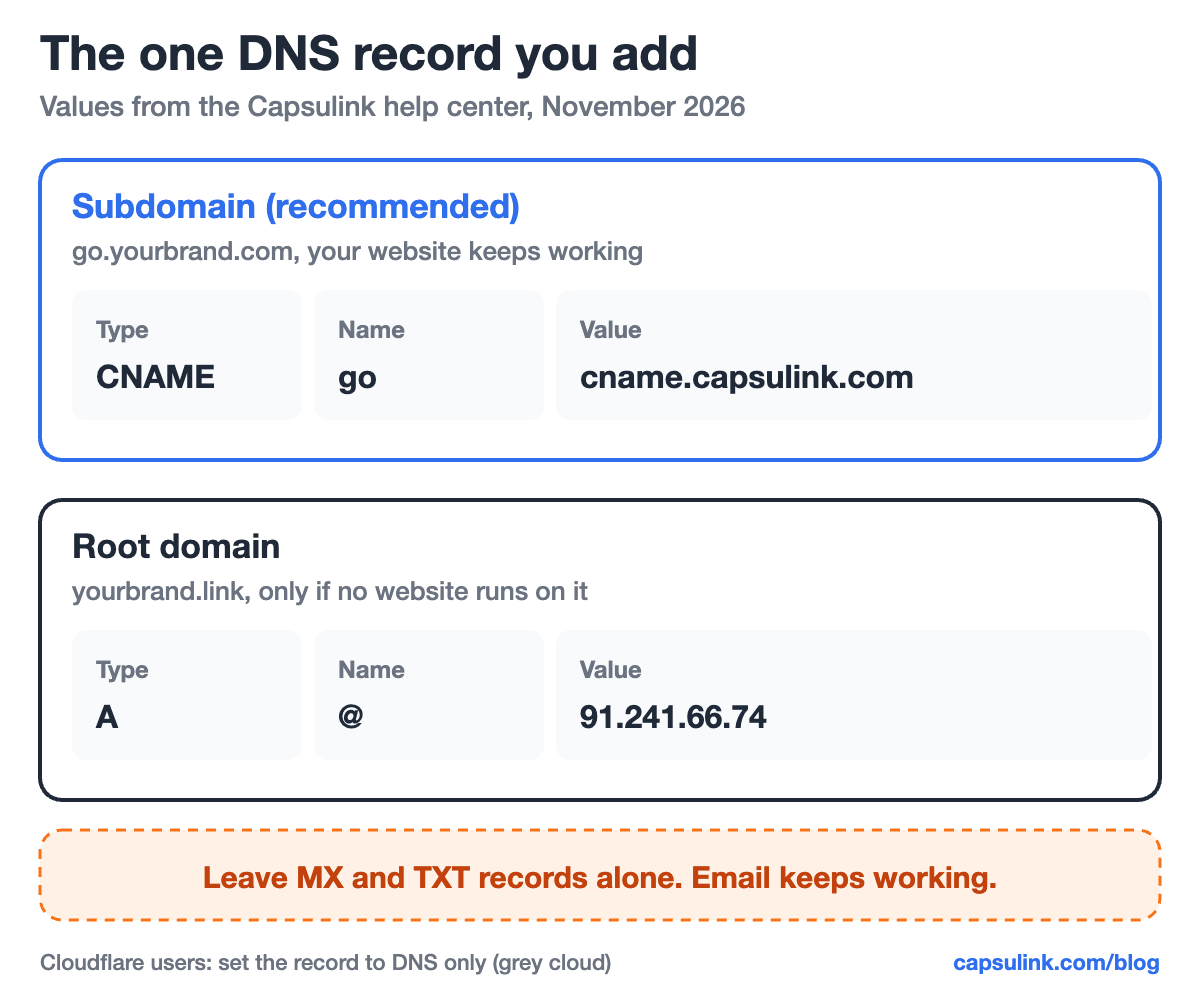
The two record types. A subdomain gets a CNAME record, a separate root domain gets an A record.
Three details from the help center decide whether verification works on the first try:
- Change only the record for this name. If an A, AAAA or CNAME record already exists for the same name and points elsewhere, edit or remove that one record. Two different addresses for one name stop Capsulink from verifying the domain.
- Keep MX and TXT records. They handle email, SPF and other verifications, and your email keeps working as usual.
- Add www if you need it. For links that also open as www.yourbrand.link, add the same record for the www host.
Using Cloudflare
Set the record to DNS only (grey cloud), not Proxied. With the orange cloud on, requests reach Cloudflare’s servers instead of Capsulink and the domain can’t be verified. Screens are in Custom short domain configuration with Cloudflare.
Step 3: wait for Verified
Most domains are verified within 10 to 30 minutes, and DNS changes can take up to 24 hours to spread. Capsulink checks automatically. To check right away, click Check DNS now next to the domain in Settings, then Custom domains.
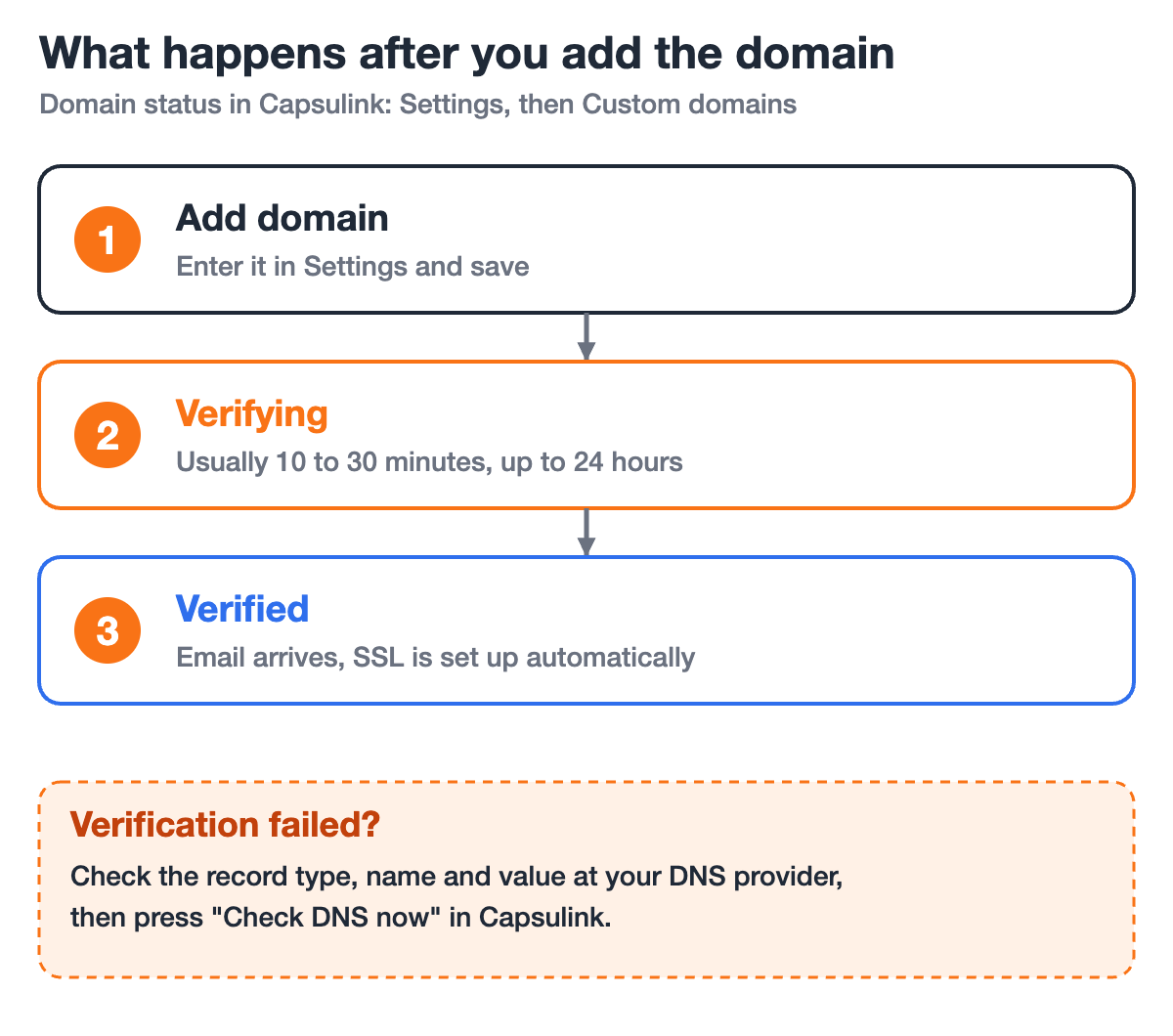
Domain status in Capsulink from adding the domain to Verified.
When the record is found, the status changes to Verified and an email titled “Domain is verified” arrives. The SSL certificate for https is issued automatically after verification, with no extra setup (Add https (SSL certificate) to your custom short links).
Fixing “Verification Failed”
Capsulink shows what it found instead of the expected record, for example another IP address. Compare it with your DNS settings, fix the record and click Check DNS now again. Deleting and re-adding the domain is not needed. The usual causes, from My custom domain is stuck in “Verifying” or shows an SSL error:
| Problem | Fix |
|---|---|
| Record points somewhere else | Root domain: A record to 91.241.66.74. Subdomain: CNAME to cname.capsulink.com |
| Two records for the same name | Remove or edit the old record, usually an A record from your hosting |
| AAAA (IPv6) record for the same name | Remove it for this name only |
| Cloudflare proxy is on | Switch the record to DNS only (grey cloud) |
| Still Verifying after an hour | Wait up to 24 hours, then click Check DNS now |
After verification: using the domain
Pick the custom domain when you create a short link. A few things are good to know before switching all links over:
- Old links keep their old address. Links created before the domain was added stay on cli.re. To move them, recreate them or import them again via CSV with the new domain selected.
- The domain needs an active plan. If the subscription ends, links on the custom domain stop redirecting until it is renewed.
- Moving from another shortener? Branded links can be imported from Bitly. Follow the order in Import your Bitly links into Capsulink, and see the Bitly alternatives comparison for plan limits.
Links on the custom domain can use smart link rules too. A link like go.yourbrand.com/app can send iPhones to the App Store and Android phones to Google Play, see one link for the App Store and Google Play.
Why a custom short domain is worth the setup
Short links on shared domains share a reputation. When spammers abuse a public shortener domain, filters can flag every link on it, including yours. A domain only your team uses keeps that history separate, see why short links get blocked. US carrier guidance for text messages asks for exactly that kind of dedicated domain, see short links in SMS marketing.
The domain also tells people who sent the link before they click. More on the branding side in maintain your brand identity with custom shortened domains.
FAQ
Can I use my main website domain for short links?
Not if a website runs on it. Pointing its main record to Capsulink makes the website stop opening. Use a subdomain like go.yourbrand.com instead.
How long does custom domain verification take?
Usually 10 to 30 minutes, sometimes up to 24 hours. Check DNS now in Settings, then Custom domains, checks it right away.
Do I need to buy an SSL certificate?
No. Capsulink issues the certificate automatically after the domain is verified.
Will adding the record break my email?
No, as long as MX and TXT records stay untouched. You only add or change the one record for the link domain.
Which Capsulink plan includes a custom domain?
Pro and higher. Pro costs $10 a month or $100 a year and includes one custom domain (Capsulink pricing).