
TikTok lets you add a clickable website link to your profile if you have at least 1,000 followers or a Verified Business Account (TikTok Support, Adding a website link to your profile). The link opens in TikTok’s in-app browser, and TikTok asks creators to use direct links. A short link on your own domain keeps the bio clean and lets you change where it goes without editing the profile.
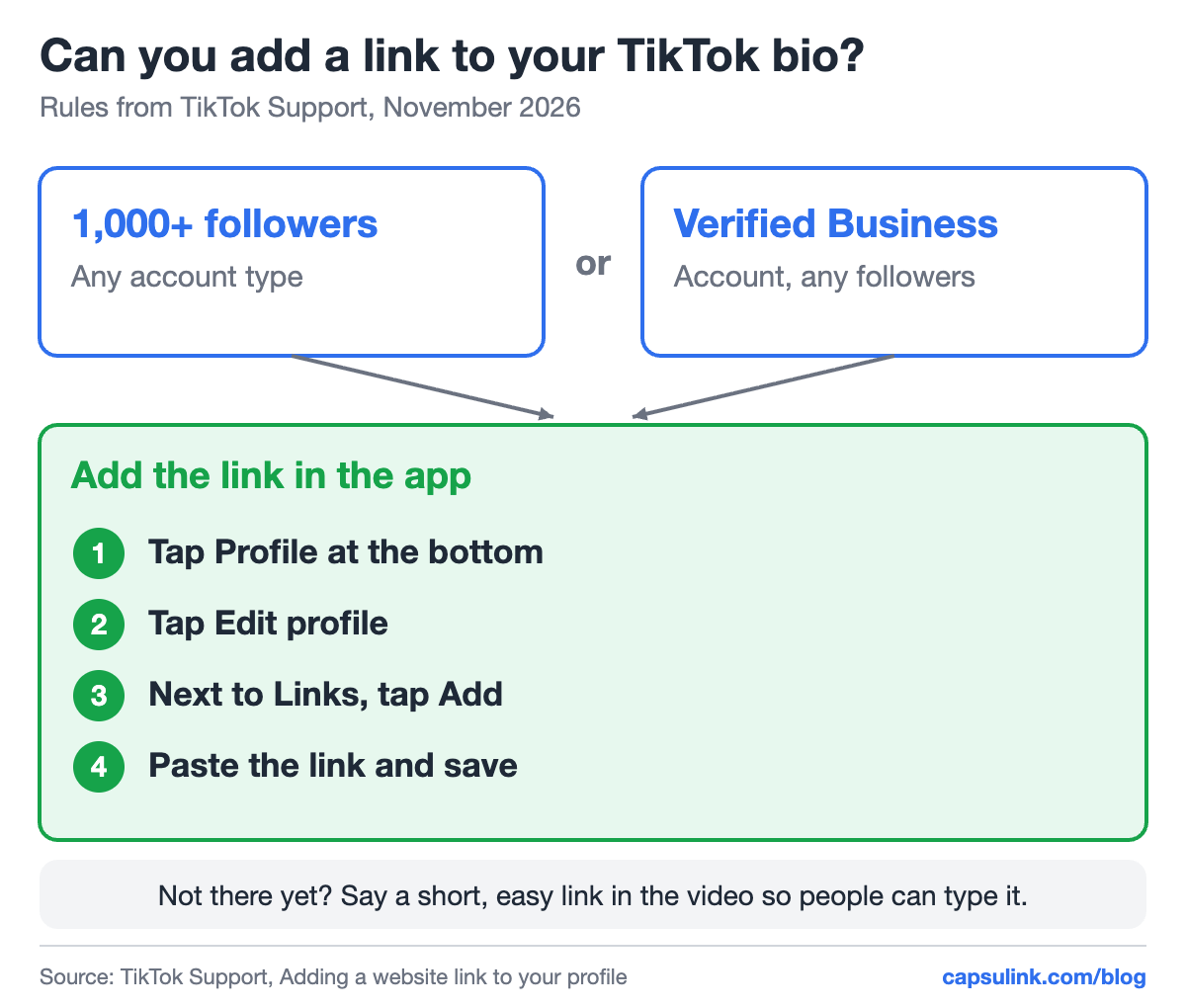
Who can add a bio link, and where to add it in the app.
Who can add a link to a TikTok bio
TikTok Support names two ways in: 1,000 or more followers, or a Verified Business Account. Accounts below 1,000 followers without business verification don’t see the option yet.
| Account | Followers | Bio link |
|---|---|---|
| Personal or creator | Under 1,000 | No |
| Personal or creator | 1,000 or more | Yes |
| Verified Business Account | Any | Yes |
Before the link unlocks, say a short, easy link in the video and show it on screen. A slug like /tt is easy to type after hearing it once.
How to add the link
The steps from TikTok Support:
- In the TikTok app, tap Profile at the bottom.
- Tap Edit profile.
- Next to Links, tap Add.
- Follow the steps to add your website.
TikTok also notes that it no longer supports links that open or log people into other social media apps. Links to those platforms’ websites still work.
Keep the link direct
TikTok says it uses safety measures that limit how people browse external link chains in the in-app browser, and visitors may see a message asking them to open the page in their phone’s browser. TikTok’s advice is to add direct links, so people reach the site in a few steps.
A short link adds one redirect, from the short URL to your page. Keep it at one: point the short link straight to the final page, not to another shortener or to a page that redirects again. A link on your own domain also shows people who the link belongs to before they tap. Setup takes one DNS record, see the custom short domain setup guide.
One bio link, a new destination every week
Changing the profile link every time a new video goes up is easy to forget. A short link in the bio stays the same, and only its destination changes: the product from this week’s video, a giveaway form, a YouTube tutorial.
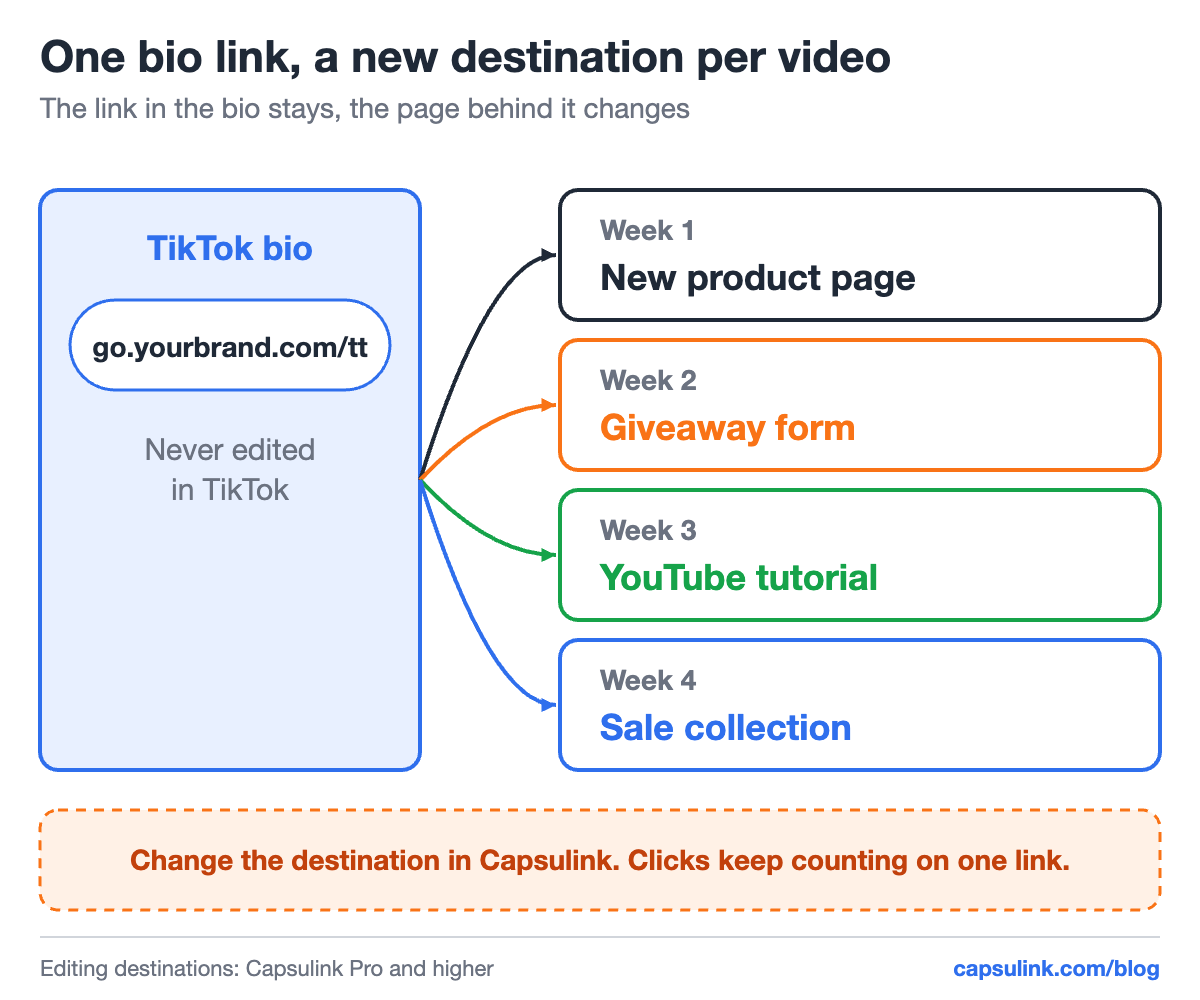
The bio link never changes in TikTok. The page behind it does.
In Capsulink, editing the destination of a link comes with Pro and higher plans (How do I change the destination URL (Target URL) for a short link?). The demo link cli.re/blog-demo-tt below was made for this post:
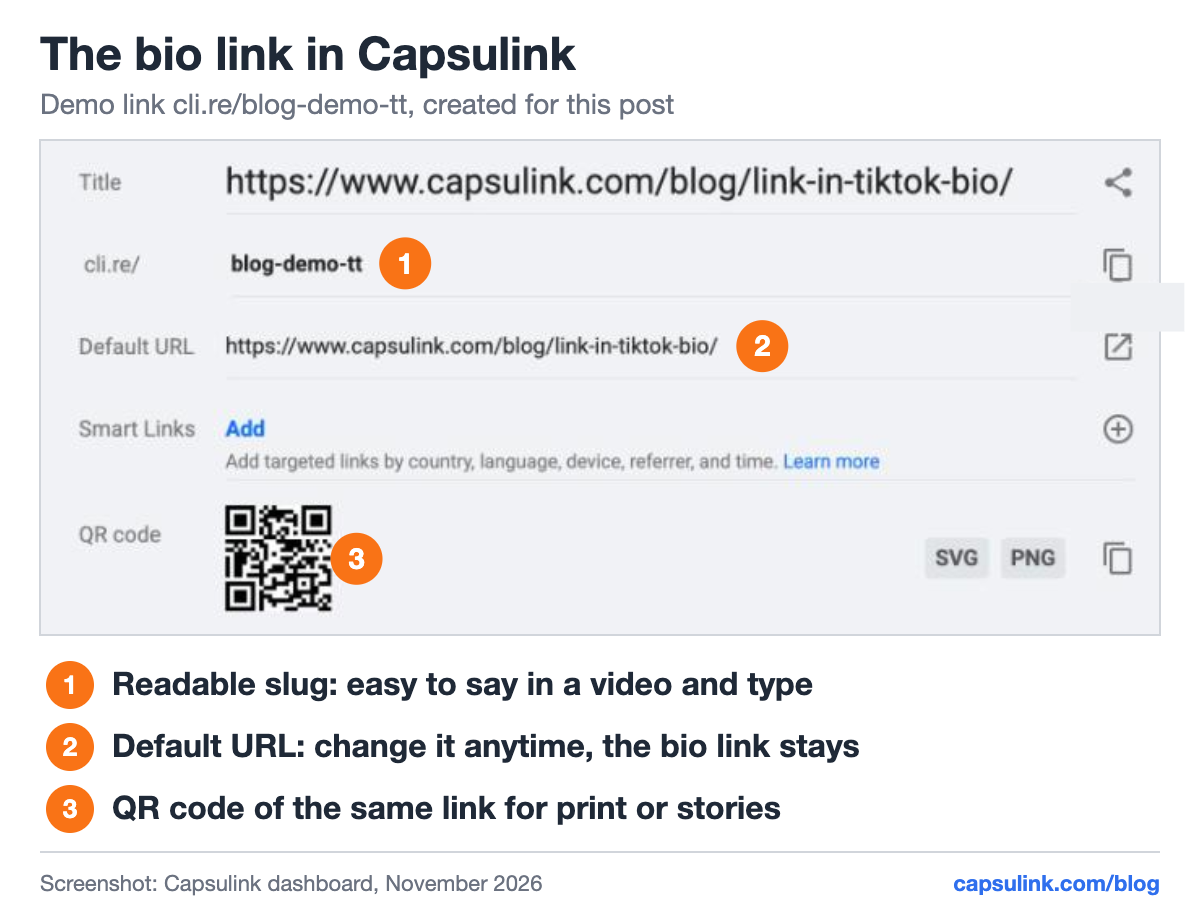
The demo bio link in Capsulink, with a readable slug and its QR code.
The same link also counts every tap. Capsulink statistics show clicks over time, countries, devices and referrers (How to view and export your link statistics), so a spike after a video is easy to spot. For the difference between a click and a visit, see how to track link clicks.
Several destinations from one bio link
A TikTok bio with one link often needs to point to more than one thing. Two ways work with a short link:
- Your own links page. One page on your website with the 3 to 5 links that matter, and the short link points to it. Capsulink has no link-in-bio page builder, so this page lives on your site.
- Smart rules by device. Send iPhones to the App Store and Android phones to Google Play from the same bio link, see one link for the App Store and Google Play.
Rules can also use country, language and time (What are Smart links and how do they work?). A shop that sells in two countries can send each visitor to the local store from one bio link.
Tips for a TikTok bio link
- Tag the destination. Add utm_source=tiktok to the destination URL, so Google Analytics shows TikTok traffic apart from other social apps. See the UTM parameters guide.
- Make the page work on a phone. The link opens in TikTok’s in-app browser on a phone, so check the page there first.
- Use the QR code elsewhere. The QR code of the same link works on packaging or at events, and those scans land in the same statistics.
- Test after every change. Tap the link in your own profile after you change the destination.
- Cross-post to YouTube Shorts. Links in Shorts descriptions aren’t clickable, see links in YouTube videos and Shorts for the workaround.
FAQ
Why can’t I add a link to my TikTok bio?
TikTok shows the option to accounts with at least 1,000 followers or a Verified Business Account. Below that, the Links field isn’t available.
Can I put more than one link in my TikTok bio?
Point one link to a page that lists your other links, or use a smart link that sends visitors to different pages by device or country.
Can I change my TikTok bio link without editing my profile?
Yes, if the bio holds a short link. Change the short link’s destination, and the bio keeps the same URL.
Can I link to Instagram or YouTube from my TikTok bio?
TikTok no longer supports links that open or log people into other social media apps, but links to those platforms’ websites still work.