
On YouTube, a link in the description of a regular video is clickable, but a link in a Shorts description or Shorts comment is not. YouTube Help says those URLs are “non-clickable” to reduce spam and scam attempts (Sharing links with your audiences). So a Short needs a different route to your website: an on-screen short link, the related video link, and a long video that carries the clickable link.
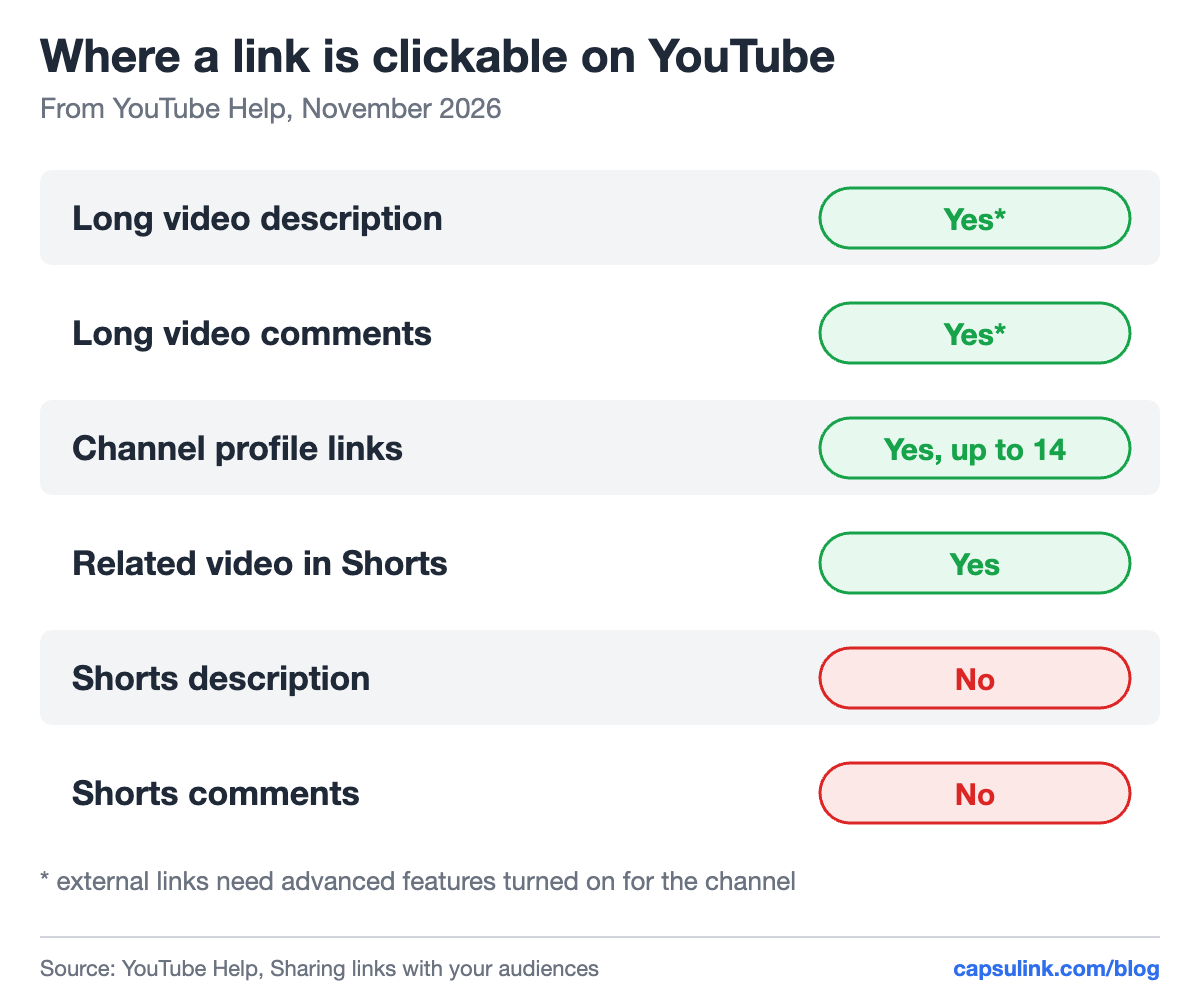
Where links work on YouTube, from YouTube Help.
Where links are clickable on YouTube
YouTube Help lists each place separately:
| Place | Clickable | Note |
|---|---|---|
| Long video description | Yes | External links need advanced features |
| Long video comments | Yes | Same condition |
| Channel profile | Yes | Up to 14 links |
| Related video in Shorts | Yes | Opens another YouTube video |
| Shorts description | No | URL shows as plain text |
| Shorts comments | No | URL shows as plain text |
External links in descriptions only work after the channel has access to advanced features (Access advanced features). If a description link shows as plain text, check that first.
Channel links are the other fixed spot. A channel can show up to 14 links on its Home tab, and the first one is shown in the profile near the subscribe button (Manage your YouTube channel’s profile). Put the link you care about most in first place.
How to get viewers from a Short to your website
A Short can’t hold a clickable website link, but it can link to one of your long videos with the related video link. That long video’s description can hold the clickable link.
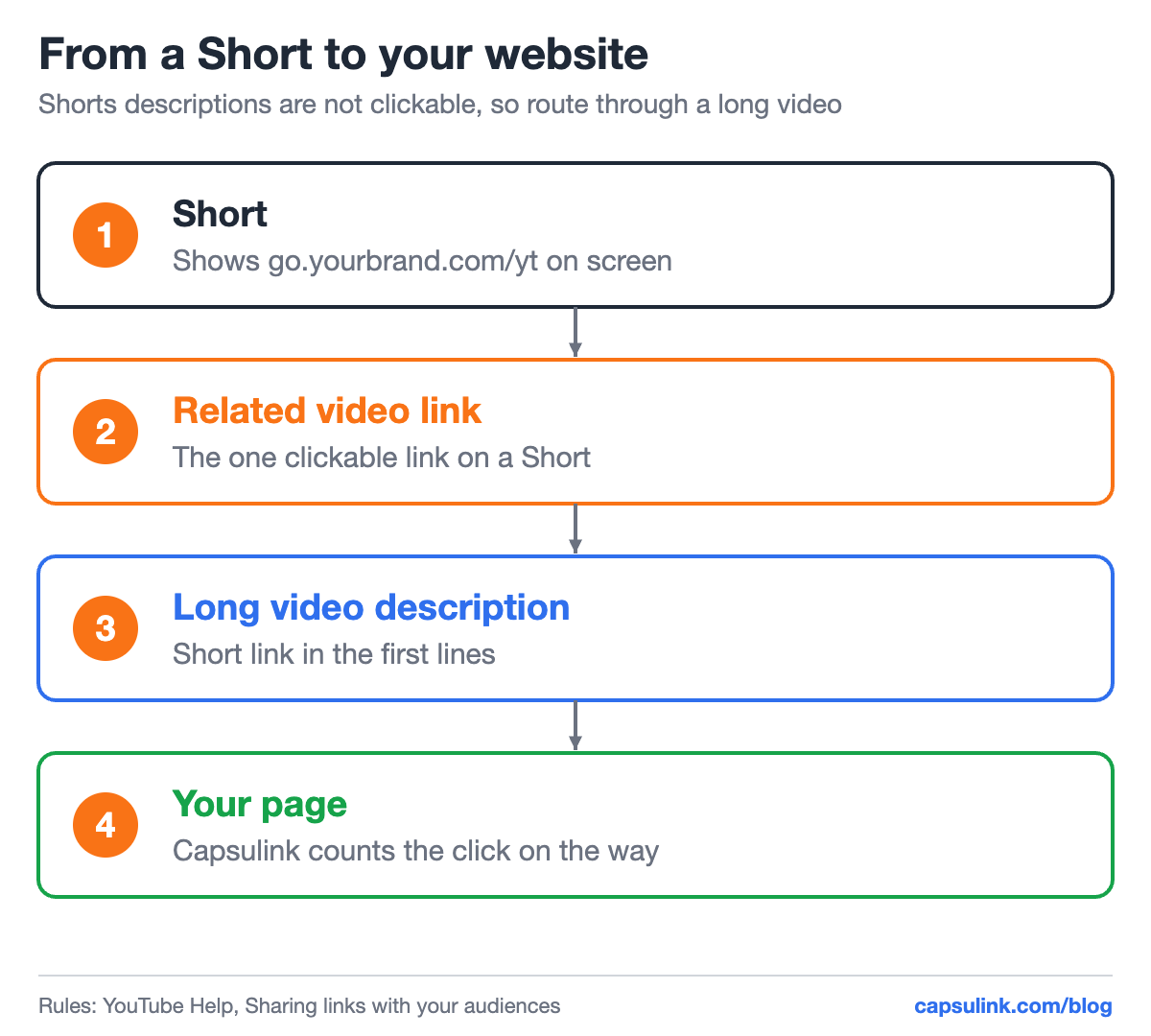
The route from a Short to your page, using only places YouTube makes clickable.
Viewers who don’t want to watch another video still need a way in. Show the short link on screen and say it out loud. go.yourbrand.com/yt is easy to remember after one look. A long URL with tracking tags is not.
Showing the link in the video
An on-screen link works on every platform, including Shorts, Reels and TikTok, where captions don’t link out. Three details make it readable:
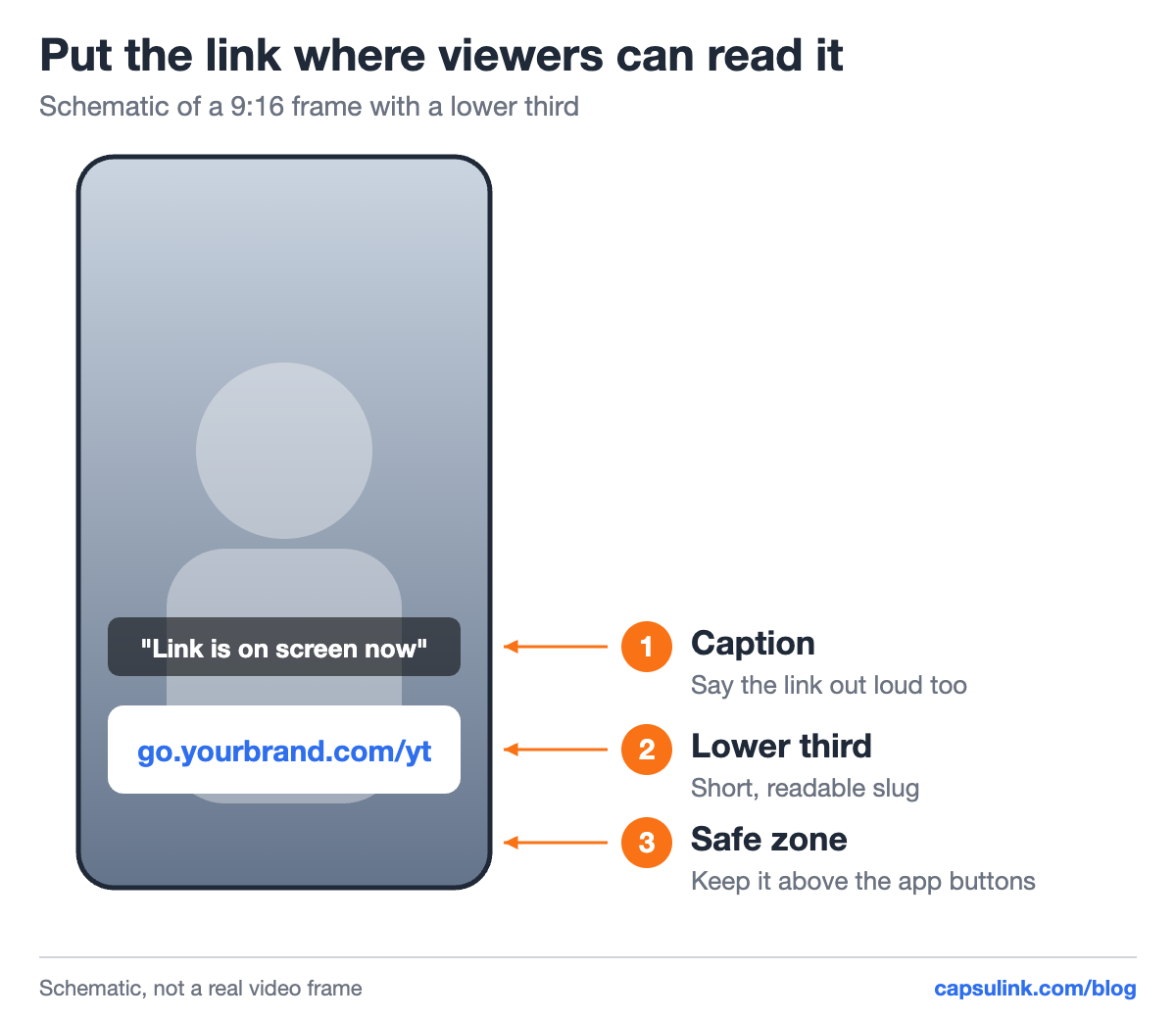
A 9:16 frame with the link in a lower third, above the app buttons.
- Short, readable slug. A word like /yt or /guide, not random characters.
- On screen long enough. Keep it visible while you say it, not only for a frame or two.
- Above the app buttons. The app’s own buttons and caption text sit along the bottom and right edge of a vertical video.
When the Short is cut from a longer video, an AI video editor saves most of the work. ChatCut’s AI video editor edits existing footage from a plain-English prompt or the transcript: it can cut dead air, reframe to 9:16, add word-level captions and create lower thirds from one sentence. That makes it easy to put the short link on screen at the exact moment it is said. The free plan includes the full editor and AI captions, according to ChatCut’s pricing page.
Write the description around the link
A description can hold up to 5,000 characters (Tips for video descriptions). Viewers only see the first lines before they click “more”, and YouTube’s tip is to use those lines to describe the video. Put the link in that first block, after one sentence about what it leads to.
YouTube’s external links policy is about where a link goes, not about its format. Links to malware, phishing, pornography or regulated goods are not allowed, and YouTube may remove a link it can’t verify as safe (External links policy). Writing a URL as “dot com” to dodge the rules counts as an obfuscated link and falls under the same policy.
A short link on your own domain keeps the description readable and shows people where they are going. Setup takes one DNS record, see the custom short domain setup guide.
Track which video brings the clicks
Use one short link per video. Capsulink counts every click and shows countries, devices and referrers for each link (How to view and export your link statistics). Add UTM tags to the destination, for example utm_source=youtube and utm_campaign with the video name, so Google Analytics sees what those visitors do next. Naming tips are in the UTM parameters guide.
Old videos keep sending traffic for years. If a product page moves, change the destination of the short link once (Capsulink Pro, How do I change the destination URL (Target URL) for a short link?) and every description that carries it follows. Without a short link, each description has to be edited by hand.
Affiliate links in descriptions have their own rules on disclosure and redirects, see affiliate links and short links.
FAQ
Why are links in my YouTube Shorts not clickable?
YouTube made URLs in Shorts descriptions and Shorts comments non-clickable to reduce spam and scams. Use the related video link, your channel links or an on-screen short link instead.
Why is the link in my video description not clickable?
Clickable external links need access to advanced features on the channel. Check your channel’s feature eligibility in YouTube Studio.
How many links can I add to my YouTube channel?
Up to 14. The first one shows in the profile next to the subscribe button, the rest appear when viewers open the links list.
Can I use a short link in a YouTube description?
Yes. YouTube’s external links policy rules on where the link leads. Point it to a safe page, and a branded short domain helps viewers see whose link it is.