
A QR code on a restaurant table should open the right menu: the lunch menu at noon, the full menu at night, and the German menu on a German phone. One printed code can do all of that when it holds a short link with smart link rules. The code itself never changes, so a new dish or a new price doesn’t mean new table stickers.
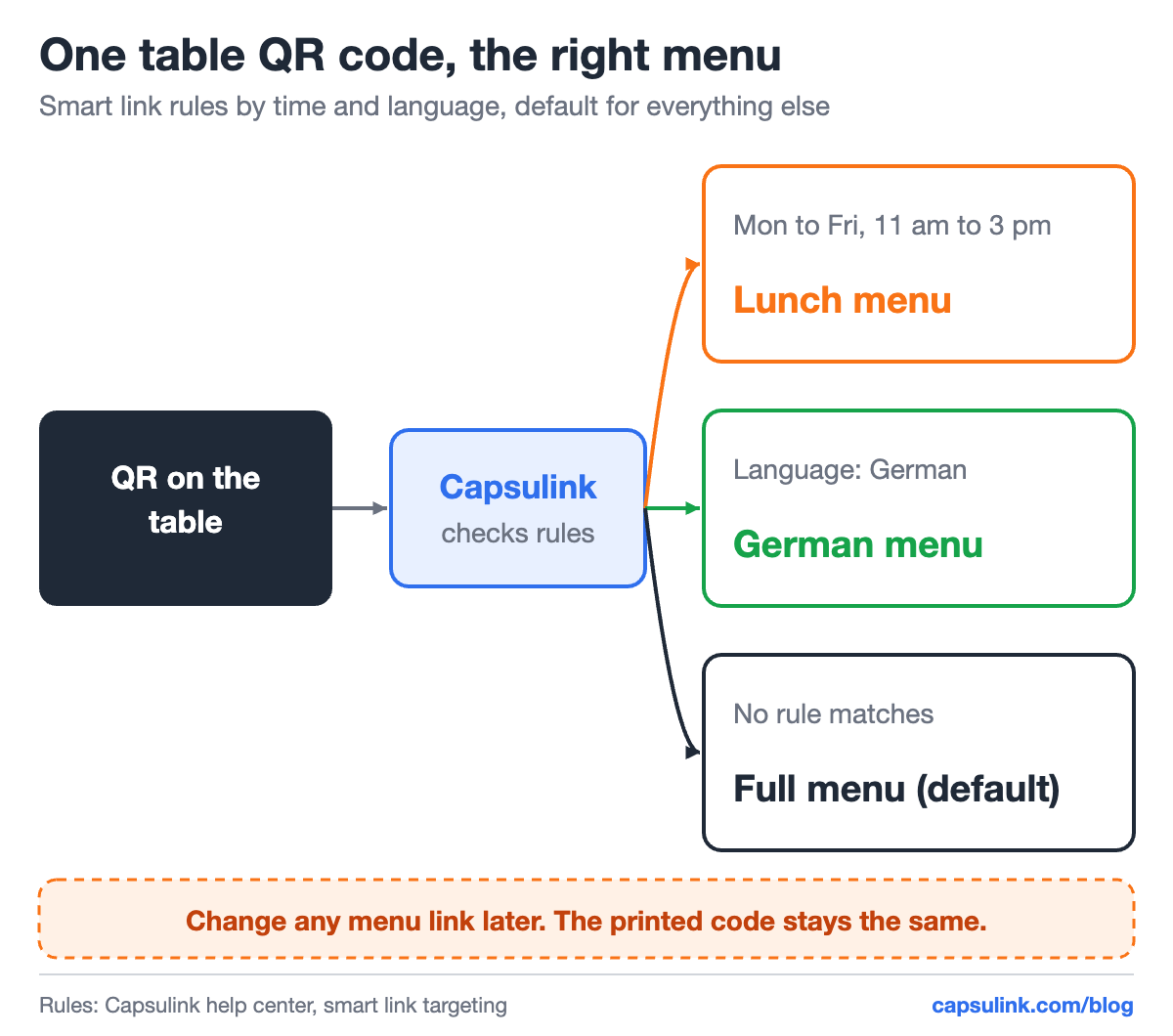
One printed QR code, three menus, chosen by time and language.
Use a short link in the code, not the menu file
A QR code made directly from a menu URL is fixed forever. Move the PDF, rename the page or change the website, and every code on every table points to a dead link. A QR code made from a short link points to the short link, and the destination behind it can be changed any time (How do I change the destination URL (Target URL) for a short link?). On Capsulink, changing the destination comes with Pro and higher plans.
The short link also keeps the code simple. Measured with the segno library at error correction level M, a 147-character URL needs QR version 8 with 49 x 49 modules, while a 27-character short link fits version 3 with 29 x 29.
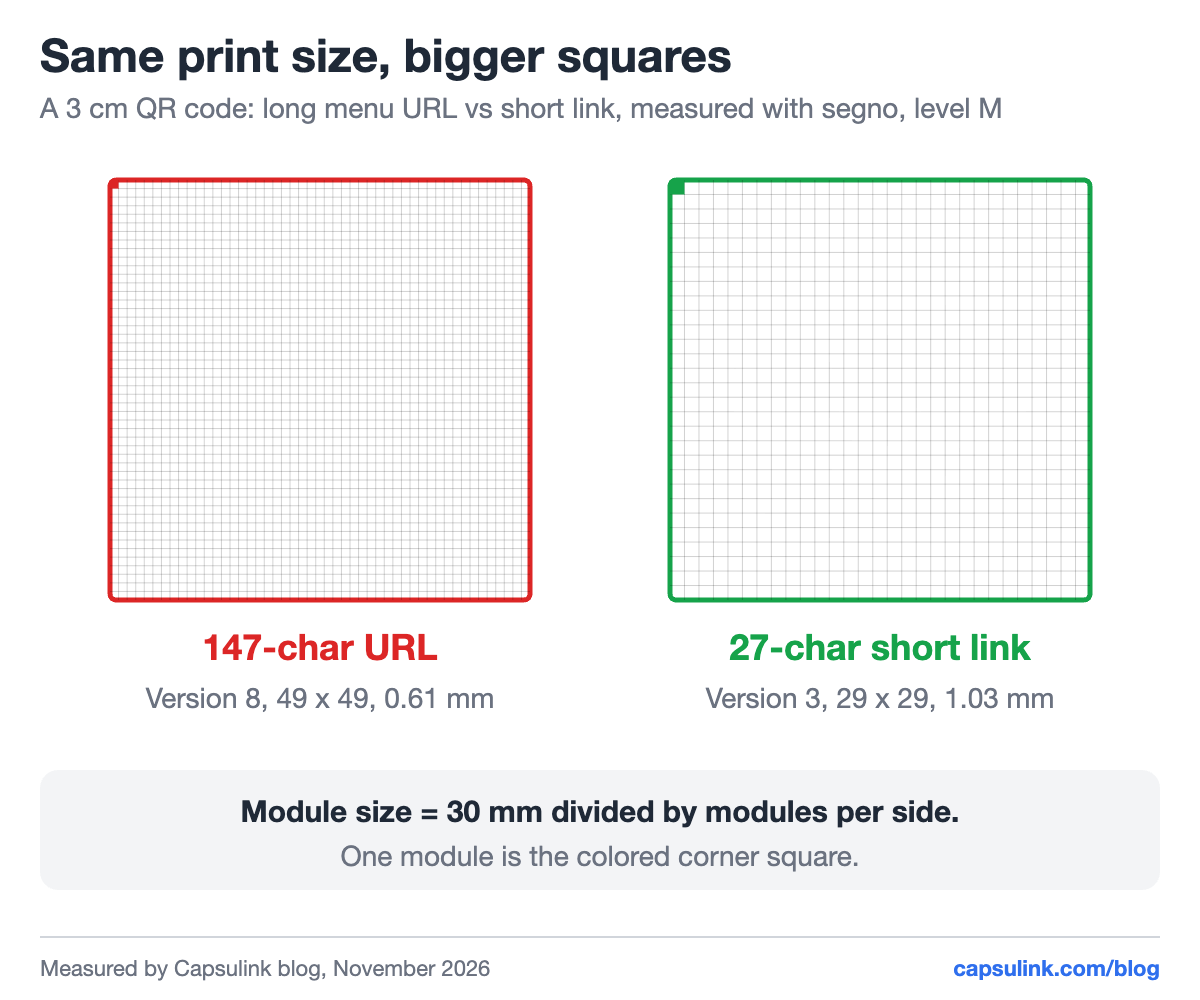
At 3 cm, each module of the short-link code is 1.03 mm wide instead of 0.61 mm.
Bigger modules are easier to print cleanly on a sticker or a table tent. More on the difference in dynamic vs static QR codes.
Lunch menu by day, full menu at night
Capsulink smart links can route by time. The time rule is a weekly grid: select days and hours, and the link opens a different page in those slots (How does the targeting work?). Everything outside the selected hours goes to the default URL.
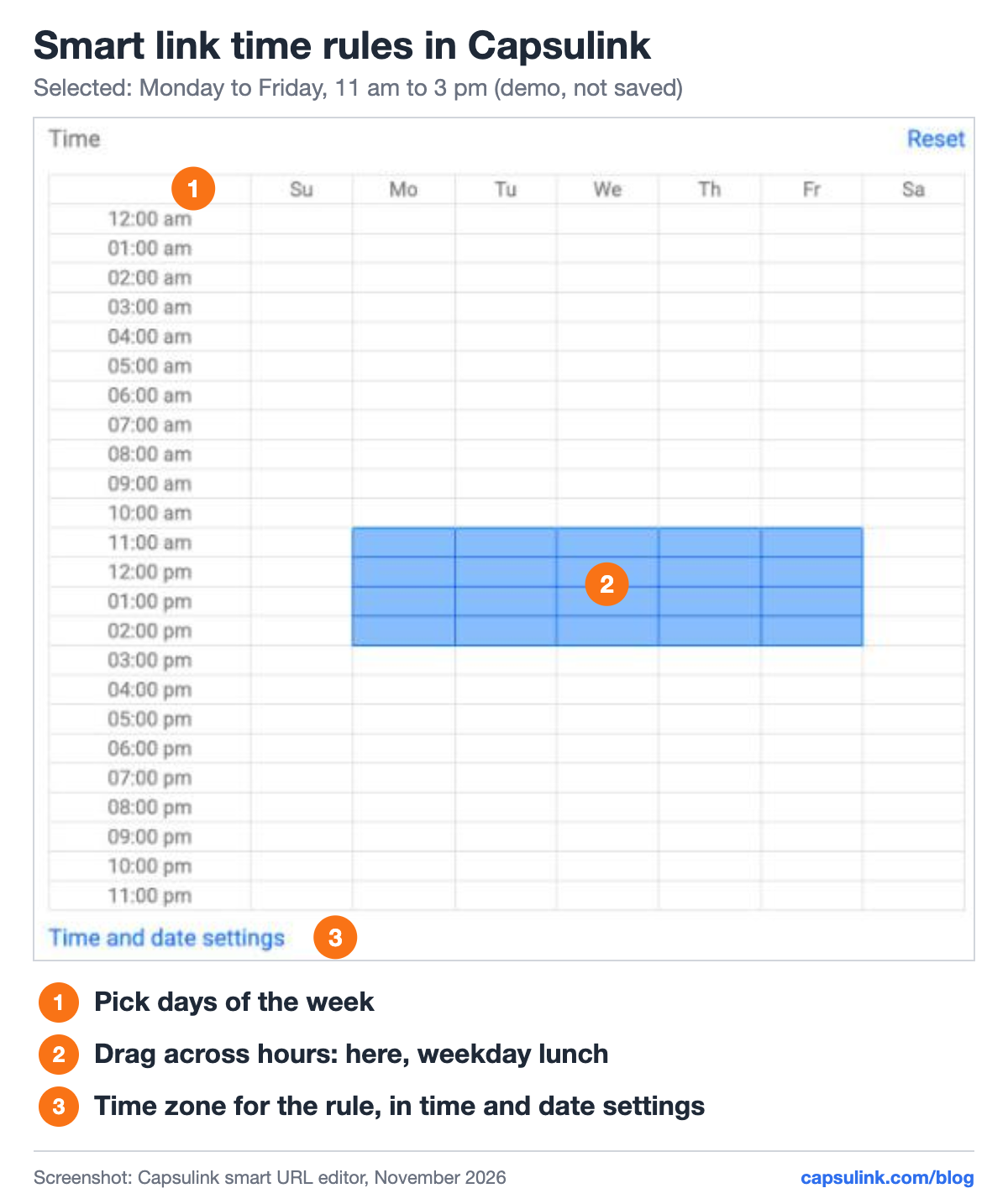
The time grid in Capsulink with a weekday lunch slot selected.
| Rule | Days and hours | Opens |
|---|---|---|
| Lunch | Mon to Fri, 11 am to 3 pm | Lunch menu page |
| Brunch | Sat and Sun, 10 am to 2 pm | Brunch menu page |
| Default | Any other time | Full menu |
The rule follows a time zone set in the time and date settings, so check that it matches the restaurant’s city. A date range can be added too, for example a holiday menu from December 20 to January 6.
Menu in the guest’s language
A language rule sends phones set to German to the German menu, phones set to French to the French one. Smart links support rules by country, language, device and time, and rules can be combined (What are Smart links and how do they work?). Inside one rule, groups combine with AND: a German lunch menu needs both the language and the time condition.
Smart links come with paid plans. Guests whose phone language has no rule get the default menu, so the default should be the language most guests read.
Print checklist for table QR codes
- Download as SVG for print. Capsulink offers each link’s QR code as SVG or PNG. SVG stays sharp at any size.
- Keep the quiet zone. The QR standard asks for an empty border of 4 modules around the code. Don’t let a frame or a logo touch it.
- Add a line of text. “Scan for the menu” plus the short link itself, for guests whose camera doesn’t pick it up.
- Test every rule. Scan at lunch, at night, and with the phone language switched, before the stickers go to print.
- Use a page that loads fast on mobile data. A light web page usually opens faster than a large PDF.
See when tables scan
Every scan is a click on the short link, so it shows up in the link statistics with time, country, language and device (How to view and export your link statistics). Give each location or each area (terrace, bar, dining room) its own short link to compare them. See how to track QR code scans for the full setup.
A menu QR code on your own domain, for example menu.yourrestaurant.com, also tells guests whose link it is before they open it. Setup is one DNS record, see the custom short domain setup guide.
Taking orders or bookings by chat? A table QR code can also open WhatsApp with a ready message, see WhatsApp link and QR code.
FAQ
Can I change the menu behind a QR code without reprinting it?
Yes, if the code holds a short link. Change the short link’s destination and every printed code opens the new menu.
Can one QR code show a different menu at lunch and dinner?
Yes. A smart link with a time rule opens the lunch menu in the hours you select and the default menu the rest of the time.
What size should a menu QR code be?
It depends on the scan distance and the code’s version. A short link keeps the version low, so the same print size gives bigger, cleaner modules.
Can I see how many guests scanned the menu?
Yes. Each scan counts as a click on the short link, with time, country, language and device in the statistics.