
On X, a short link saves no characters. X’s developer documentation says every URL in a post is wrapped with its t.co shortener and counts as 23 characters, whatever its original length (Counting Characters). A 109-character campaign URL and a 22-character short link cost exactly the same out of the 280-character limit. The reasons to use your own short link on X are different: tracking, a readable domain and a link you can change later.
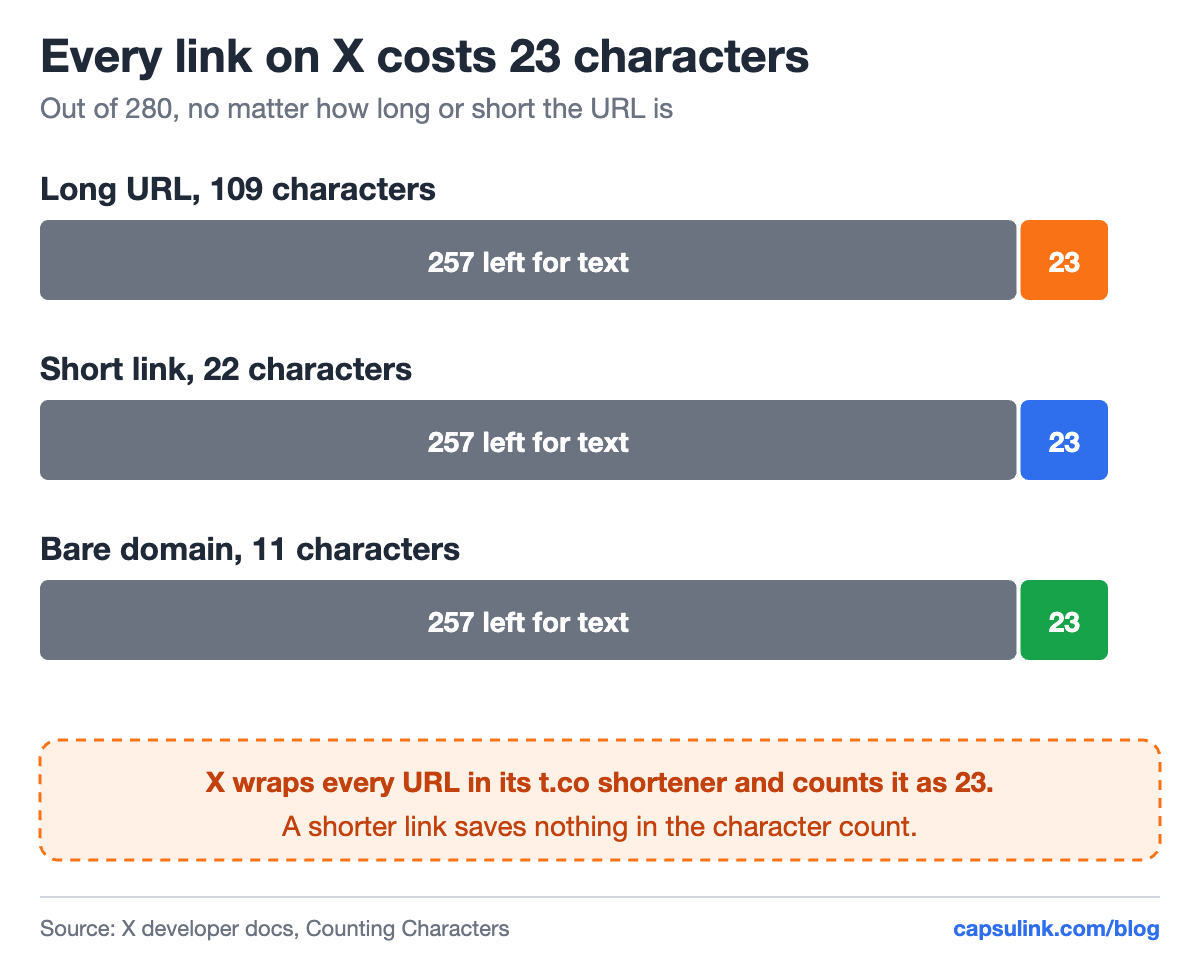
The link always takes 23 characters, so 257 are left for text.
How X counts characters
X uses weighted counting. The documentation lists the rules:
| Content | Counts as |
|---|---|
| Latin letters, punctuation, common symbols | 1 each |
| Emoji, including skin tones and combined emoji | 2 each |
| Chinese, Japanese, Korean characters | 2 each |
| Any URL | 23 |
| Attached media from official clients | 0 |
So a post with one link has 257 characters for everything else, and two links leave 234. Each emoji takes 2 of those.
Why use a short link on X anyway
Since the character count doesn’t change, the short link has to earn its place in other ways:
- Your own click data. Capsulink counts every tap with country, device and referrer, on your dashboard (How to view and export your link statistics). The numbers stay with you even if you leave the platform.
- Campaign tags without clutter. UTM tags live in the destination, so GA4 sees x / social instead of a direct visit. See why short link clicks show as direct in GA4.
- A link you can fix. Posts on X can’t always be edited, but a short link’s destination can, on Capsulink Pro and higher (How do I change the destination URL (Target URL) for a short link?).
- A recognizable domain. go.yourbrand.com tells readers whose link it is. See the custom short domain setup guide.
- One link everywhere. The same short link works in your X bio, a newsletter and a QR code, and each channel can get its own tags.
What happens when someone taps
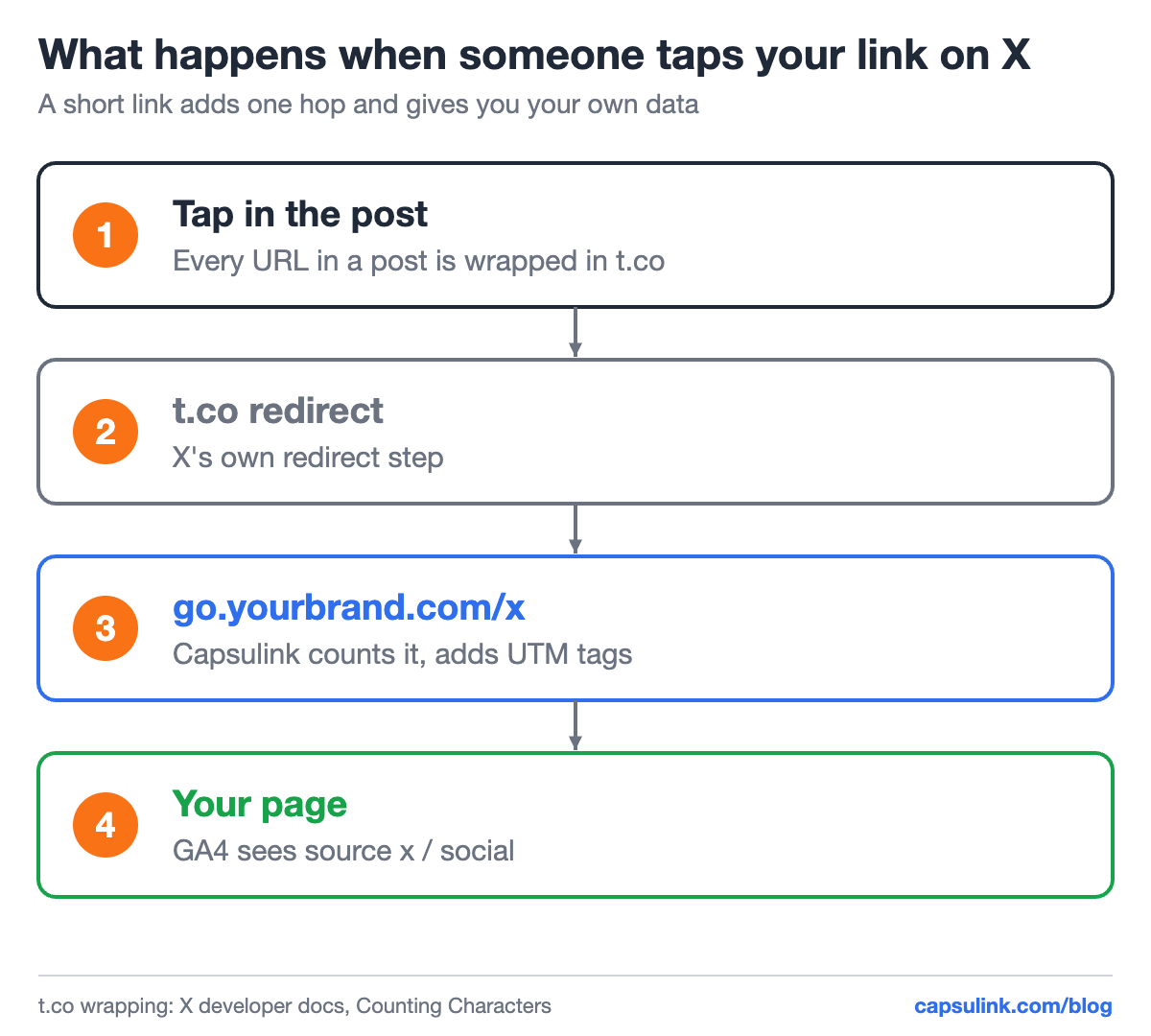
Your short link sits between X and your page.
The tap goes through t.co first, then through your short link, then to the page. Each step is a redirect that takes a moment. A short link adds one of them, which is the price for owning the click data.
Tips for links on X
- Write the post for 257. That is the real budget once one link is in it.
- Watch the emoji count. Each emoji counts as 2. Ten emoji cost 20 characters.
- One link per post. A second link costs another 23 and splits the clicks.
- Tag the destination. utm_source=x and utm_medium=social keep X traffic apart in GA4. Naming tips are in the UTM parameters guide.
- Check the preview. The link card comes from the page’s own tags, the same way it works on Facebook. See how to fix a wrong Facebook link preview.
FAQ
How many characters does a link take on X?
23. X wraps every URL in its t.co shortener and counts it as 23 characters, regardless of the original length.
Do I need a URL shortener for X (Twitter)?
Not to save characters. A short link is useful on X for click tracking, UTM tags, a branded domain and the option to change the destination later.
Do emoji count as more characters on X?
Yes. X counts every emoji as 2 characters, including emoji with skin tones and combined emoji.