
A wrong Facebook link preview almost always comes from one of two things: the page’s Open Graph tags, or the copy Facebook saved the first time the link was shared. Fix the tags, then make Facebook read the page again with the Sharing Debugger. The same steps work for short links, Capsulink’s help center notes they work for cli.re links and links on a custom domain.
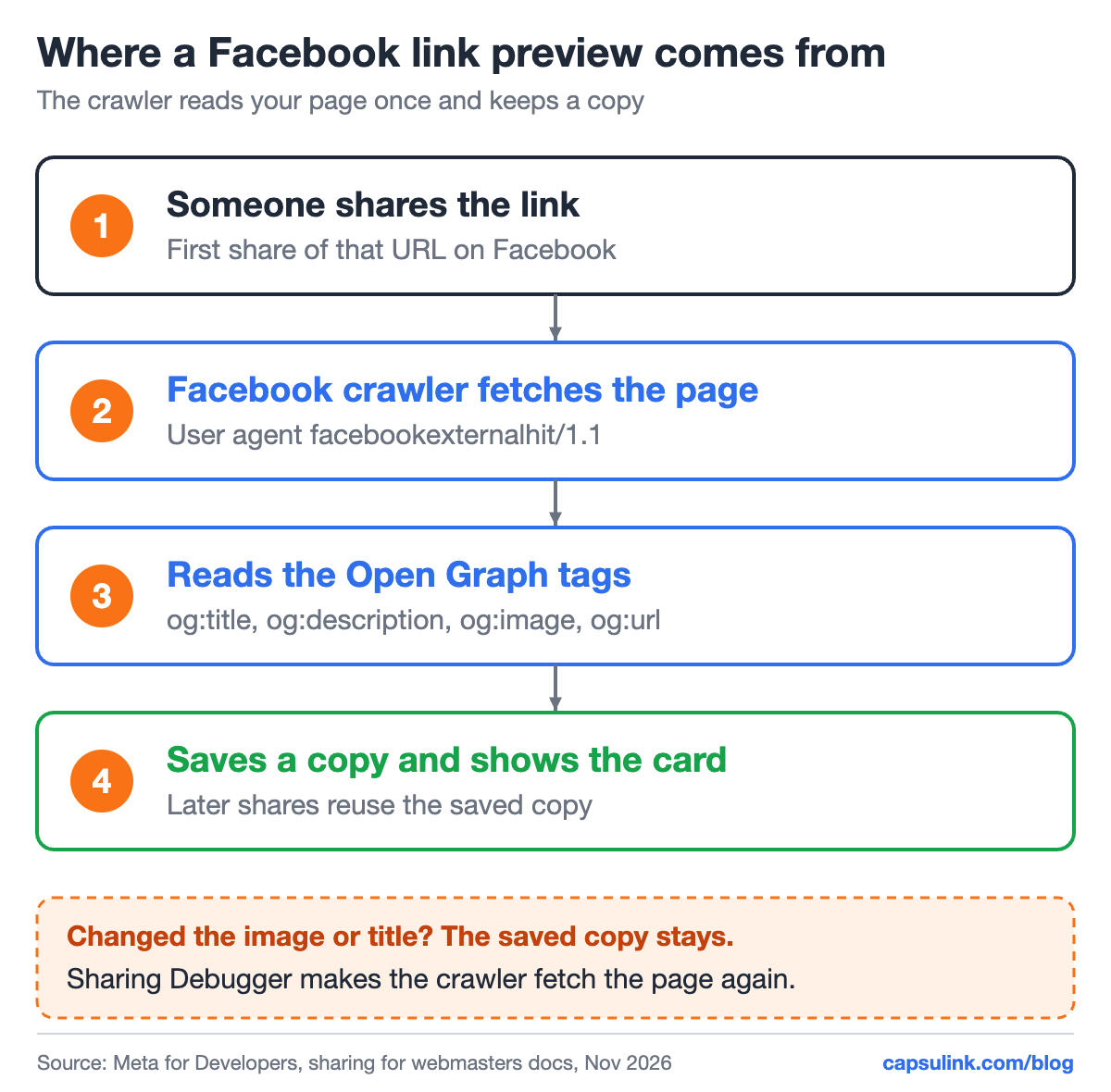
Facebook reads the page once and keeps a copy. Later shares show the saved copy.
Why Facebook shows an old or wrong preview
Facebook doesn’t read your page every time someone shares it. Meta’s docs say that when content is shared for the first time, the crawler scrapes and caches the metadata from the URL (Images in link shares). Change the image or the title after that, and the old card keeps showing up.
A few details from Meta’s documentation explain the usual surprises:
- Images are cached by their own URL. Replacing the image file under the same name doesn’t update the preview. Upload the new image under a new file name.
- Titles freeze. After more than 50 interactions with a post, the title can’t change anymore (Sharing FAQ).
- Old posts keep their card. A fix applies to future shares. An existing post can be refreshed from its menu with “Refresh share attachment”.
Which tag controls which part of the card
The card is built from four Open Graph tags in the page’s <head>. Meta calls og:url, og:title, og:description and og:image the basic tags for all content (A guide to sharing for webmasters).
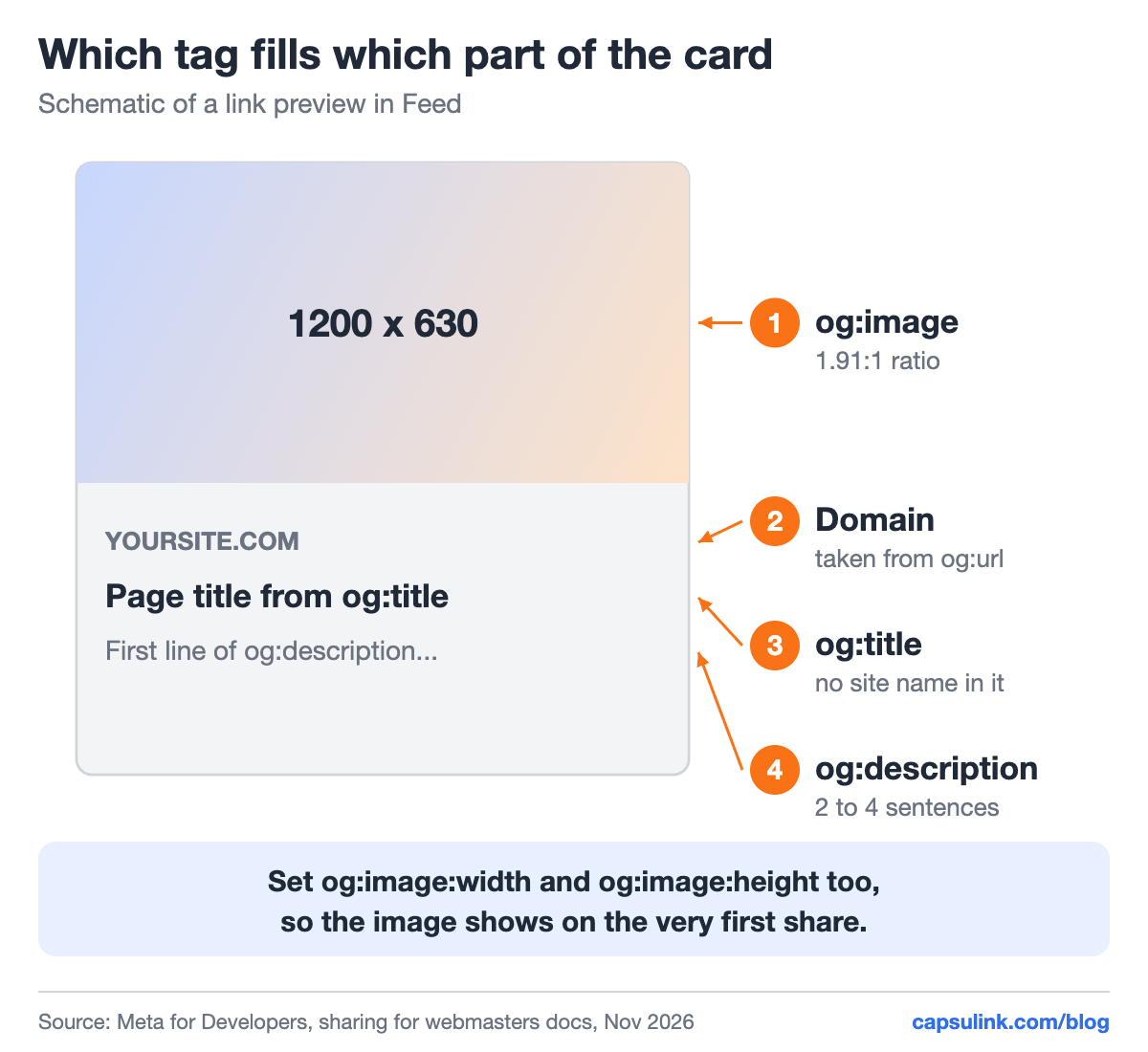
How the four basic Open Graph tags map to the card.
| Tag | Shows as | Meta’s advice |
|---|---|---|
| og:title | Headline | Title without branding such as the site name |
| og:description | Line under the title | Usually 2 to 4 sentences |
| og:image | Big image | At least 1200 x 630, ratio 1.91:1 |
| og:url | Domain on the card | Canonical URL without tracking parameters |
| og:image:width / height | Nothing visible | Lets the image show on the first share |
All URLs in the tags must be absolute, with https:// and the domain. On WordPress, an SEO plugin such as Yoast writes these tags from the post’s settings, so check them there before editing theme files.
Get the image size right
Meta recommends at least 1200 x 630 pixels. Images from 600 x 315 still get the large card, smaller ones show much smaller, and 200 x 200 is the minimum. The file must stay under 8 MB, and JPEG, PNG or GIF work.
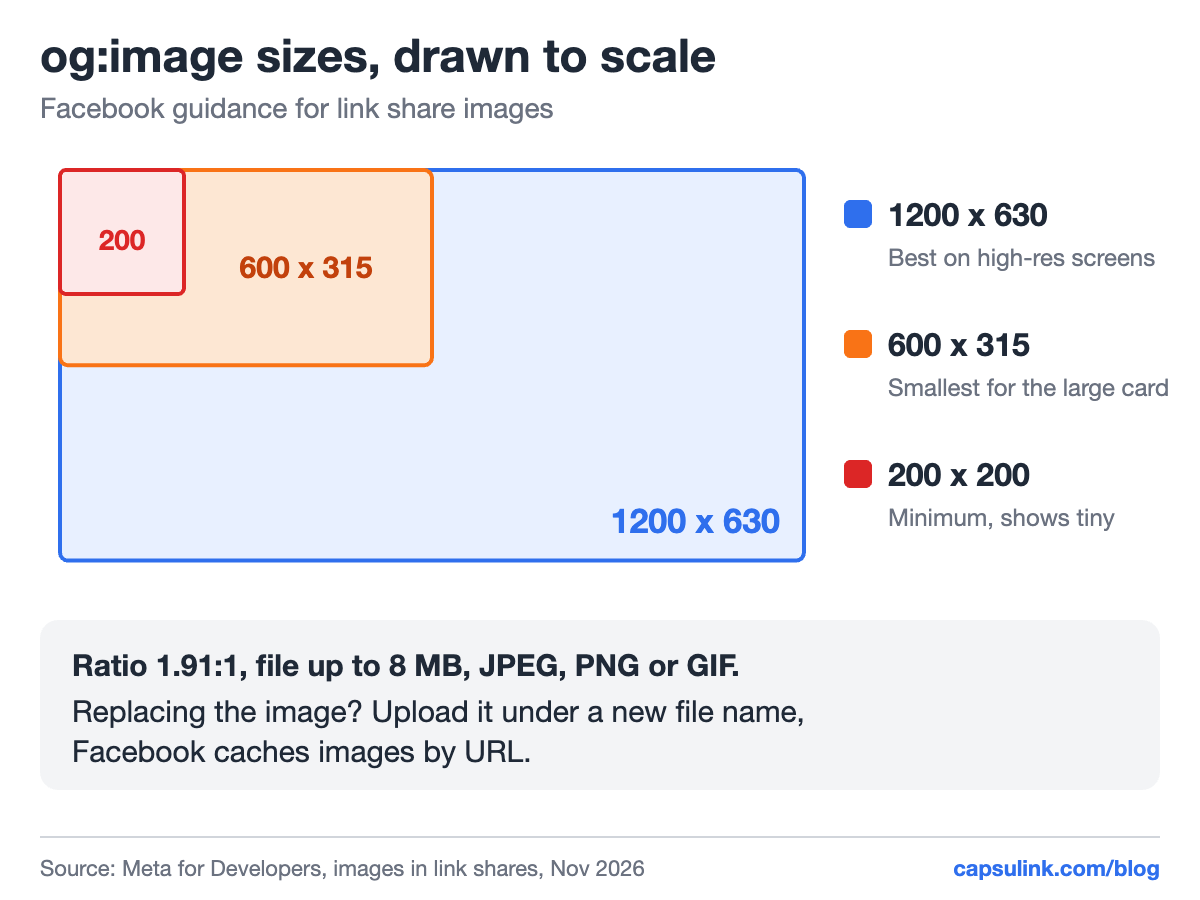
The three image sizes from Meta’s docs, drawn to scale.
Meta’s tip is to stay as close to 1.91:1 as possible, so the full image shows in Feed without cropping.
Fix the preview step by step
- Open the Sharing Debugger and paste the link: the page URL, or the short link you share.
- Click Debug. Read the warnings and the tags Facebook found.
- Fix the tags on the page. For a new image, use a new file name.
- Back in the debugger, click Scrape Again. Repeat until the preview at the bottom looks right.
- Share the link again. For a post that is already live, use “Refresh share attachment” in the post menu.
The Capsulink help article How to refresh the Facebook Open Graph share cache? walks through the same steps for short links.
When the debugger shows nothing at all
An empty preview usually means the crawler couldn’t read the page. Meta lists what its crawler, facebookexternalhit/1.1, needs (The Facebook Crawler):
- The Open Graph tags within the first 1 MB of the page.
- A response within a few seconds.
- gzip and deflate encodings supported by the server.
- No firewall or bot protection that blocks the facebookexternalhit user agent.
A page behind a login can’t be read either, since the crawler isn’t logged in.
Short links and link previews
A short link redirects to the page, so Facebook builds the card from the destination’s tags. Point a Capsulink link to a new destination and the next share can still show the old card, because Facebook saved it for that short URL. Run the short link through the debugger after every destination change.
Plan ahead when a link goes into many posts. Changing a destination on Capsulink Pro keeps the same short URL in every post (How do I change the destination URL (Target URL) for a short link?), and one debugger run updates the card for future shares. Old posts keep their card until each one is refreshed.
FAQ
Why is my Facebook link preview not updating?
Facebook shows the copy it saved on the first share. Run the URL through the Sharing Debugger and click Scrape Again. If the image still doesn’t change, upload it under a new file name.
What size should a Facebook link image be?
At least 1200 x 630 pixels at a 1.91:1 ratio, under 8 MB.
Why can’t I change the title of my shared link?
After more than 50 interactions with a post, Facebook freezes the title. Other parts of the card can still be updated.
Does the Sharing Debugger work with short links?
Yes. Paste the short link itself, since that is the URL Facebook caches. The Capsulink help center says it works the same for cli.re links and custom domains.