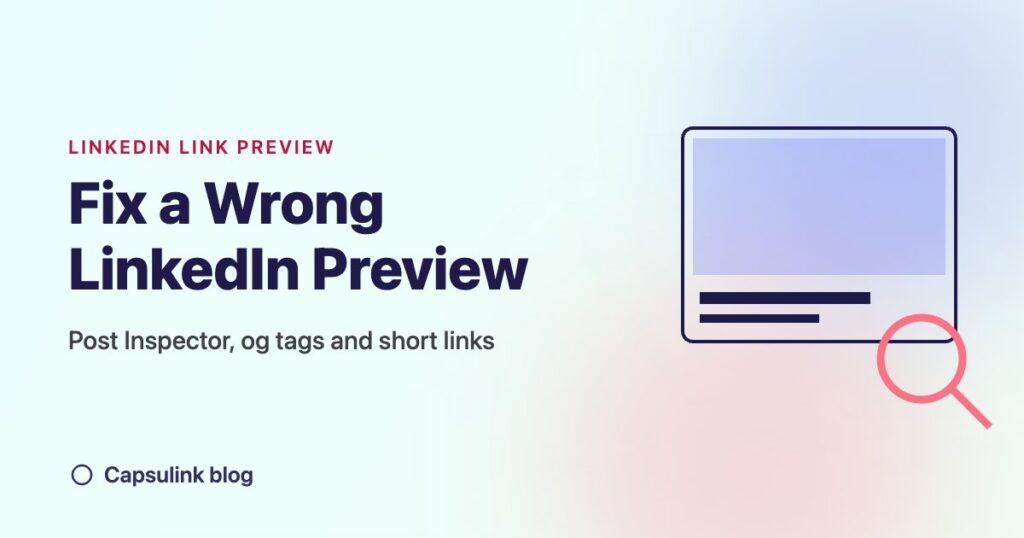

A wrong LinkedIn link preview usually comes from the page’s Open Graph tags or from an old copy LinkedIn saved earlier. Fix the tags on the page, then paste the URL into LinkedIn Post Inspector, which fetches the page again and shows the new preview. Short links work the same way, because LinkedIn follows the redirect and reads the final page.
The problem shows up at the worst moment: a post goes live with no image, an old title or a tiny thumbnail instead of the big card. A post with a broken card looks unfinished, and most people scroll past it.
How does LinkedIn build a link preview?
LinkedIn reads Open Graph tags in the page’s HTML. Its help article Make your website shareable on LinkedIn lists the tags that must exist:
og:title, the headline in the cardog:image, the pictureog:description, the short textog:url, the page address
The same article sets the image rules for the sharing card: at least 1200 x 627 pixels, a ratio of 1.91:1 and a file of 5 MB or less. Images less than 401 pixels wide show up as a small thumbnail.
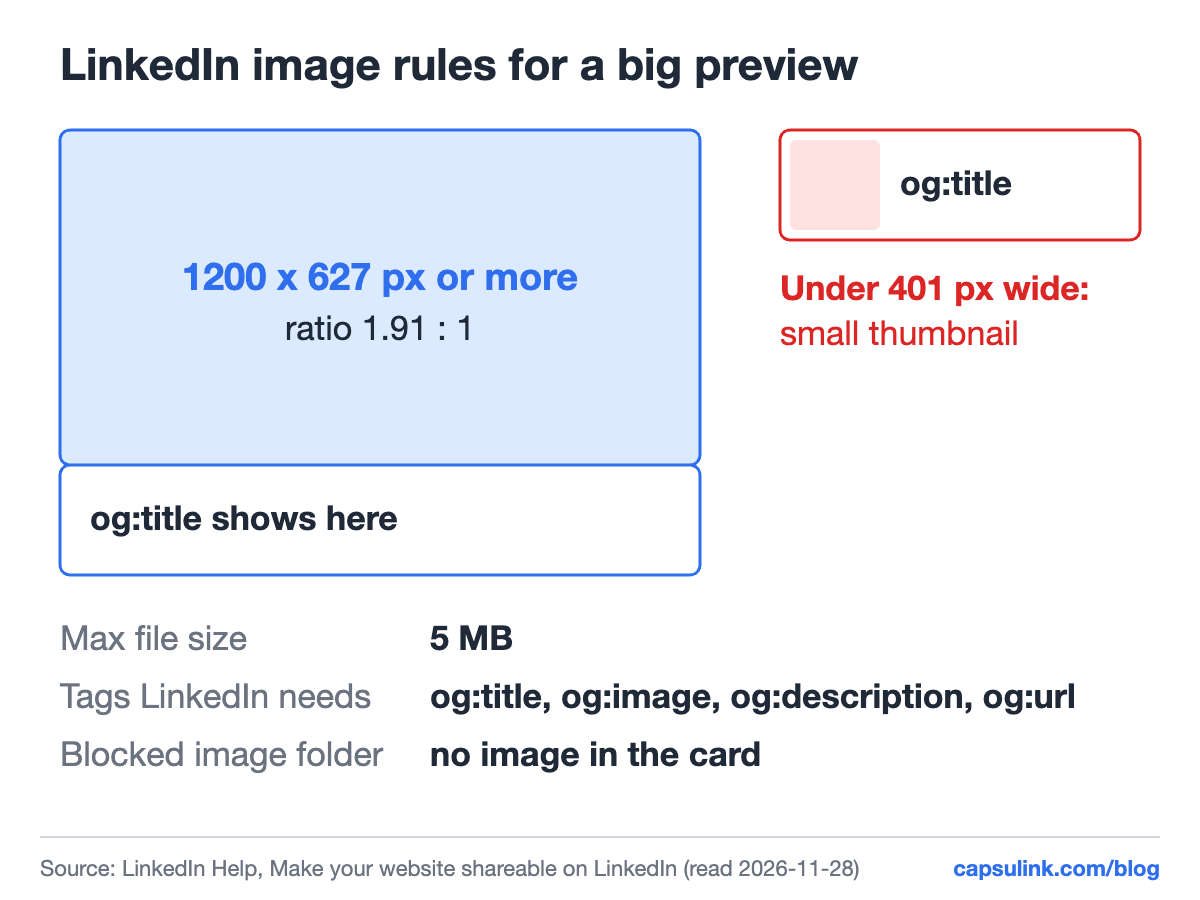
The LinkedIn image rules for the big preview card
If the tags are there and the image still doesn’t appear, LinkedIn notes that the site may be blocking it from pulling the image, or the image may sit in a protected folder.
How to refresh a LinkedIn preview with Post Inspector
LinkedIn Post Inspector (linkedin.com/post-inspector) shows what LinkedIn sees for any URL. Its own page lists three uses: find missing data, refresh the data LinkedIn has about a page, and debug issues. When you inspect a URL, LinkedIn scrapes it again, so a fixed page shows the new card right away.
- Fix the tags on the page first. In WordPress, an SEO plugin such as Yoast sets them from the post title, description and featured image.
- Open Post Inspector and sign in to LinkedIn.
- Paste the URL and click Inspect.
- Check the preview card, then scroll down to URL information and the redirect trail.
- Share the link in a new post once the card looks right.
Do short links show a preview on LinkedIn?
Yes. LinkedIn follows the redirect and builds the card from the final page. Capsulink tested this on 2026-11-28 with the demo link cli.re/blog-demo-qr in Post Inspector:
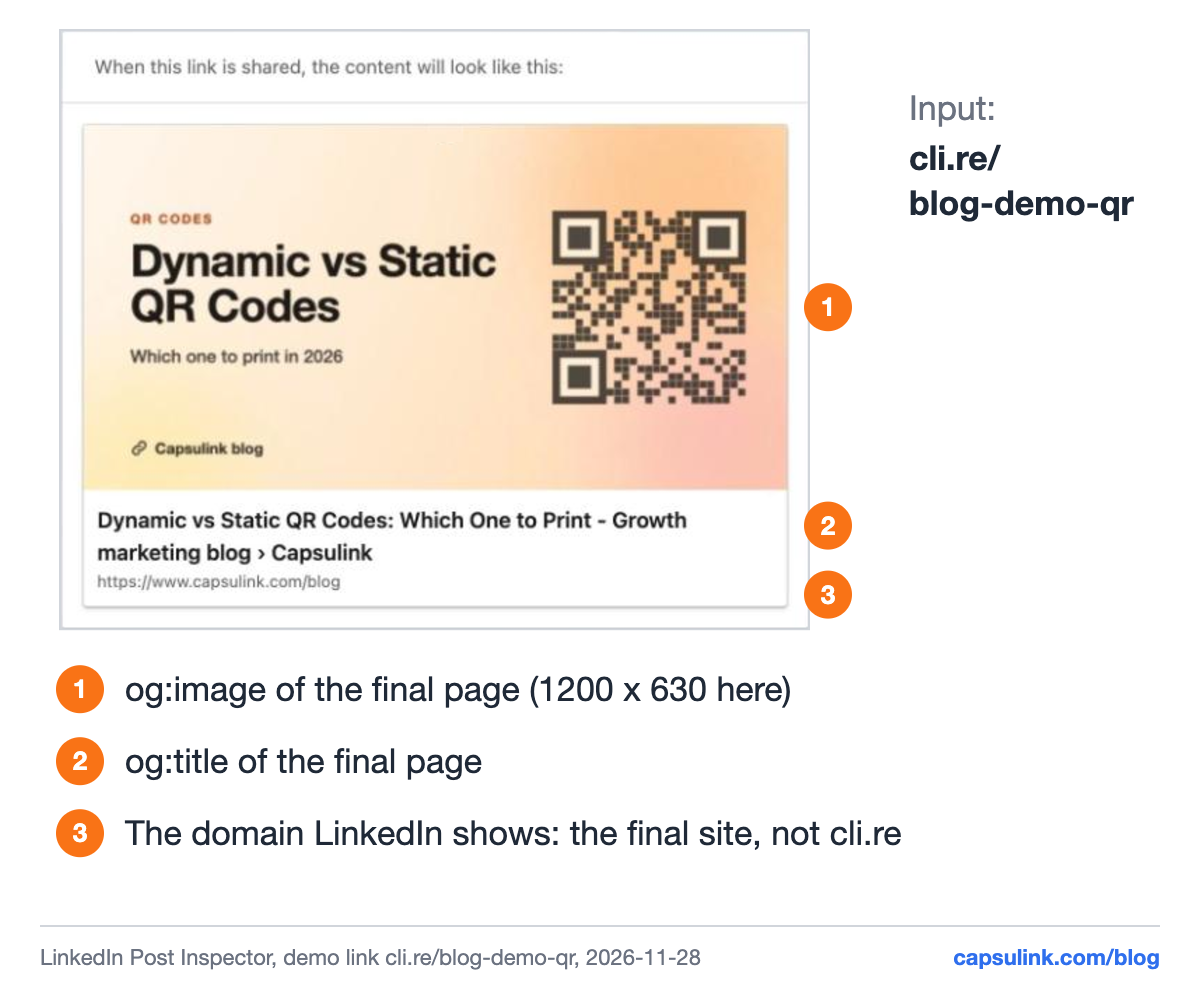
Post Inspector builds the card from the page behind the short link
The card shows the blog post’s image and title, and the domain line shows capsulink.com, the site the link leads to. The URL information block explains why:
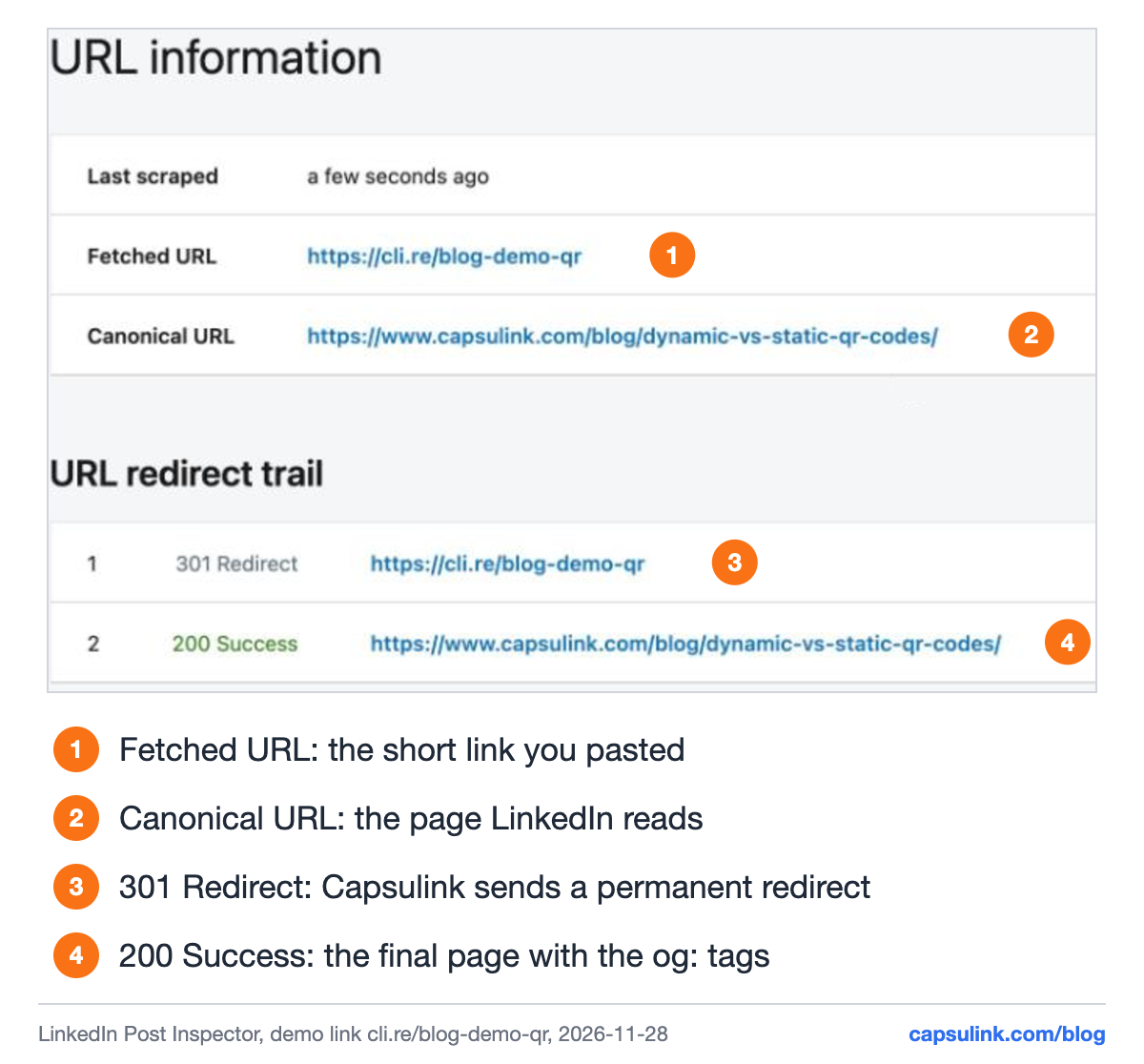
The redirect trail: 301 from cli.re, then 200 from the blog page
The redirect trail has two steps. The short link answers with a 301 redirect, which is a permanent redirect, and the blog page answers with 200 Success. LinkedIn lists the blog page as the canonical URL and takes the tags from it.
So if a short link shows the wrong preview, fix the destination page, not the short link. Then inspect the short link itself in Post Inspector, since that’s the URL people will share.
What about smart links with several destinations?
A Capsulink smart link can send visitors to different pages by country, language, device or time. LinkedIn’s crawler is one visitor, so the card is built from whichever page the crawler is sent to. That can be the default URL or one of the smart URLs.
If you share a smart link on LinkedIn, make sure the default page has the tags and image you want in the card. The geo-targeted short links post explains how the default URL works.
Common LinkedIn preview problems and fixes
| What you see | Likely cause | Fix |
|---|---|---|
| No image | Missing og:image or blocked image folder | Add og:image, allow access, inspect again |
| Small thumbnail | Image under 401 px wide | Use 1200 x 627 px or larger |
| Old title or image | LinkedIn still has the old copy | Inspect the URL to re-scrape |
| Wrong page in the card | Short link points to another page | Edit the destination, inspect again |
| Image cropped badly | Not 1.91:1 | Export the image at 1200 x 627 px |
Changing where a short link points needs a paid Capsulink plan, as described in how to change a link’s destination. For Facebook, the steps are different and use the Sharing Debugger. See how to fix a wrong Facebook link preview.
How to see clicks from LinkedIn
A short link counts every click, including clicks from inside the LinkedIn app. The Capsulink statistics article lists what the stats show, including referrers. For GA4, add utm_source=linkedin and utm_medium=social to the long URL behind the short link, as explained in the UTM parameters guide.
FAQ
How do I clear the LinkedIn preview cache?
Paste the URL into LinkedIn Post Inspector and click Inspect. LinkedIn fetches the page again and shows when it last scraped it.
Why is my LinkedIn link preview not showing an image?
The page is missing an og:image tag, the image is under the size rules, or the site blocks LinkedIn from fetching it. Check the tags and inspect the URL again.
Can I use a short link on LinkedIn and still get the big card?
Yes. LinkedIn follows the redirect and uses the tags of the final page. In Capsulink’s test, a cli.re link showed the full card of the blog post.
What image size does LinkedIn need for link previews?
At least 1200 x 627 pixels, ratio 1.91:1, up to 5 MB, according to LinkedIn Help.