
Short links don’t have a natural end date. They stop working when someone switches them off: the owner, the service, an expiry setting on the plan, or a custom domain that lapses. In Capsulink, links on the shared domains keep redirecting even after a paid plan ends.
The question matters most for links you can’t take back. A QR code on 10,000 printed boxes is the classic case. When one of those breaks, every scan leads to an error page, and nobody tells you.
Why do short links stop working?
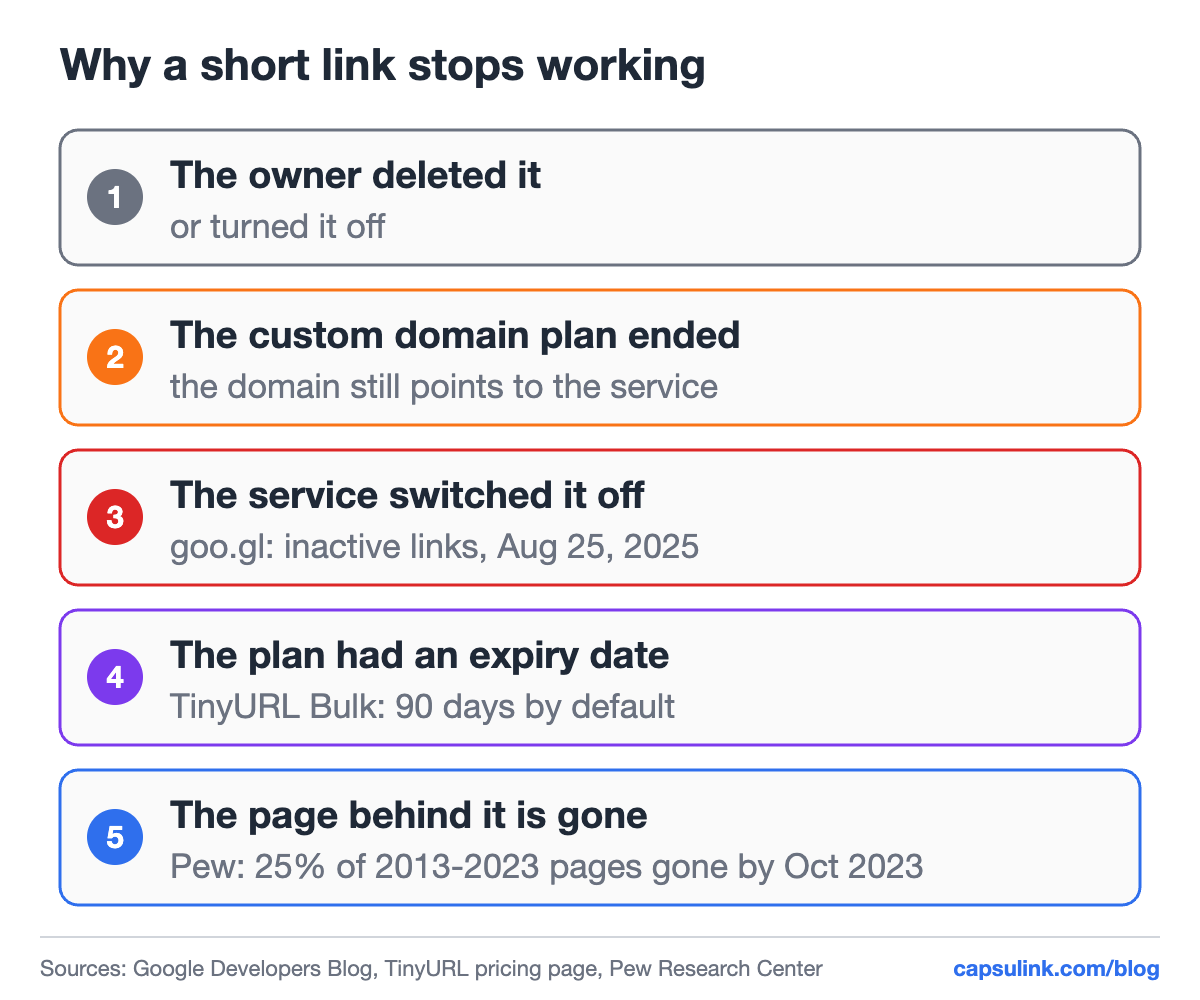
The five usual reasons a short link stops working
There are five usual reasons:
- The owner deleted the link. Common after a campaign ends, even when the link is still printed somewhere.
- The custom domain plan ended. Links on your own domain need an active subscription, because the domain points at the service.
- The service switched links off. Google’s goo.gl is the best known case. On August 25, 2025 Google turned off goo.gl links that showed no activity in late 2024 and kept the rest, according to the Google Developers Blog. The goo.gl links in 2026 post covers what happened.
- The plan sets an expiry date. Some services expire links by default on certain plans. TinyURL’s Bulk plan, for example, lists a 90-day default expiry on its pricing page.
- The page behind the link is gone. The short link still redirects, but to a 404. Pew Research Center found that 25% of web pages from 2013 to 2023 were gone by October 2023.
Only the last one is about the destination. The first four are about the short link service, so they are worth checking before you print.
Do Capsulink links expire?
Capsulink’s help center lists no expiry date for short links. The help article What happens to my short links if I downgrade? says that when a paid plan is cancelled, “your account, your short links and your statistics stay”, and nothing is deleted.
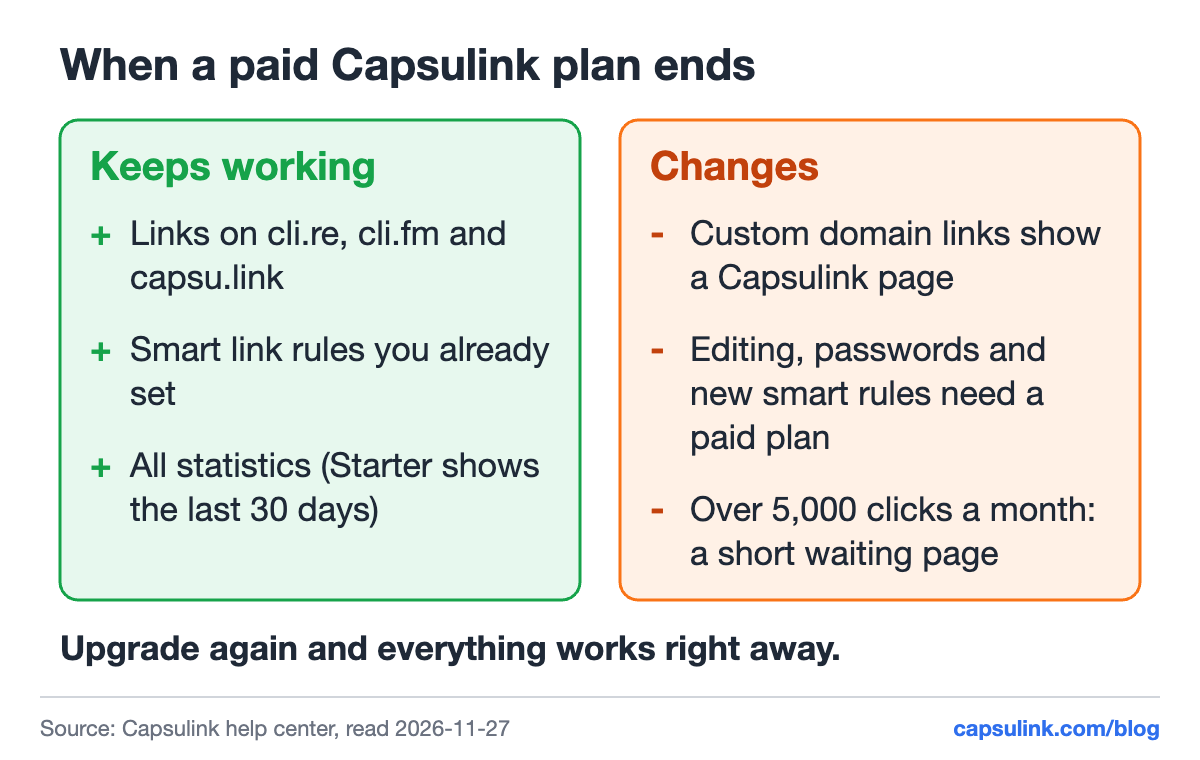
What changes, and what stays, when a paid plan ends
| After a paid plan ends | What happens |
|---|---|
| Links on cli.re, cli.fm, capsu.link | Keep redirecting |
| Smart link rules | Keep working |
| Statistics | Kept, Starter shows the last 30 days |
| Links on a custom domain | Show a Capsulink page until you renew |
| Editing destination or ending | Needs a paid plan |
| Free plan traffic | 5,000 clicks a month, then a short waiting page |
The custom domain row is the one to plan for. If links on go.yourbrand.com are printed, keep the plan active or move those links to cli.re before you cancel, as the help article advises. Your domains stay in the account and start working again as soon as the subscription is renewed.
How to make a short link last for years
A few habits keep printed and long-lived links working:
- Use an editable link for anything printed. If the page moves, you change the destination and the printed code keeps working. Editing starts on the Pro plan ($10 a month) and is explained in how to change a link’s destination.
- Don’t delete old campaign links. Point them at a current page instead. An old flyer that still leads somewhere useful beats a 404.
- Check the destinations once a year. Open your most-clicked links and make sure the pages still exist. The clicks list in your stats shows which links people still use.
- Keep the custom domain renewed while its links are in print, or create the long-lived links on cli.re from the start.
- Prefer your own pages as destinations. A page you control is less likely to vanish than a third-party URL.
The link rot guide goes deeper into broken destination pages, and how to edit a QR code after it is printed shows the editing steps.
What if you want a link to expire?
Sometimes an end date is the point, like a sale or an event signup. In Capsulink you don’t switch the link off. You add a smart URL with a date range: the offer page shows during those dates, and the default page shows before and after. Old emails and flyers keep working instead of showing an error. A Black Friday link that ends on time walks through the setup.
For links that only certain people should open, a password works better than an expiry date. See password-protected short links.
FAQ
How long do Capsulink short links last?
The help center lists no expiry date. Links on cli.re, cli.fm and capsu.link keep redirecting on the free plan too, unless you delete them. Links on a custom domain need an active paid plan.
What happens to my links if I cancel my subscription?
Your links and statistics stay. Paid features stay until the end of the period you paid for, then the account moves to the free Starter plan. Custom domain links stop redirecting until you renew.
Can a short link stop working even if nobody deleted it?
Yes. The destination page can disappear, or the shortening service can close or switch off inactive links, as Google did with goo.gl in 2025.
Do free plan links expire?
No expiry date is set on Starter links. The free plan includes 5,000 clicks a month for the whole account. Above that, visitors see a short waiting page before the redirect.