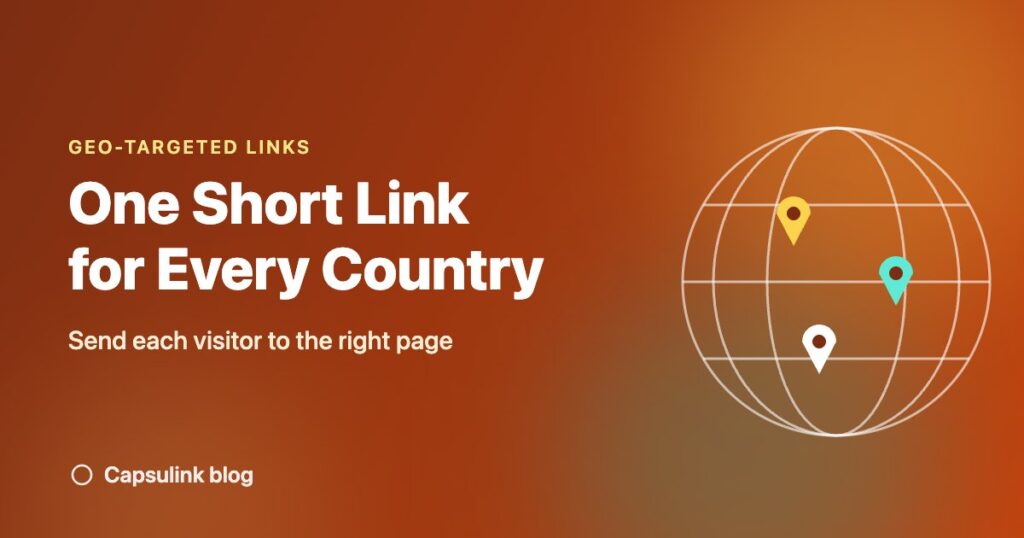

A geo-targeted short link sends each visitor to a page for their country or language, while you share only one link. In Capsulink this is a smart link rule: visitors in Germany get the German page, visitors in France get the French page, and everyone else gets the default page.
Without it, a brand that sells in five countries prints five QR codes or posts one link and hopes people find the language switcher. Each extra click loses some of them. One link with country rules keeps the ad, the post or the package the same everywhere.
How does a geo-targeted short link work?
A Capsulink smart link has a default URL plus one or more smart URLs. Each smart URL has targeting rules. The help article on how targeting works lists four criteria: country, language, device and time.
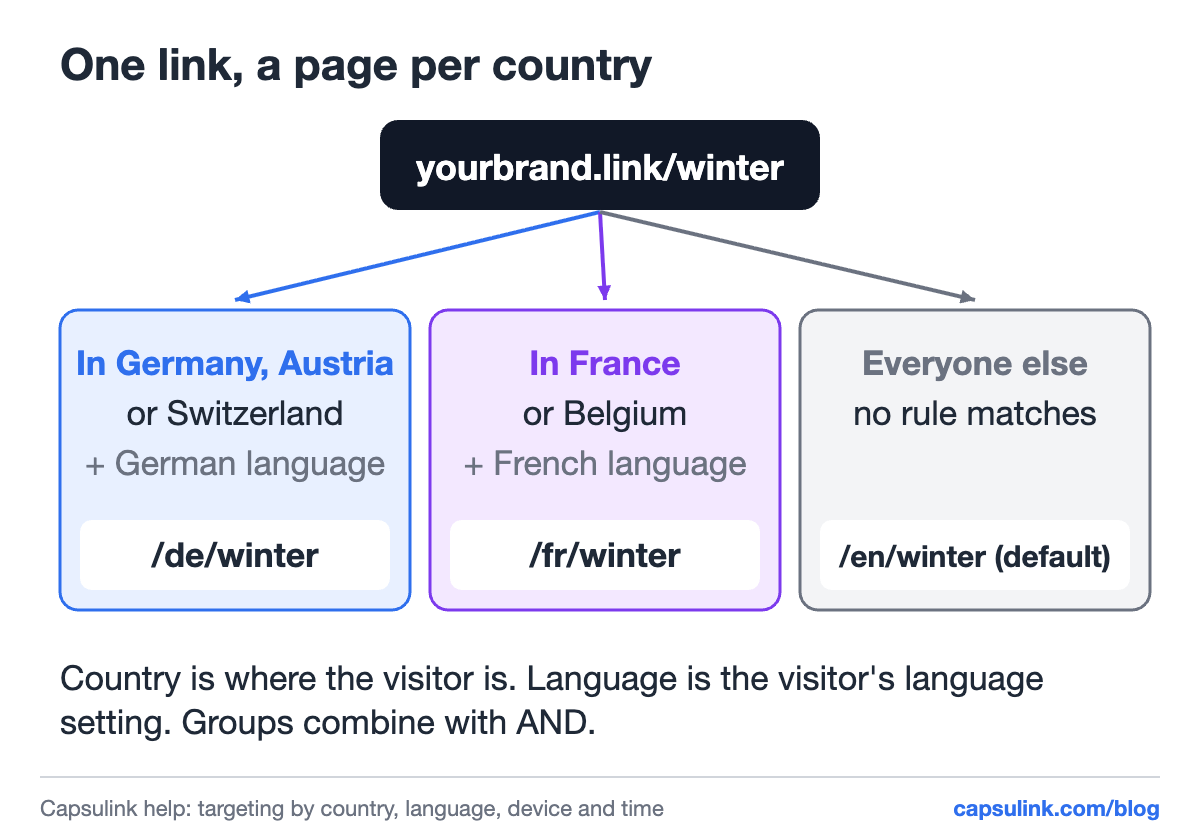
One link, a page per country, and a default for everyone else
Two rules from the help article matter most:
- Items inside one group work as OR. “Germany, Austria, Switzerland” in the Countries group matches a visitor in any of them.
- Groups work as AND. Countries “Germany, Austria, Switzerland” plus Language “German” matches only German-language visitors in those countries.
When no smart URL matches, the visitor goes to the default URL. So the default should be the page that works for the most people, usually the English or international version.
Should you target by country or by language?
Country is where the visitor is. Language is the visitor’s language setting. Most of the time they agree, and sometimes they don’t. A Spanish speaker in the United States or a Russian speaker in Latvia breaks a country-only rule.
A practical split:
- Use country when the page differs by market: prices, currency, shipping, a local shop or a store locator.
- Use language when only the text differs, such as a help guide or a sign-up page.
- Use both when the page is for one market in one language, like a German-only offer for Germany, Austria and Switzerland.
Google also points out that “geotargeting isn’t an exact science” in its guide to multi-regional sites. Every country page should have a visible way to switch to another version, in case the visitor lands on the wrong one.
How to set up a country link in Capsulink
- Create a short link to your default page, for example the English product page.
- Open the link and click Add next to Smart Links.
- Paste the URL of the country page into the URL field.
- Under Targeting, click + ADD and pick Countries. Type the country names and select them.
- Add a Languages group too, if the page is for one language.
- Save. Repeat for each country page.
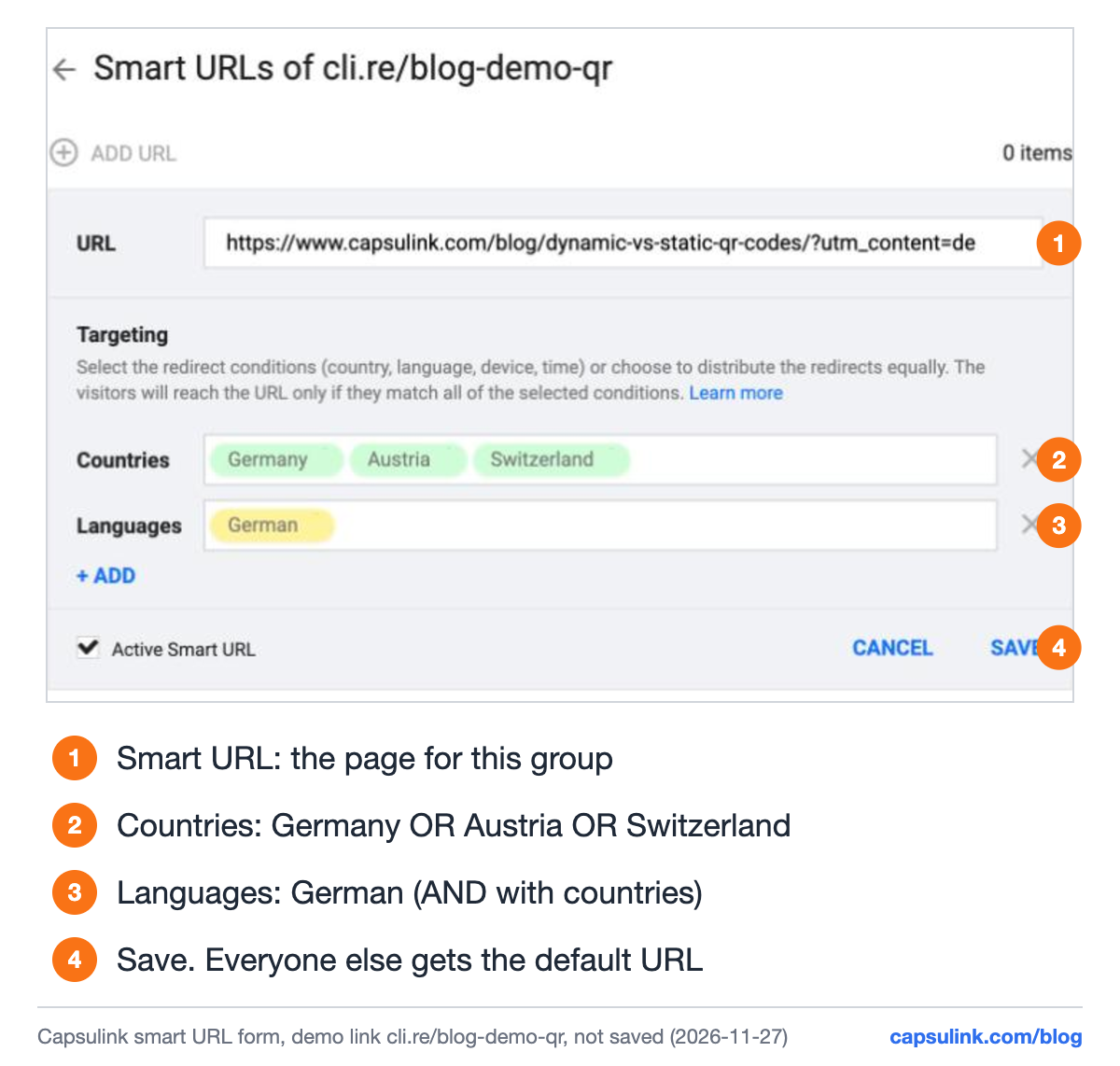
A Capsulink smart URL with a country group and a language group (demo, not saved)
Smart links are on paid plans, starting with Pro at $10 a month. You can also add UTM tags to each smart URL, for example utm_content=de, so GA4 shows which country version people saw. The UTM parameters guide has the naming rules.
Where does a country link help, and where not?
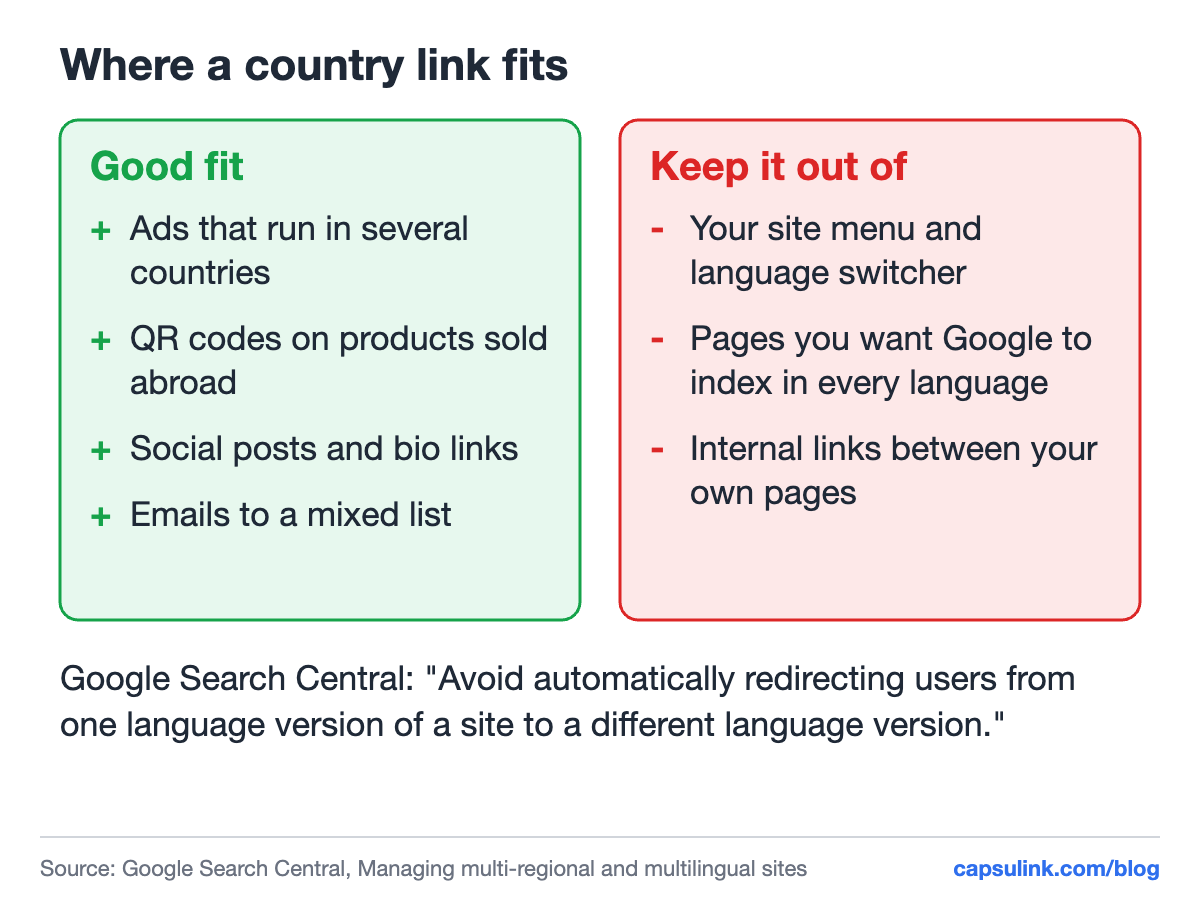
Use country links in campaigns, keep them out of site navigation
Country links fit anything you can’t change after it goes out: ads in several markets, a QR code on a product sold abroad, an Instagram bio, an email to a mixed list. A shopper scans the code on a box in Vienna and lands on the German page with euro prices, without a menu in between.
They don’t belong in your own site navigation. Google’s guide says to “avoid automatically redirecting users from one language version of a site to a different language version”, because those redirects can stop users and search engines from seeing all versions. A short link in a campaign is a different case. The visitor clicked a link, didn’t open your homepage, and the target page still links to the other languages.
How to check that the rules work
Capsulink statistics show the countries and languages of visitors for every link, as described in the statistics article. After a campaign starts, compare the country list with what you expected. If a large share of clicks comes from a country without its own page, that is the next smart URL to add.
For a quick test before launch, ask a colleague in another country to open the link, or change your device language and open it again. Each smart URL should land on its page, and everyone else on the default.
Country rules also combine with other rule types. The same link can send phones to an app store, as shown in one link for the App Store and Google Play, or switch to a sale page on set dates, as in a Black Friday link that ends on time.
FAQ
Can one short link go to different pages by country?
Yes. Add a smart URL for each country page with a Countries rule. Visitors who match no rule go to the default URL.
How many countries can one rule have?
A Countries group can hold several countries, and they work as OR. Germany, Austria and Switzerland in one group all go to the same page.
Is a geo redirect bad for SEO?
Google advises against automatic language redirects inside your own site. A short link used in ads, QR codes or social posts is not a page Google indexes, so it doesn’t replace your site’s language versions. Keep normal language links on the pages themselves.
Does the free plan include country targeting?
No. Smart links start with the Pro plan. The free Starter plan still shows visitor countries and languages in the stats for the last 30 days.