
Clicks on a short link often land in Google Analytics 4 as “(direct) / (none)”, the bucket for visits with no known source. Google’s own help page lists the reasons: links without UTM parameters, redirects that strip them, URL shorteners that drop referral details, links in offline documents like PDFs, and ad blockers (Understand (direct) / (none) traffic). The fix is the same in almost every case: put UTM tags in the short link’s destination.
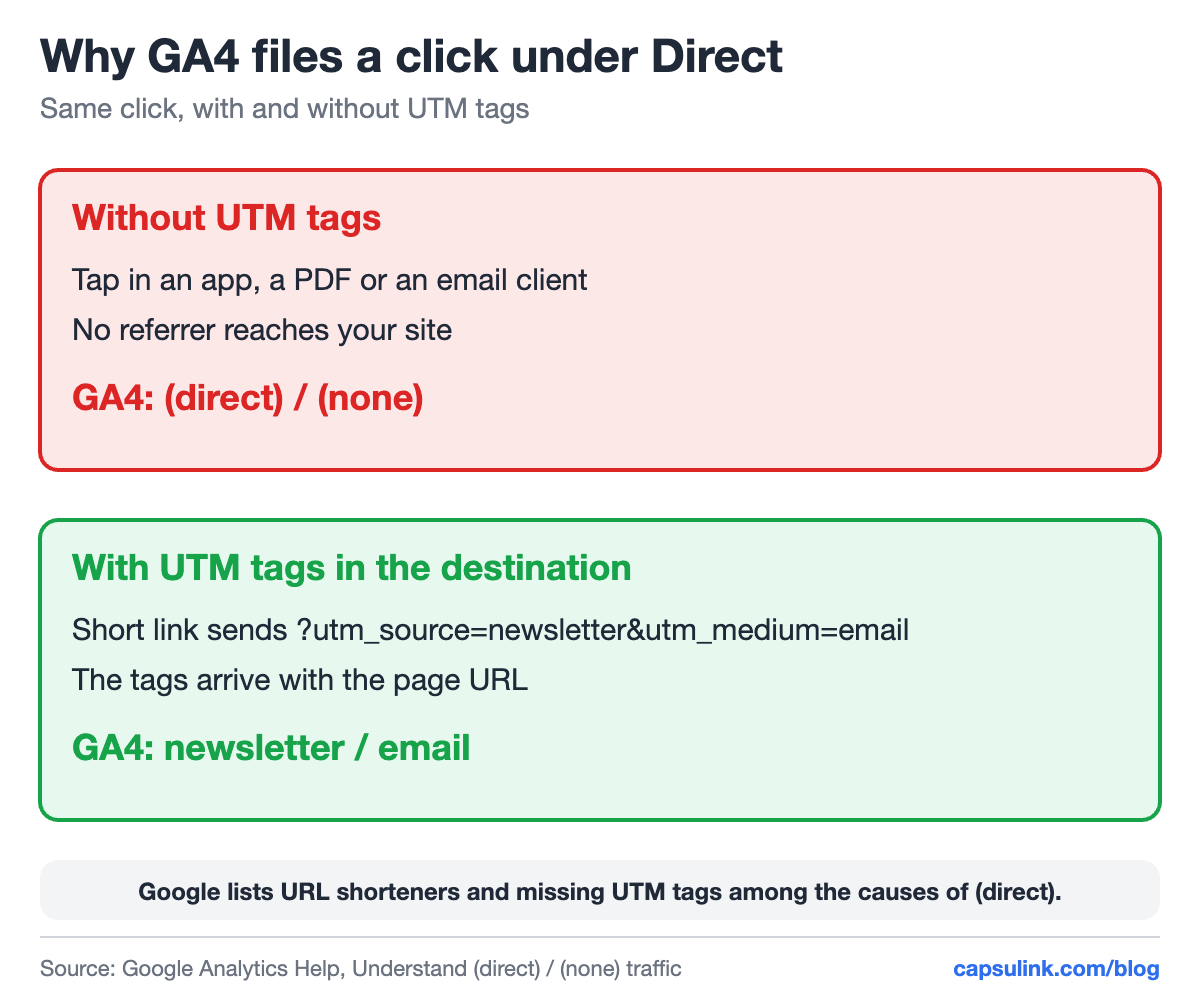
The same click, filed two ways by GA4.
Why GA4 can’t see where a short link click came from
GA4 decides a visit’s source from two things: UTM parameters in the landing page URL, and the referrer the browser sends. A short link click often loses the second one. Taps in some apps and email clients arrive without a referrer, and Google says traffic from links in offline documents such as PDFs and Word files is classified as (direct) / (none).
| Where the click happened | Without UTM tags | With UTM tags |
|---|---|---|
| Email newsletter | Often (direct) | newsletter / email |
| PDF or Word file | (direct), per Google | pdf / document |
| Printed QR code | (direct) | flyer / qr |
| Chat app message | Often (direct) | whatsapp / social |
The “with UTM tags” values are examples. Pick your own names and keep them consistent.
The fix: UTM tags in the destination
Build the destination URL with utm_source, utm_medium and utm_campaign, then shorten that URL. The message, flyer or video only carries the short link, and the tags reach your site with every click. The Capsulink help article Track campaigns and conversions from short links in Google Analytics 4 walks through it, including where to see the result: Reports, then Acquisition, then Traffic acquisition, with Session source / medium as the first column.
Two practical rules from the same article:
- Lowercase everything. GA4 treats Facebook and facebook as two different sources.
- Tags in one place only. Put each parameter either in the destination or in the shared link, not both, or it gets doubled.
Capsulink also passes parameters added to the short link on to the destination (parameter forwarding, on every plan). That lets one short link carry a different utm_source per channel. Naming tips are in the UTM parameters guide.
Check it in Realtime
Open the short link on your phone, then look at Reports, then Realtime in GA4. The visit shows up with its source and campaign within a minute, according to the Capsulink help article. If it shows as direct, open the destination URL in Capsulink and check that the tags are really there.
Why Capsulink and GA4 numbers differ
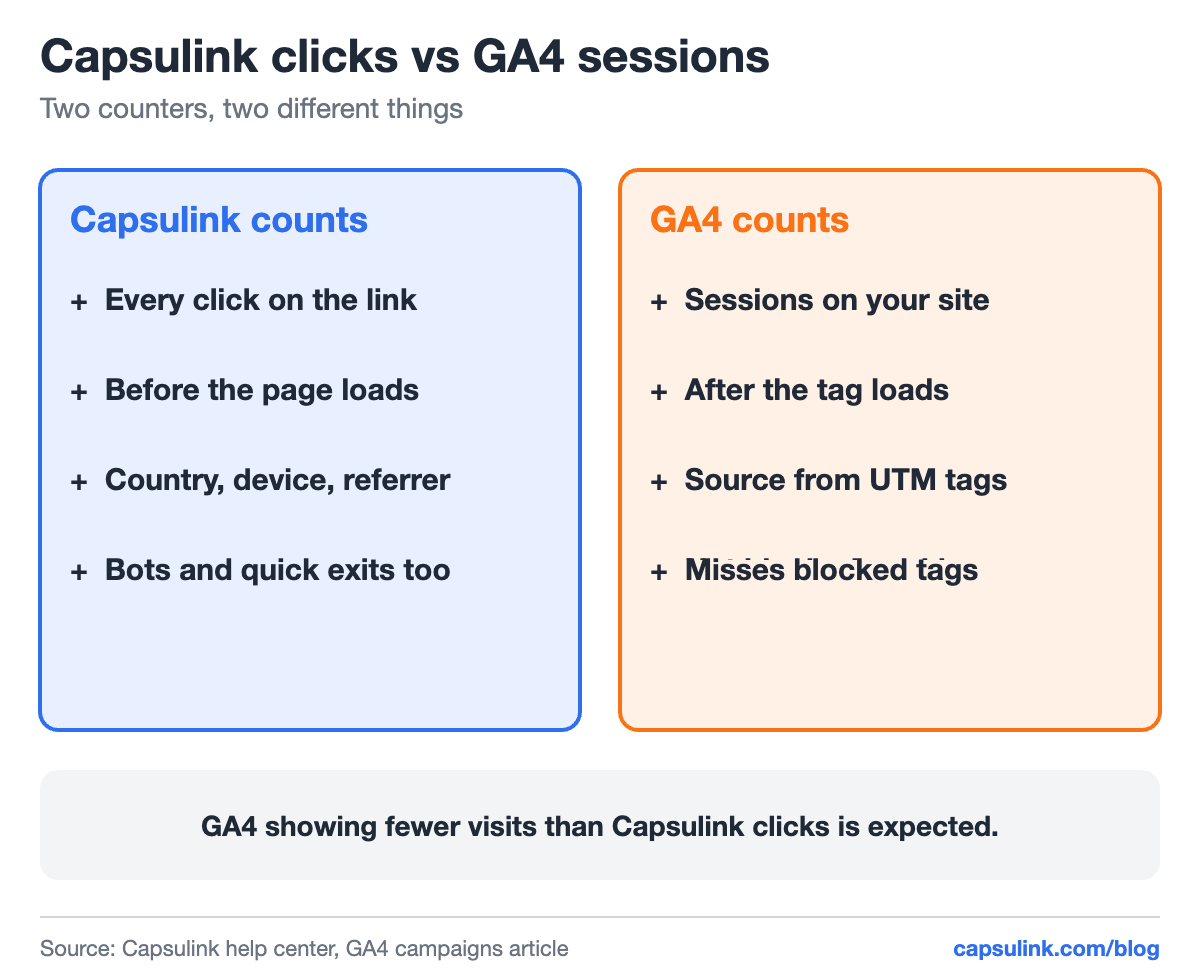
Two counters that measure different moments.
Expect GA4 to show fewer visits than Capsulink shows clicks. The Capsulink help center explains why: bots, blocked cookies and visitors who leave before the page loads are counted as clicks but not as GA4 sessions. Capsulink counts the click itself, with country, device and referrer, before the redirect (How to view and export your link statistics). GA4 counts what happens on your site after its tag loads.
Use each for its job. Capsulink answers “how many people clicked this link and from where”. GA4 answers “what did they do on the site”. More on the difference in how to track link clicks.
Other causes Google lists
- Redirects that strip parameters, for example a jump from https to http. Test the whole chain with the tags attached.
- Ad blockers, which can block the GA4 tag. No link setting fixes that, which is one more reason to keep Capsulink’s own click counts.
- People typing the address or using a bookmark. That traffic is direct by definition.
FAQ
Why do my short link clicks show as direct in Google Analytics?
The click arrives without a referrer and without UTM tags, so GA4 has no source to report. Add UTM tags to the short link’s destination.
Do URL shorteners hurt Google Analytics tracking?
They can drop referral details, Google says. UTM tags in the destination survive the redirect and give GA4 the source.
Why does GA4 show fewer visits than my link clicks?
Bots, blocked cookies and visitors who leave before the page loads are counted as clicks but not as GA4 sessions.