
A retargeting link adds an ad platform’s pixel to a short link, so people who click it can be shown your ads later. In Capsulink the pixel is set once on your custom short domain: a Google Tag Manager container ID and/or a Facebook Pixel ID (Setting up retargeting links). Every short link on that domain then builds an audience, even when it points to someone else’s website.
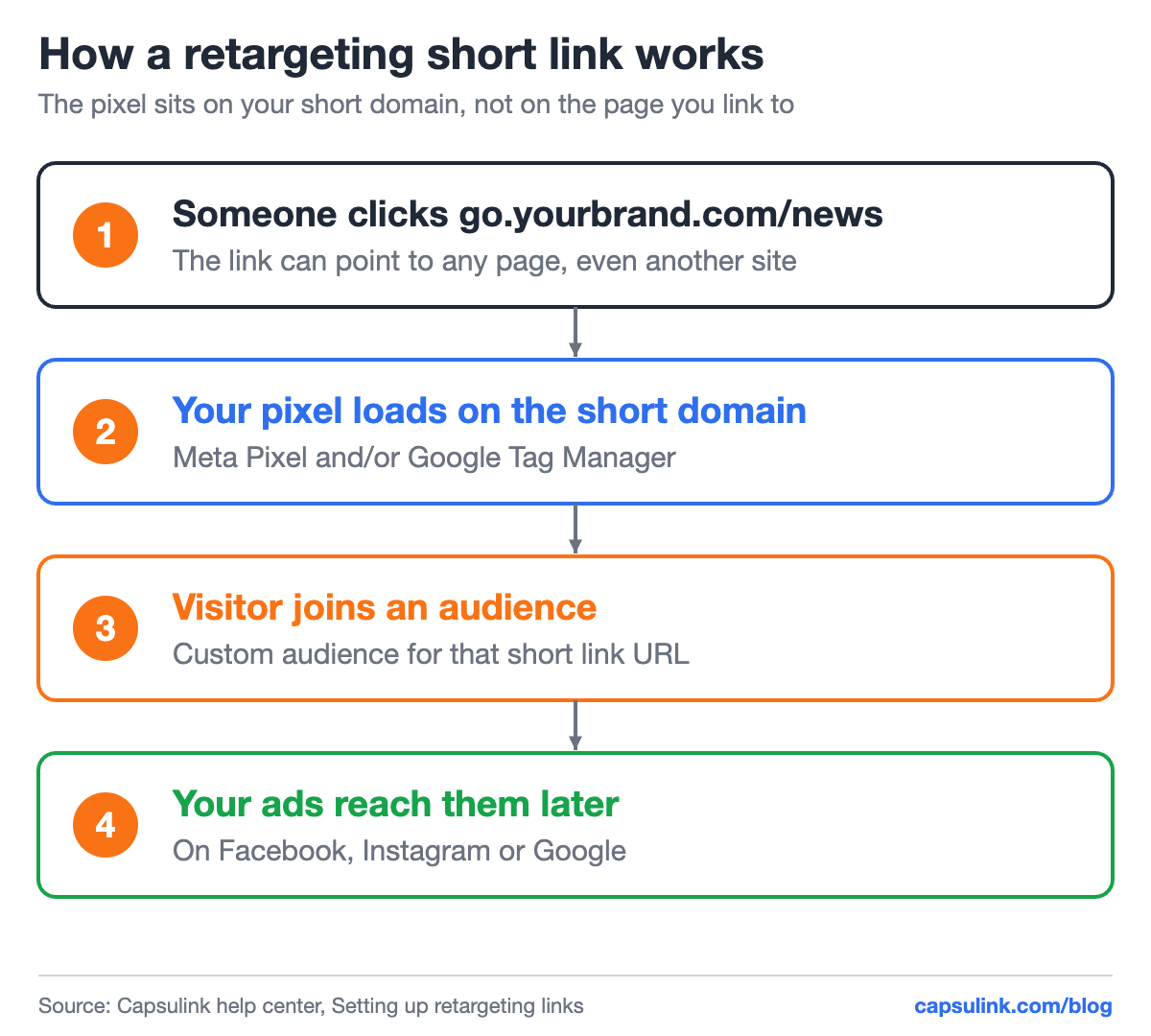
The pixel loads on your short domain, then the visitor goes on to the destination.
Why retarget people who clicked a link
A normal pixel only sees visitors to your own site. A pixel on a short link also catches people who clicked your link to a news article about you, a partner’s page or a review on another site. They showed interest, but never visited your site. The Capsulink help center calls them a “warmer” audience than people who see your ad for the first time.
| Link points to | Who joins the audience | Ad later |
|---|---|---|
| A press article about you | Readers who clicked it | Free trial offer |
| A partner’s webinar page | People interested in the topic | Your related guide |
| Your own pricing page | Visitors who checked prices | Discount reminder |
How to set it up in Capsulink
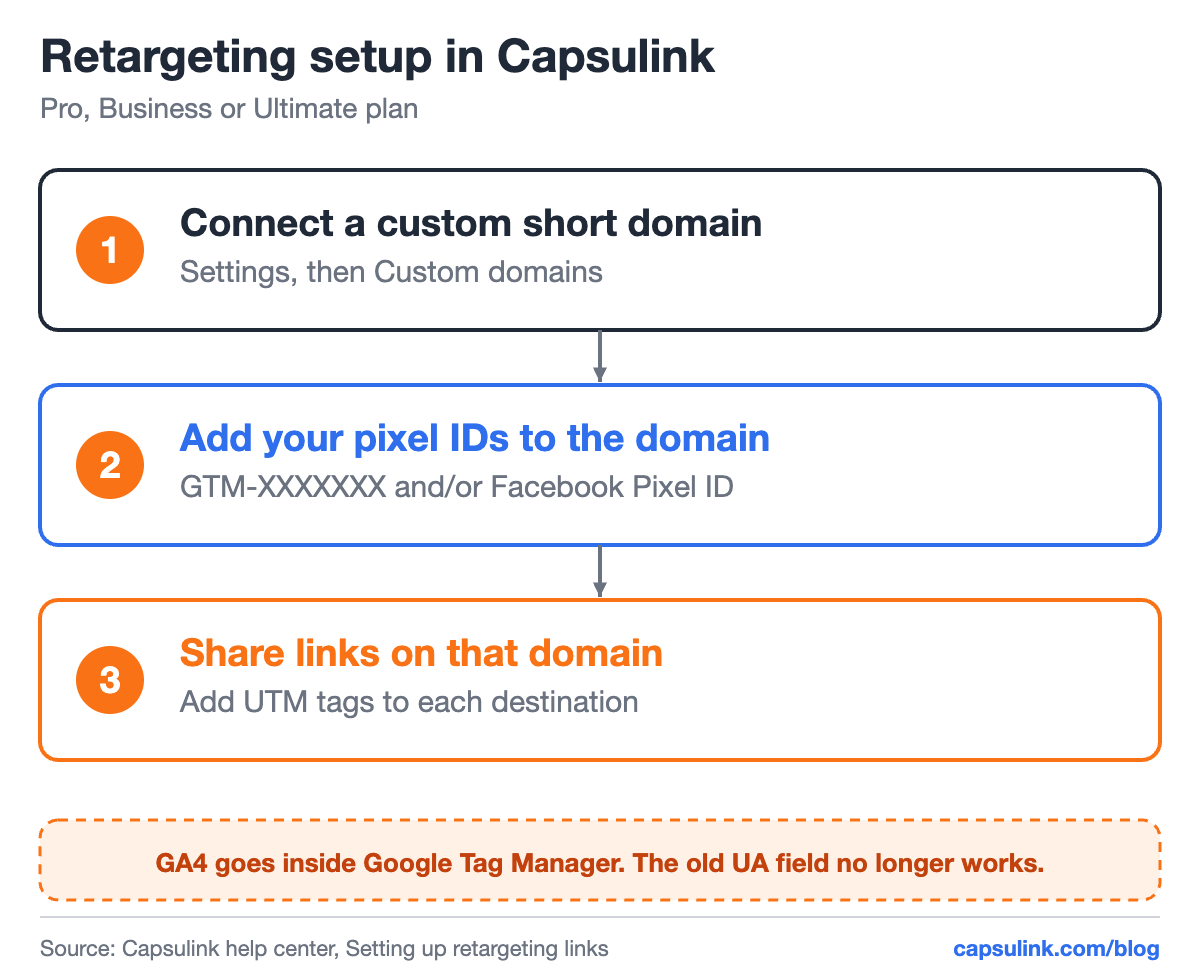
Three steps, done once per domain.
- Have a pixel ready: a Google Tag Manager container for Google Analytics 4 and Google Ads, or a Facebook (Meta) Pixel.
- Connect a custom short domain, see the custom short domain setup guide.
- In Settings, then Custom domains, open the domain and enter the GTM container ID (GTM-XXXXXXX) and/or the Facebook Pixel ID.
- Share links on that domain, with UTM tags in each destination.
Retargeting is a paid feature on Pro, Business and Ultimate. The help center notes that the old “Google Analytics Tracking ID” field only takes Universal Analytics IDs, which Google no longer processes, so GA4 goes inside the Tag Manager container.
Build the audience
For Facebook and Instagram ads, the help center describes the path: in Business Manager open Audiences, click Create Audience, choose Custom audience with Website as the source, insert the custom short link and select the time period. One short link per campaign gives one clean audience per campaign.
Privacy and consent
A pixel on a short link is tracking like any other pixel. Rules on cookies and consent depend on where your audience lives, so check them before switching it on, for example under GDPR in the EU. Capsulink itself processes click data in the EU and stores it on EU servers (Is Capsulink GDPR compliant?). Its dashboard statistics are aggregated and don’t identify individual visitors.
Tips
- Use UTM tags too. The pixel builds the audience, the tags tell GA4 which campaign brought the visit. See the UTM parameters guide.
- One link per audience. Mixing a press article and a pricing page in one link mixes two very different audiences.
- Keep the domain recognizable. A branded domain on every retargeting link also makes the link easier to trust, see how to check a link before you click it.
FAQ
What is a retargeting link?
A short link that loads an ad platform’s pixel when clicked, so the person can be added to an audience and shown ads later.
Can I retarget people who clicked a link to another website?
Yes. The pixel sits on your short domain, so it works whatever page the link points to.
Which Capsulink plans include retargeting?
Pro, Business and Ultimate. The pixel IDs are set per custom domain.