
A/B testing two landing pages doesn’t need a testing tool if the traffic comes through one link. A Capsulink smart link with two destinations and no conditions splits clicks equally between them (How does the targeting work?). Add a different utm_content to each page URL, and Google Analytics shows which page converts better. The link you share stays the same during and after the test.
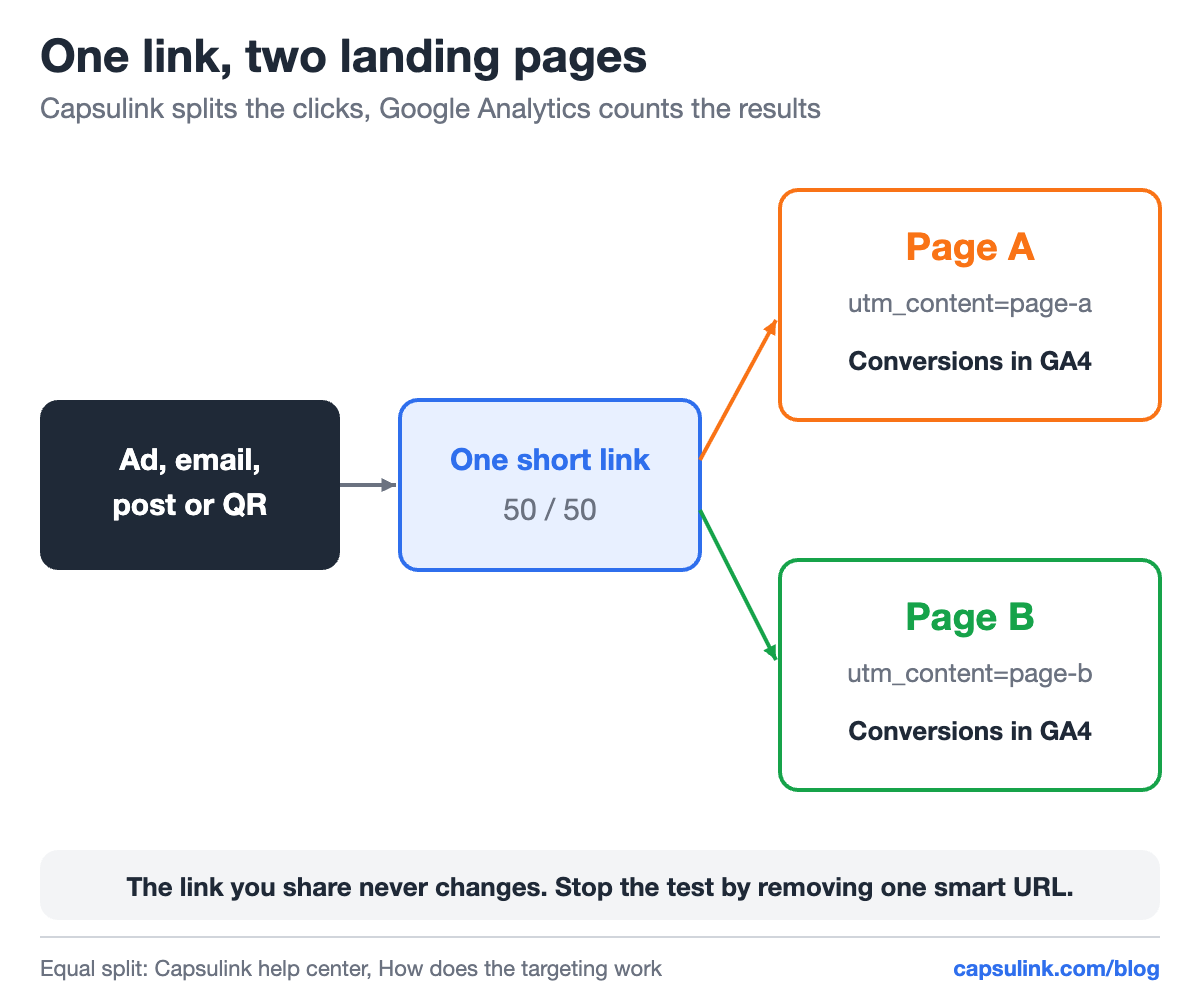
The short link splits the traffic, GA4 compares the results.
How the equal split works
When a smart link has several destinations and no targeting rules, Capsulink distributes the redirects equally. The help center’s example uses three test pages, so each gets 33.33% of clicks. With two pages, each gets half.
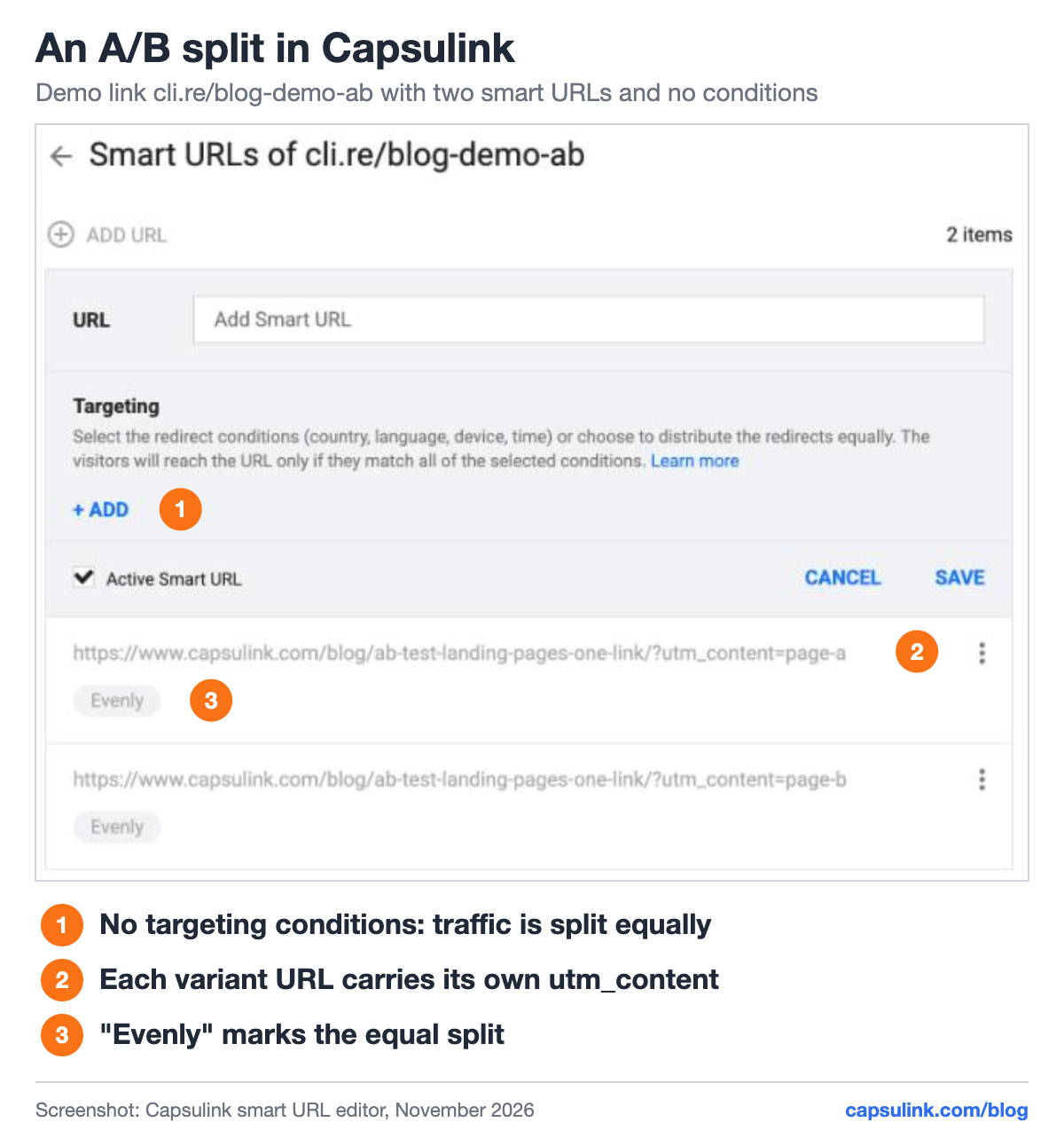
The demo link cli.re/blog-demo-ab, set up for this post.
Setup in Capsulink:
- Create a short link. Its default URL can be either page.
- Open Smart Links, add page A’s URL and save it without any targeting condition.
- Add page B’s URL the same way. Both show “Evenly”.
- Share the short link everywhere the test should run.
Smart links come with paid plans. Rules by country, language, device and time use the same screen, see one link for the App Store and Google Play.
Tag each page so GA4 can tell them apart
Give the two destination URLs the same utm_source, utm_medium and utm_campaign, and a different utm_content:
| Variant | Destination URL ends with |
|---|---|
| Page A | ?utm_campaign=spring&utm_content=page-a |
| Page B | ?utm_campaign=spring&utm_content=page-b |
In GA4, open Traffic acquisition, add Session manual ad content as a secondary dimension, and compare key events for page-a and page-b. The two pages can also be two completely different URLs. The tags work the same way. See the UTM parameters guide for naming.
How many visitors you need
A test needs enough visitors per page before a difference means anything. The numbers below come from the standard two-proportion sample size formula, at 95% confidence and 80% power:
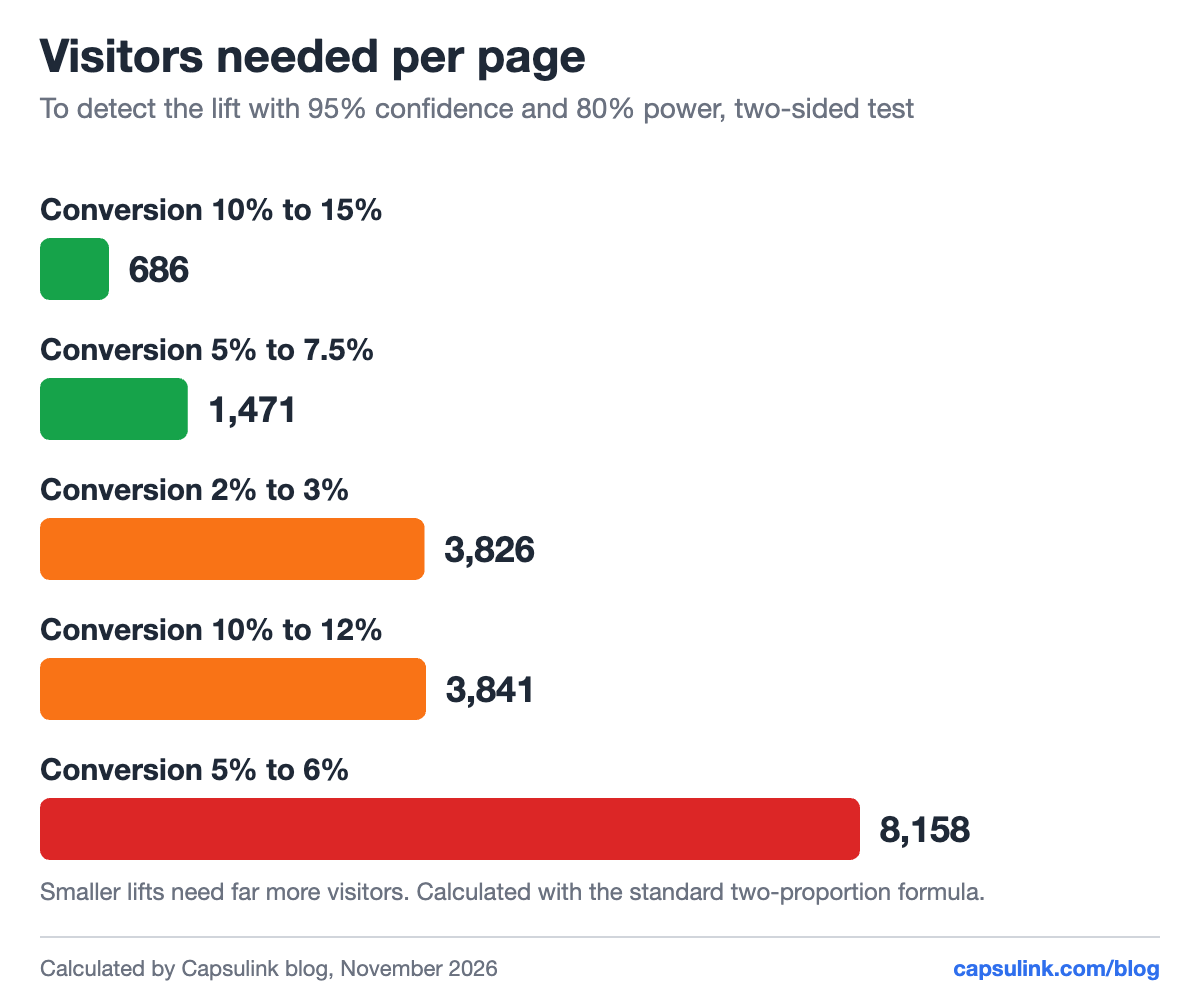
Visitors needed per page. Small lifts need large samples.
| Page A converts | Page B converts | Visitors per page |
|---|---|---|
| 10% | 15% | 686 |
| 5% | 7.5% | 1,471 |
| 2% | 3% | 3,826 |
| 10% | 12% | 3,841 |
| 5% | 6% | 8,158 |
A page converting at 5% needs about 8,158 visitors per variant to reliably detect a lift to 6%. Low-traffic tests should aim for bigger differences between the pages, like a new offer, not a new button color.
Rules for a clean test
- Change one thing. Headline, offer or layout. Two changes at once can’t be told apart.
- Run full weeks. Weekday and weekend visitors behave differently.
- Don’t stop at the first lead. Wait for the planned number of visitors.
- End it with one edit. Remove the losing smart URL, or set the winner as the default URL. Every shared copy of the link follows (How do I change the destination URL (Target URL) for a short link?).
The same link can be printed in a QR code, which makes offline A/B tests possible too: two flyer offers, one code. More in how to track QR code scans.
FAQ
Can I A/B test landing pages with a link shortener?
Yes, with a smart link that splits traffic between two destinations. Capsulink splits equally when no targeting rules are set.
How do I see which page won?
Tag each destination with a different utm_content and compare conversions per utm_content in Google Analytics.
How long should an A/B test run?
Until each page reaches the visitor count your expected lift needs, and at least one full week.