
A QR code on a business card can hold the contact details themselves, as a vCard, or a short link to a page with those details. Measured with the segno library, a typical vCard of 235 characters needs a version 11 QR code with 61 x 61 modules. A 30-character short link fits version 3 with 29 x 29. At the same 3 cm print size, each square of the short-link code is twice as wide, and the contact details behind it can change after printing.
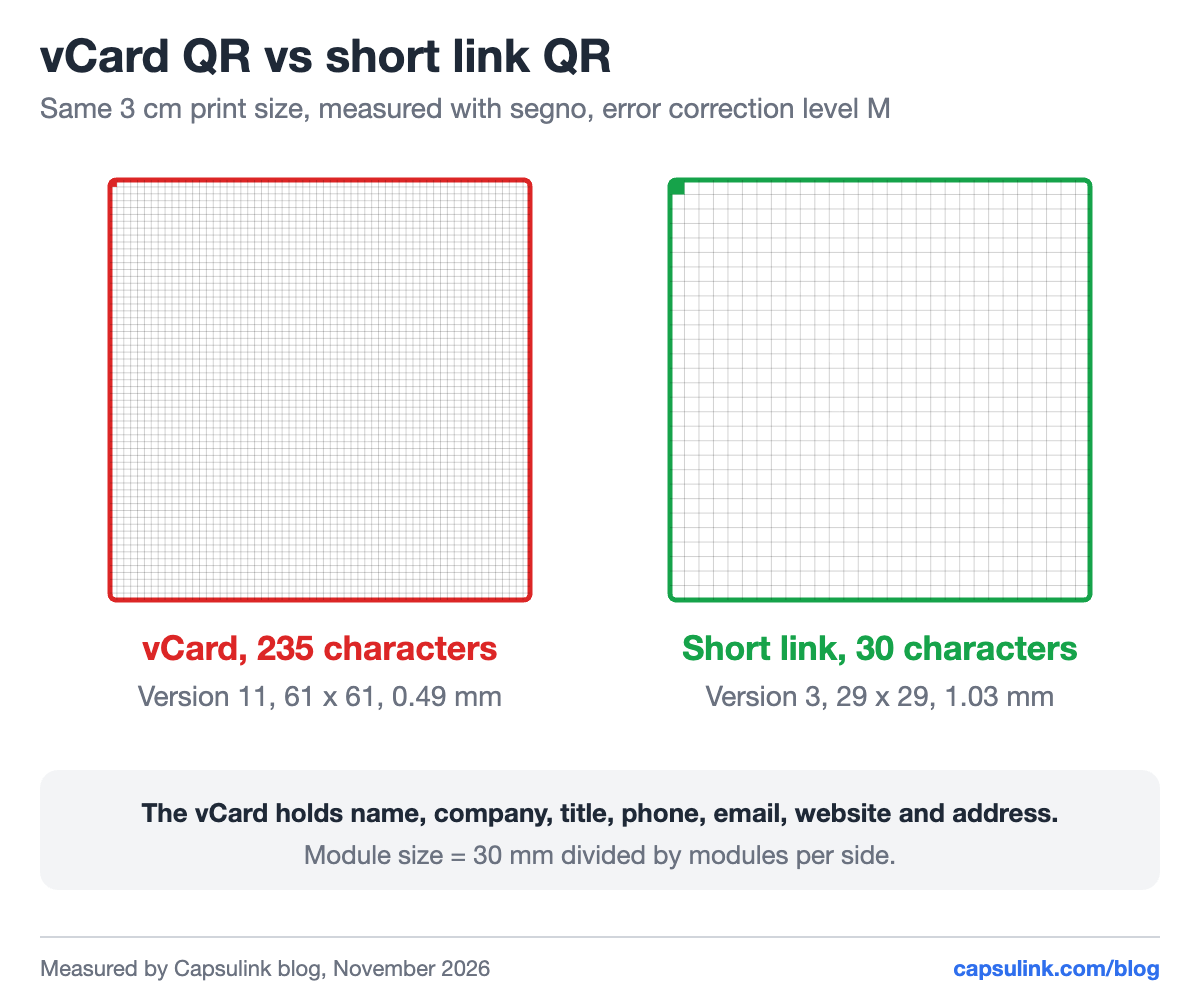
The same 3 cm on paper, two very different codes.
What a vCard QR code holds
vCard is the standard contact format, defined in RFC 6350. The test card above held a name, company, job title, mobile number, email, website and street address. Every character is stored inside the QR code itself, which is why the code grows with each field.
| QR content | Characters | Version | Modules | Module at 3 cm |
|---|---|---|---|---|
| vCard, 7 fields | 235 | 11 | 61 x 61 | 0.49 mm |
| Short link | 30 | 3 | 29 x 29 | 1.03 mm |
Measured on November 24, 2026 at error correction level M. Smaller modules need sharper printing and a steadier hand when scanning.
vCard or short link?
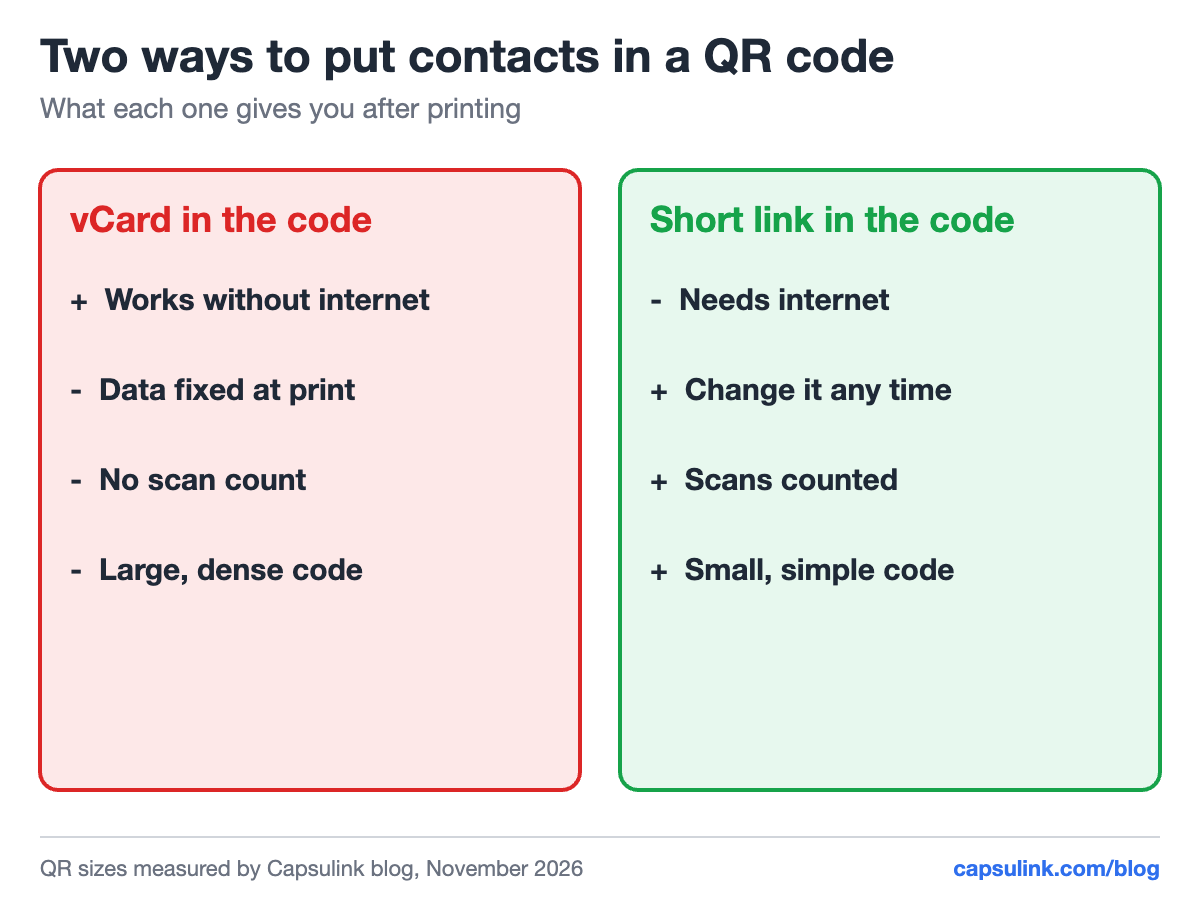
What each option gives you after the cards are printed.
A vCard has one real advantage: it works without internet. Everything else favors the short link. The data on a vCard is frozen at print time, so a new phone number or job title means new cards. A short link can point somewhere new, and each scan is counted (How to view and export your link statistics).
Set up a business card QR with a short link
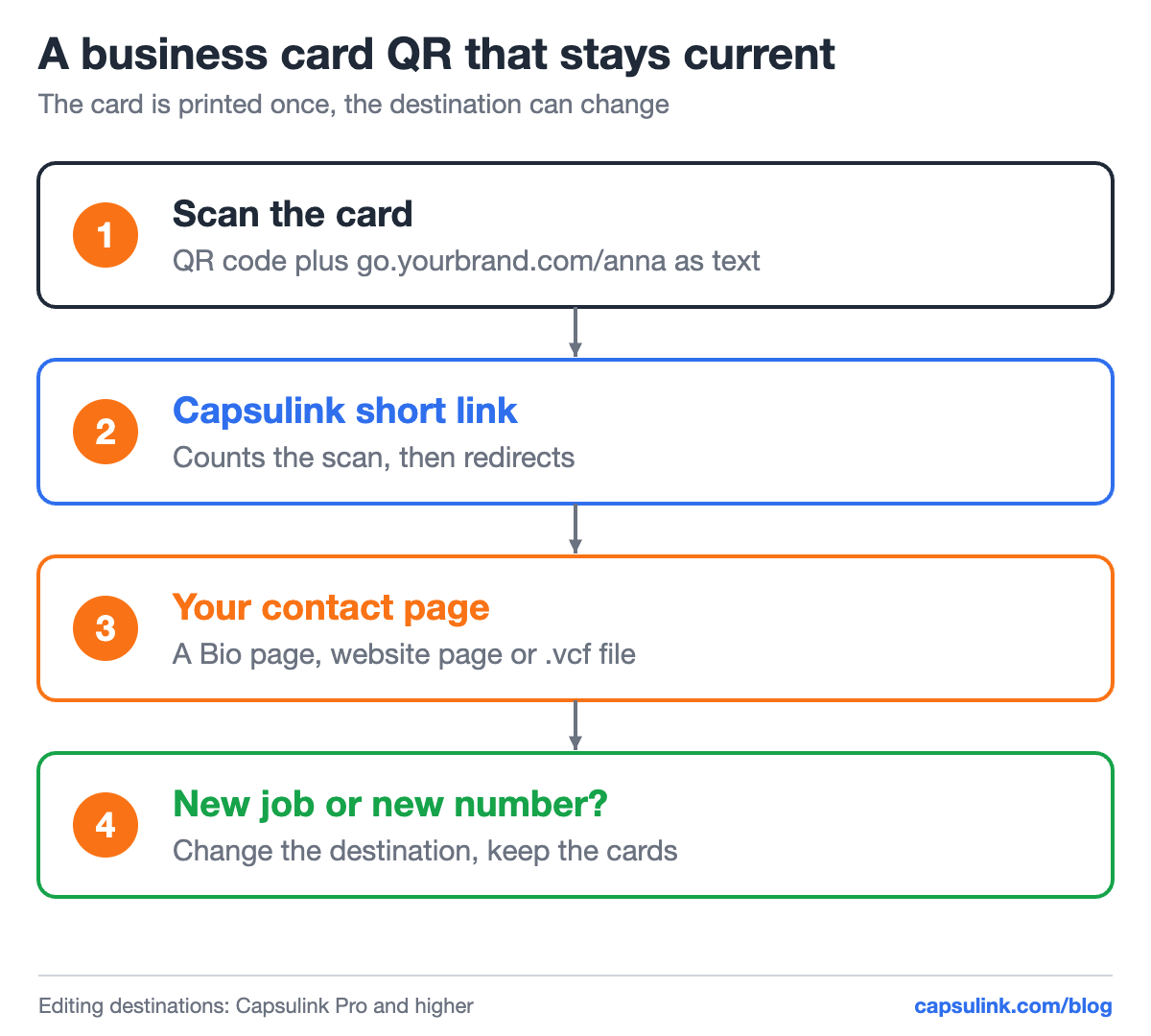
Print once, update the destination when details change.
- Pick the destination: a contact page on your site, a Capsulink Bio page with your social profiles, or a hosted .vcf file.
- Shorten it with a readable ending, like go.yourbrand.com/anna.
- Download the QR code of the short link as SVG for print (How to generate QR codes for short links?).
- Print the short link as text next to the code, for people who’d rather type.
Changing the destination later needs Capsulink Pro or higher (How do I change the destination URL (Target URL) for a short link?). A Capsulink Bio page works well as the destination: photo, description, social icons and link buttons on one page, see the Capsulink Bio page.
Print tips
- Leave the quiet zone. The QR standard asks for an empty border of 4 modules around the code.
- Dark on light. Print dark modules on a light background with strong contrast.
- Test the printer proof. Scan the actual proof, not the screen file, before ordering 500 cards.
- Use your own domain. go.yourbrand.com/anna on a card looks like part of the brand. See the custom short domain setup guide.
More on why short links make cleaner codes in dynamic vs static QR codes.
FAQ
What should a QR code on a business card link to?
A short link to a contact page or bio page. The code stays small and the details can change after printing.
Can a QR code add me to someone’s contacts?
Yes, a vCard QR code holds the contact details in the vCard format. The trade-off is a larger, denser code that can’t be updated.
How big should a business card QR code be?
It depends on its version. A short link keeps the version low, so a small code still has modules about 1 mm wide at 3 cm.