
Creating short links one by one gets slow once a campaign needs dozens of them. Capsulink offers three ways to create them in bulk: a CSV import for a one-time list, the API for links your own system creates, and Zapier for no-code automation. They differ in plan and in how often they run.
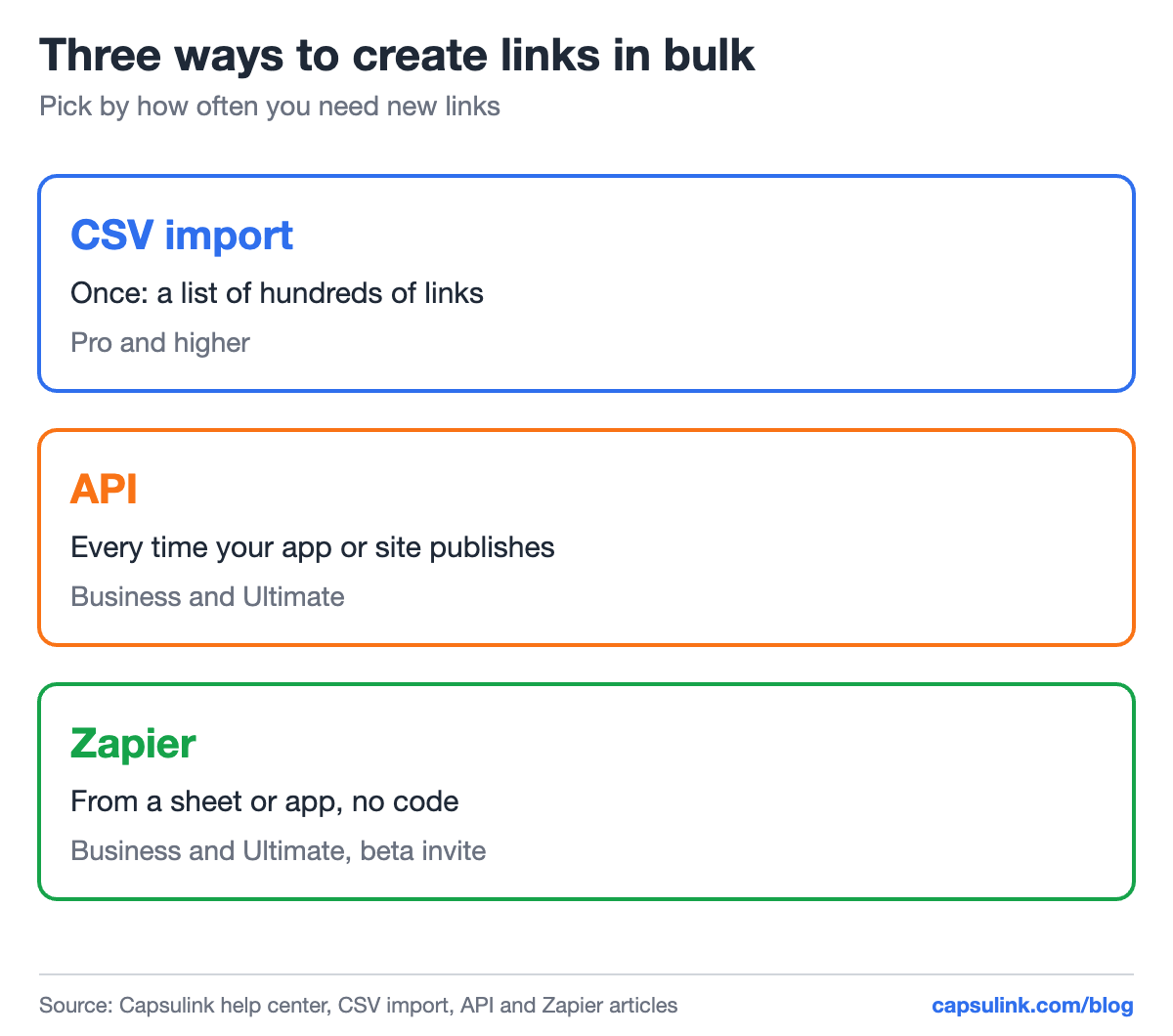
Pick the method by how often new links appear.
| Method | Best for | Plan | Skills needed |
|---|---|---|---|
| CSV import | A list of links, once | Pro and higher | A spreadsheet |
| API | Links created by your app or site | Business and Ultimate | Some code |
| Zapier | Links from sheets or other apps | Business and Ultimate | None |
CSV import: a list of links at once
The CSV import is the quickest way to load a list: product pages for a catalog, links moved from another shortener, or one link per store location (How to import links from another URL shortener (CSV)?). The Capsulink template has these columns:
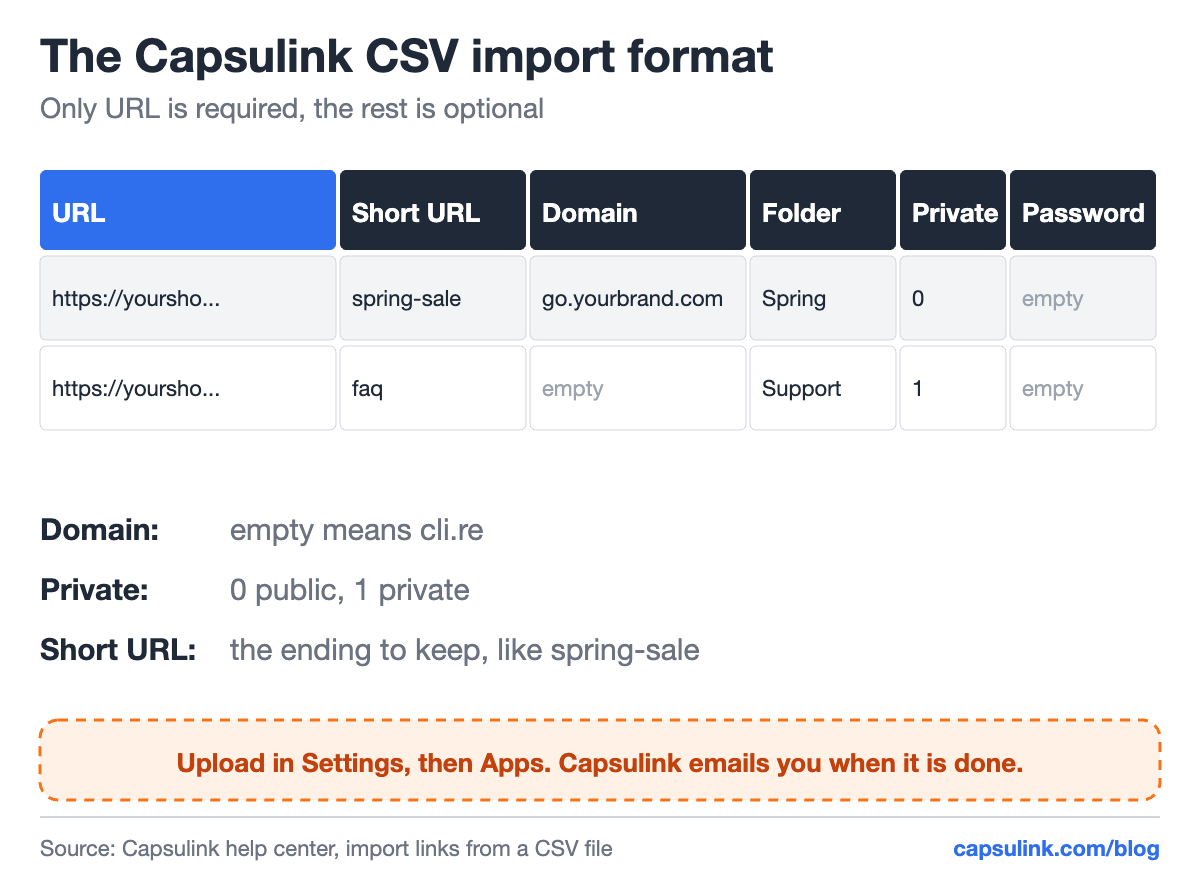
Only the URL column is required.
- URL: the destination, required.
- Short URL: the ending to keep, for example summer-sale.
- Domain: one of your custom domains. Empty means cli.re.
- Folder, Private (0 public, 1 private) and Password: optional.
Upload the file in Settings, then Apps, under “Import short links from a CSV file”. Capsulink processes it in the background and sends an email when the import is finished.
Moving links that already live on your own domain? Connect the domain to Capsulink first, then import with that domain in the Domain column, so the old links keep working. Coming from Bitly, there is a built-in import (Import your Bitly links into Capsulink).
API: links from your own system
The Capsulink API lets your app, script or website create and manage short links (How to create and integrate URL shortener API?). Typical uses: a short link for every new blog post, product or order confirmation. The help center lists what it can do:
- Create short links on cli.re or your custom domain, with your own ending.
- Change the destination, ending, domain, folder, title, password and privacy.
- List links and folders, create and delete folders, delete links.
- Get click statistics, including daily statistics.
API access comes with Business (up to 500,000 API calls) and Ultimate (up to 5,000,000). Create the key in Settings, then API, and keep it secret: anyone with the key can manage your links. Smart link rules are not available through the API and are set up in the dashboard.
Zapier: automation without code
Zapier connects Capsulink to thousands of other apps (How to integrate Zapier with Capsulink). The help center’s examples include creating short links from a Google Spreadsheet, adding new links to a sheet, posting new links to X and getting an email when a link reaches a number of clicks.
Zaps need a Business or Ultimate plan. The integration is an early beta that works through an invitation link from the Capsulink team, so check the help article for the current invite before planning around it.
Tips for bulk links
- Decide the naming first. Endings like store-riga or store-tallinn are easy to find later. Random endings are not.
- Use folders. One folder per campaign or client keeps hundreds of links manageable, see link management for agencies.
- Put UTM tags in the CSV. Build them into the URL column, see the UTM parameters guide.
- Test a few rows first. Import 3 rows, check them, then import the full file.
FAQ
How do I shorten many links at once?
Use a CSV import with one destination per row. In Capsulink it is available on Pro and higher plans.
Can I create short links automatically?
Yes, with the Capsulink API or Zapier. Both come with the Business and Ultimate plans.
Can I keep my old short link endings when I import?
Yes. Put the ending in the Short URL column and your domain in the Domain column.